12 Software description
106 CyFlow
®
Cube 8 | Operating Manual | May 2018 | Revision 032
Compensation Settings group
The Compensation Settings group contains options to create a fluorescence
compensation setup panel in the Worklist. The options are only available if
an empty Worklist item is selected but not opened in the Workspace.
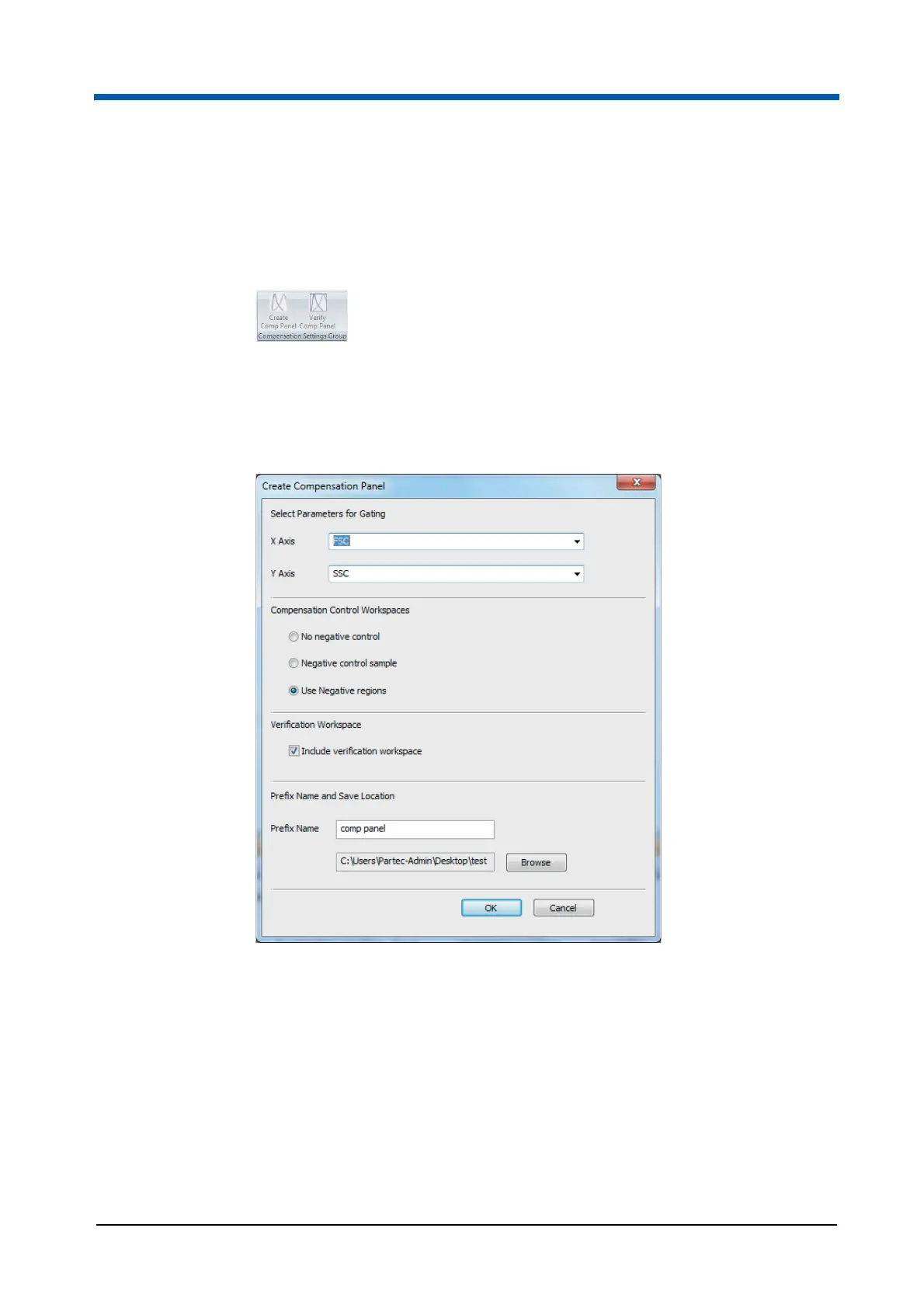
Click the Create Comp Panel button and select a Workspace file (CyFlow
acquisition Workspace files only) to use as a source for the compensation
setup panel. From this Workspace file, the parameters and instrument
settings (voltages, trigger logic and threshold information) are derived.
The Create Compensation Panel dialogue is displayed.
The Create Compensation Panel dialogue contains the following options:
Select Parameters for Gating: Click the buttons to display drop-down
lists and select the desired X and Y parameters for gating. These
parameters will be used for the X-axis and Y-axis of gating plots within
the negative control sample (if selected), the compensation calculation
Workspaces and the verification tube (if selected). The drop-down lists
contain all parameters in the selected Workspace file. By default, the first
parameter of the list is used for the X-axis, the second parameter of the
list is used for the Y-axis.



 To Next Page