12 Software description
110 CyFlow
®
Cube 8 | Operating Manual | May 2018 | Revision 032
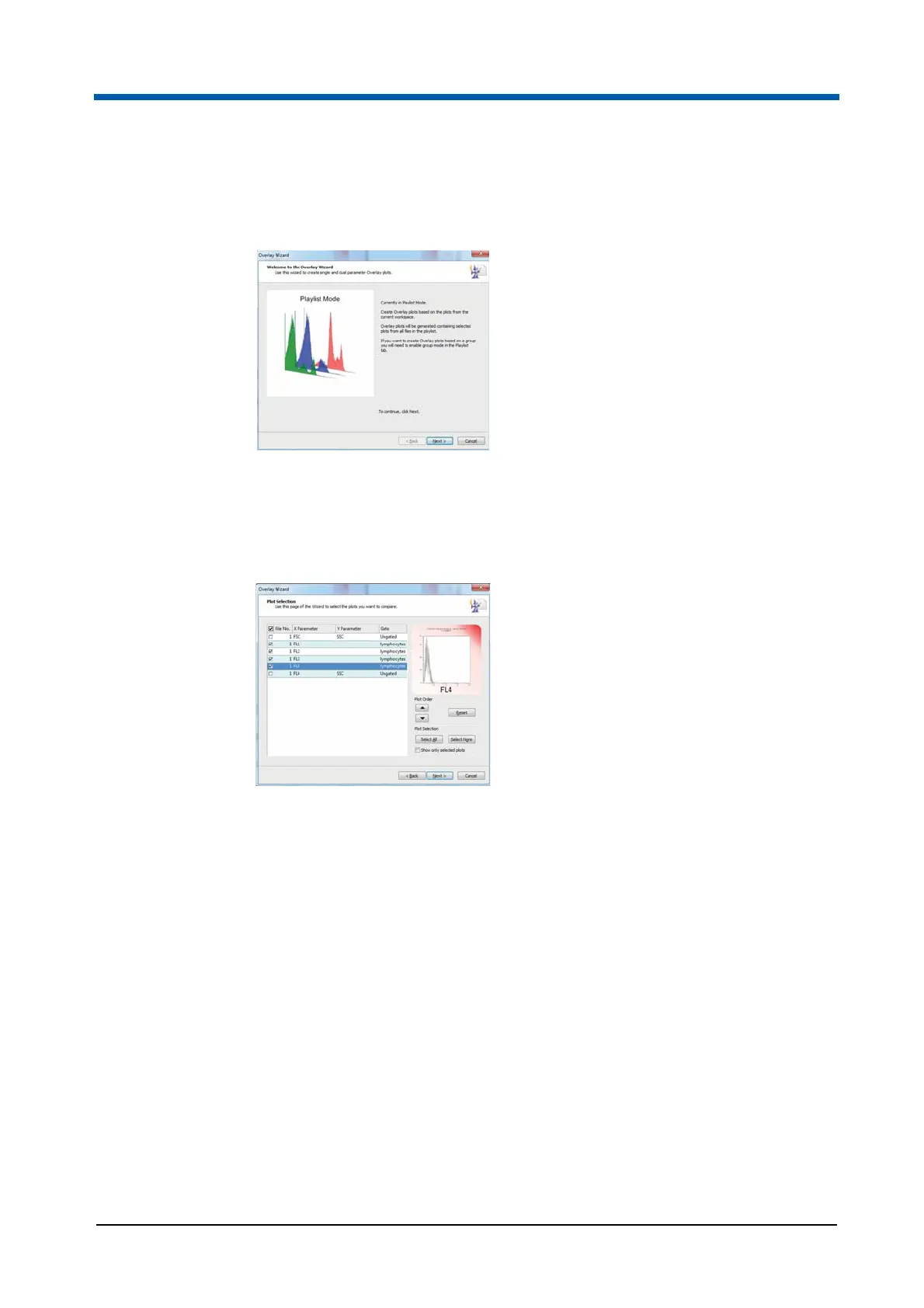
Overlay Wizard: Welcome Page
The Welcome page introduces you to the Wizard’s functionality.
Click the Next button to proceed to the Plot Selection page of the Wizard.
Overlay Wizard: Plot Selection Page
The Plot Selection page contains options to select the required plots to
create an overlay plot.
A list of the plots from the current Workspace is displayed. By selecting a
line of the list, the line is highlighted and a preview of the corresponding plot
is displayed.
For each plot, the list displays the item number for the Workspace containing
the plot, the X and Y parameters and the gate.
To add a plot to the overlay plot, select the check box next to the relevant
plot in the list.
The page contains the following options:
Plot Order: Plots appear in the created overlay plot in the order they
appear in the plot list. To change the order, click the up/down arrows to
move selected plots up and down in the list. To reset the plot order, use
the Reset button.
Plot Selection: Click the Select All or Select None buttons to easily
select or deselect all plots. To display only the plots which you have
selected for the overlays, select the "Show only selected plots" check
box.
Next: Click the button to proceed to the Overlay Plot Selection page.



 To Next Page