12 Software description
CyFlow
®
Cube 8 | Operating Manual | May 2018 | Revision 032 111
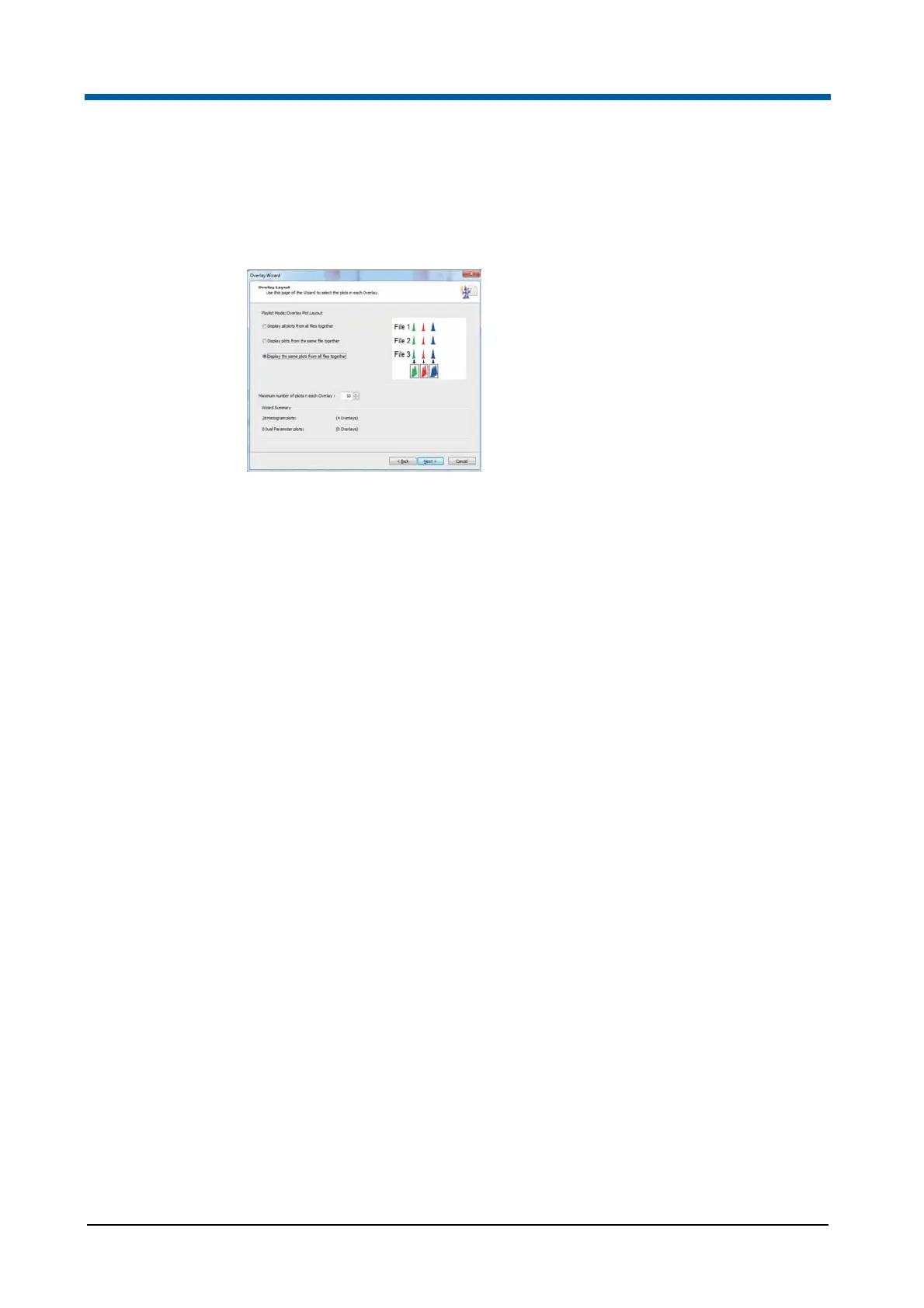
Overlay Wizard: Overlay Layout Page
The Overlay Layout Page contains options to define how the plots you have
selected will be added to the overlay plot.
The page contains the following options:
Display all plots from all files together: Select the option to display all
the selected plots from all the files in the Playlist on one overlay plot. If
you have selected both single and dual parameter plots, these are
arranged on separate overlay plots.
Display all plots from the same file together: Select the option to
display all the selected plots from each file in the Playlist on one overlay
plot. Each file in the Playlist is displayed on a new overlay plot. If you
have selected both single and dual parameter plots, these are arranged
on separate overlay plots.
Display the same plots from all files together: Select the option to
display the same plot from all the files in the Playlist on one overlay plot.
Different plots are displayed on separate overlay plots.
Maximum number of plots in each overlay: Enter a maximum number
of plots on one overlay plot. If the number of plots selected exceeds this
number, additional overlay plots are created as required.
Wizard Summary: This section displays the number of single parameter
and the number of dual parameter plots selected and details how many
overlay plots are created based on the selections made above.



 To Next Page