12 Software description
CyFlow
®
Cube 8 | Operating Manual | May 2018 | Revision 032 117
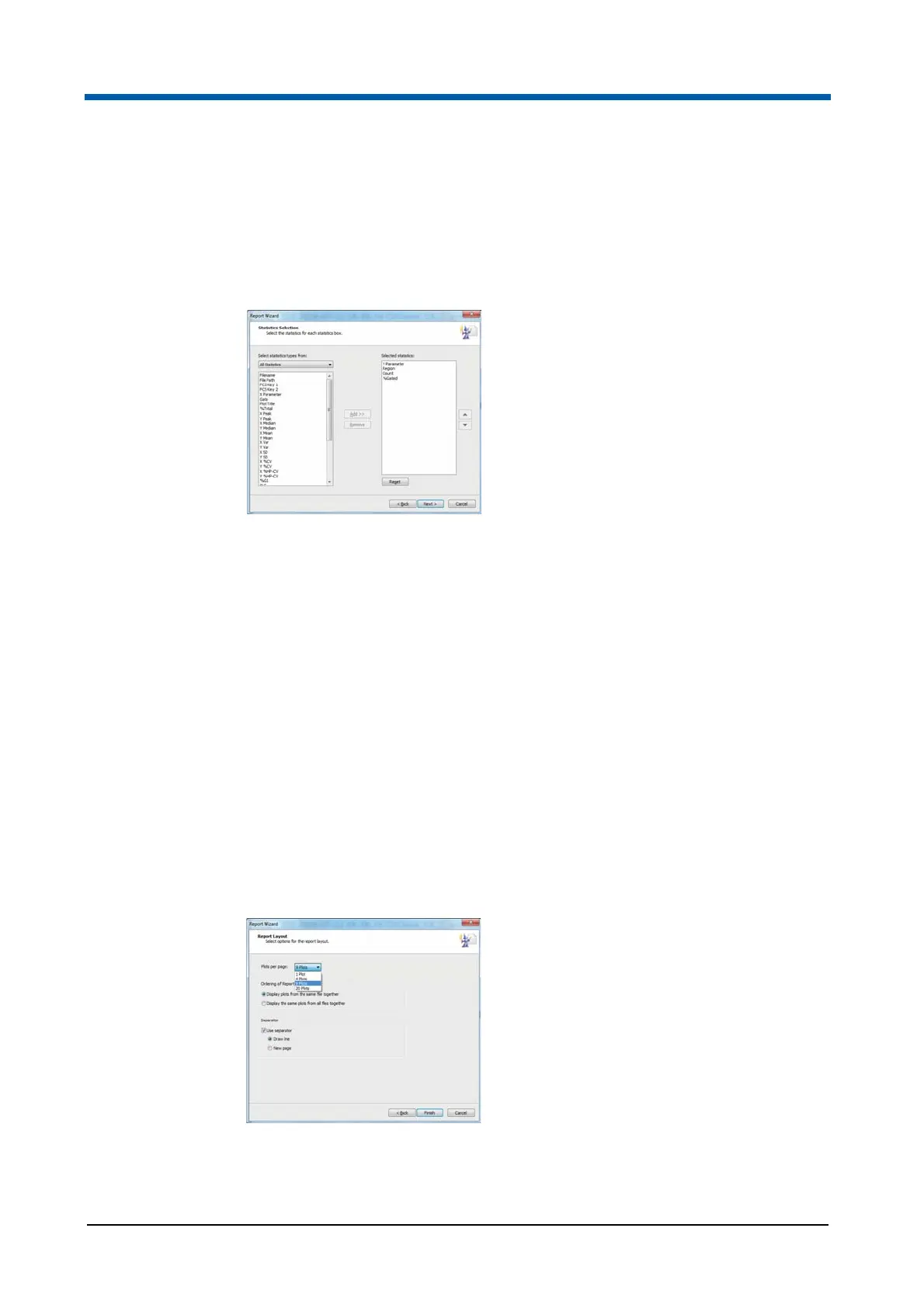
Report Wizard: Statistics Selection page
This page is only available if the "Display Statistics on Report" check box
was selected on the Statistics Layout page. The Statistics Selection page
enables you to select the required statistics and the order in which they are
displayed on the report.
The page contains the following options:
Select statistics types from: By default, all statistics are available for
selection. Use the box to view a reduced group of statistics.
Add: Click the button to add a selected statistic to the "Selected
statistics" list. By default, the "Selected statistics" list is populated only
with the statistics that are selected in the Results tab of the Workspace.
Remove: Click the button to remove a selected statistic from the
"Selected statistics" list.
Arrow buttons: Statistics appear in the generated report in the order
they appear in the "Selected Statistics" list. To change the order, click the
up/down arrows to move selected statistics up and down in the list.
Reset: Click the button to reset the selected statistics to their state when
the page was first displayed.
Report Wizard: Report Layout page
The Report Layout page enables you to select the required report layout.



 To Next Page