12 Software description
192 CyFlow
®
Cube 8 | Operating Manual | May 2018 | Revision 032
Font pages
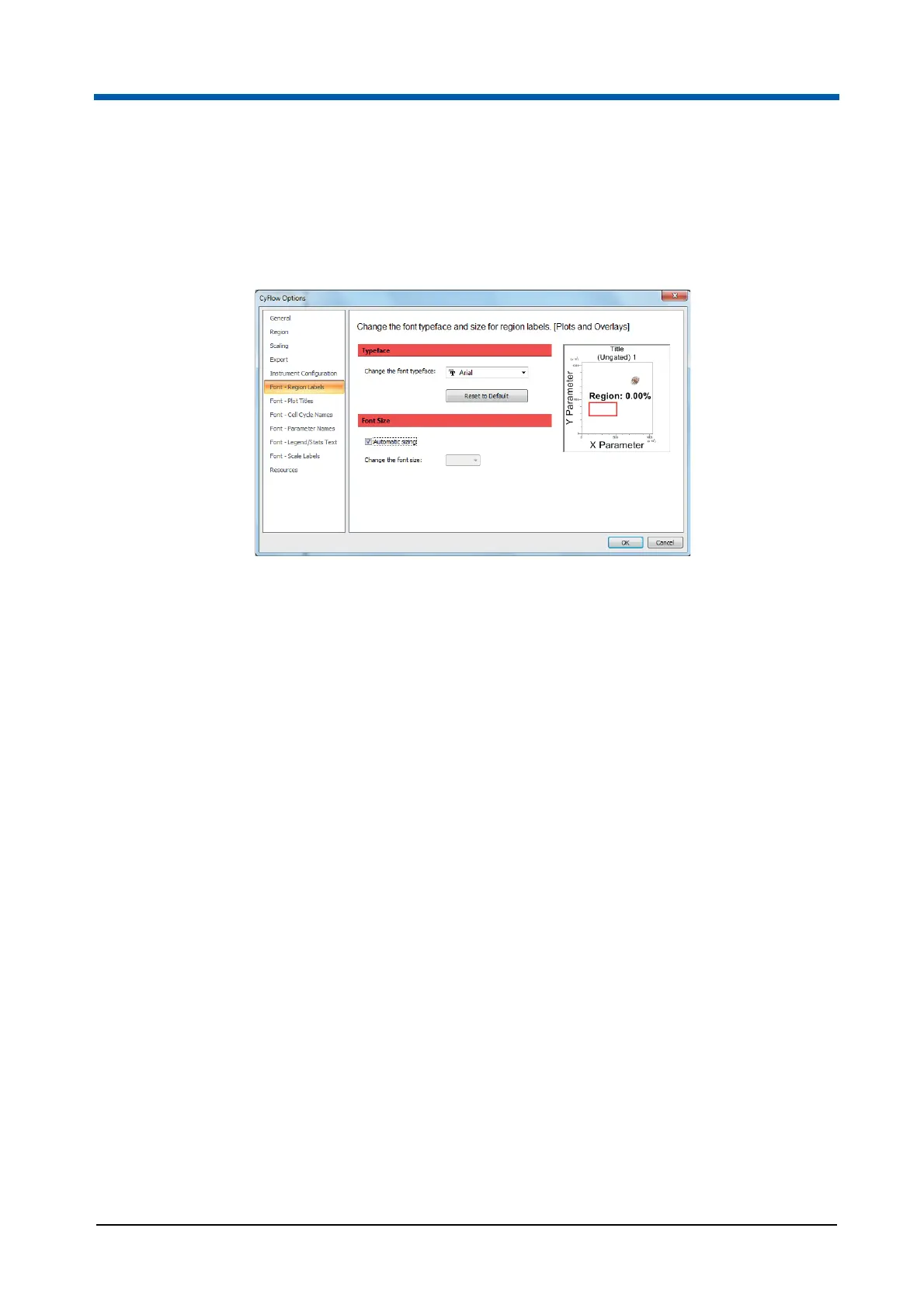
There are six Font pages containing options to select the default font
typeface and size of text displayed in the Workspace. On the right of each
page, a preview plot is displayed.
The following pages are available:
Font - Region Labels to select the font typeface and size for region
labels in plots and overlays.
Font - Plot Titles to select the font typeface and size for plot titles in
plots and overlays.
Font - Cell Cycle Names to select the font typeface and size for cell
cycle names in plots.
Font - Parameter Names to select the font typeface and size for
parameter names in plots and overlays.
Font - Legend/Stats Text to select the font typeface and size for the
legend and gallery statistics text in overlays.
Font - Scale Labels to select the font size of scale labels in plots and
overlays. On this page, only three options are available: small (4 pt),
medium (5 pt) and large (6 pt) font size.
The pages contain the following options:
Reset to Default: Click the button to reset the font typeface to its default
setting, which is Arial.
Automatic sizing: Select the check box to achieve automatic sizing of
texts. This is the default setting. The check box is not available for cell
cycle names.



 To Next Page