12 Software description
CyFlow
®
Cube 8 | Operating Manual | May 2018 | Revision 032 191
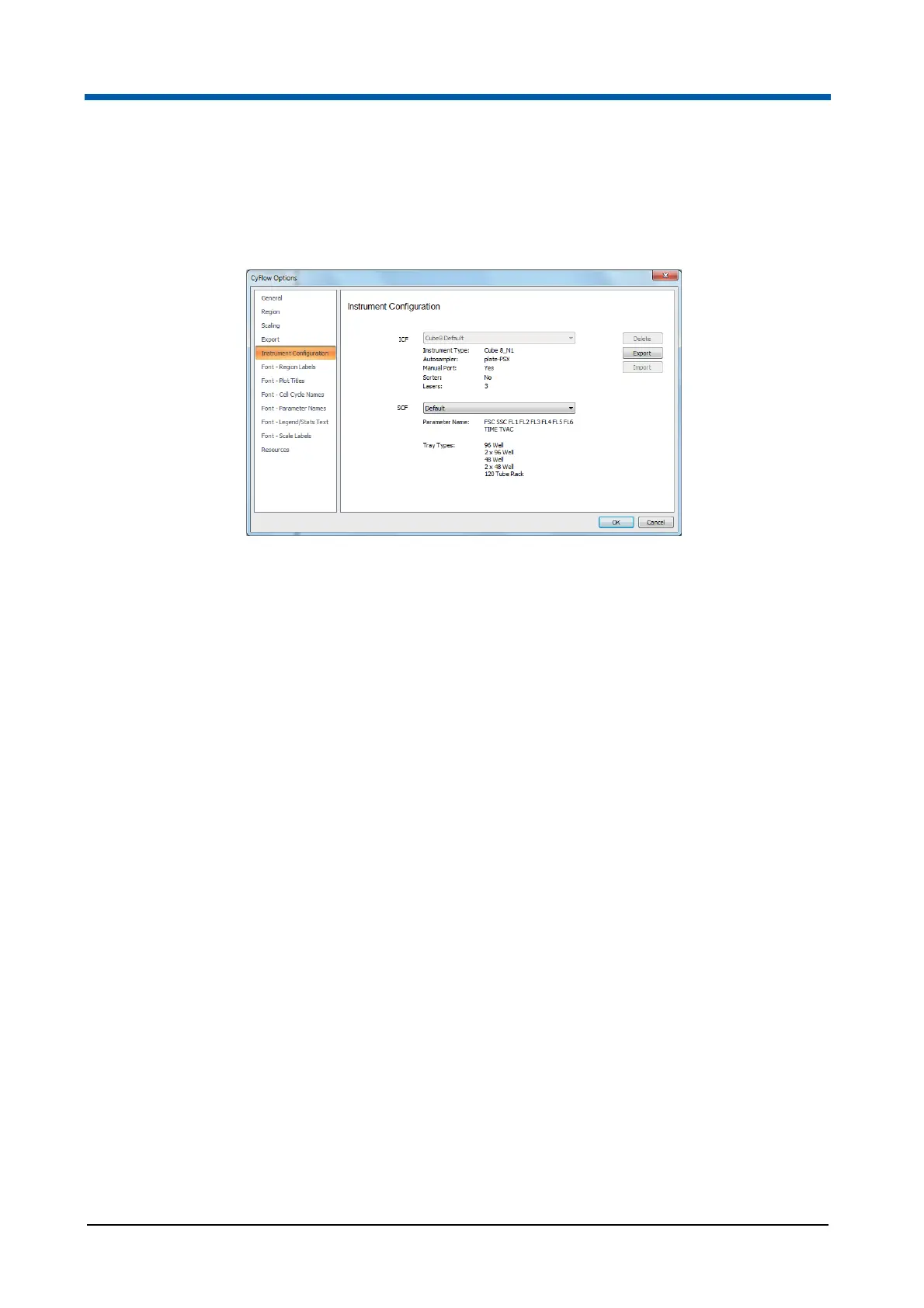
Instrument Configuration page
The Instrument Configuration page contains options to set the configuration of
your device when using an offline PC to create a Worklist.
The page contains the following options:
ICF: The ICF (instrument capabilities file) drop-down list contains the title
tag from each of the ICF’s held in the InstrumentConfigurations.xml file in
addition to the default configuration option which appears at the top of the
list. Select an ICF to use the ICF configuration when a new Worklist is
created.
The ICF information contains the type of device, autoloader type, manual
port availability, sorter availability and lasers. The lasers defined in the ICF
will determine the laser options displayed in the Acquire pane. The
sources defined in the ICF will determine the available options in the
Source Selection dialogue when creating a new Worklist.
Delete: Click the button to delete the currently selected ICF (and
associated SCF’s) from the InstrumentConfigurations.xml file and from the
ICF drop-down list. The default configuration will be automatically selected
in the drop-down list.
Export: Click the button to save the currently selected ICF (and
associated SCF’s).
Import: The button is only enabled when the workstation has not been
connected to a DLI (device layer interface) before. Click the button to
import an ICF (and associated SCF’s) into the
InstrumentConfigurations.xml file. The ICF will be present and
automatically selected in the ICF drop-down list.
SCF: The SCF (system configuration file) drop-down list contains the title
tag from each of the SCF’s (of which there will be one or more) defined
under the currently selected ICF. The SCF information contains the
parameters and tray types.
At the point of opening a Worklist or connecting to a DLI, a validation process
is started checking the configuration of the Worklist against the ICF and SCF
contents. Also, when loading a Workspace file into a Worklist, the Workspace
file is checked against the ICF and SCF contents that are held within the
Worklist. If validation fails, an error message is displayed.



 To Next Page