12 Software description
54 CyFlow
®
Cube 8 | Operating Manual | May 2018 | Revision 032
Undocking and positioning the panes
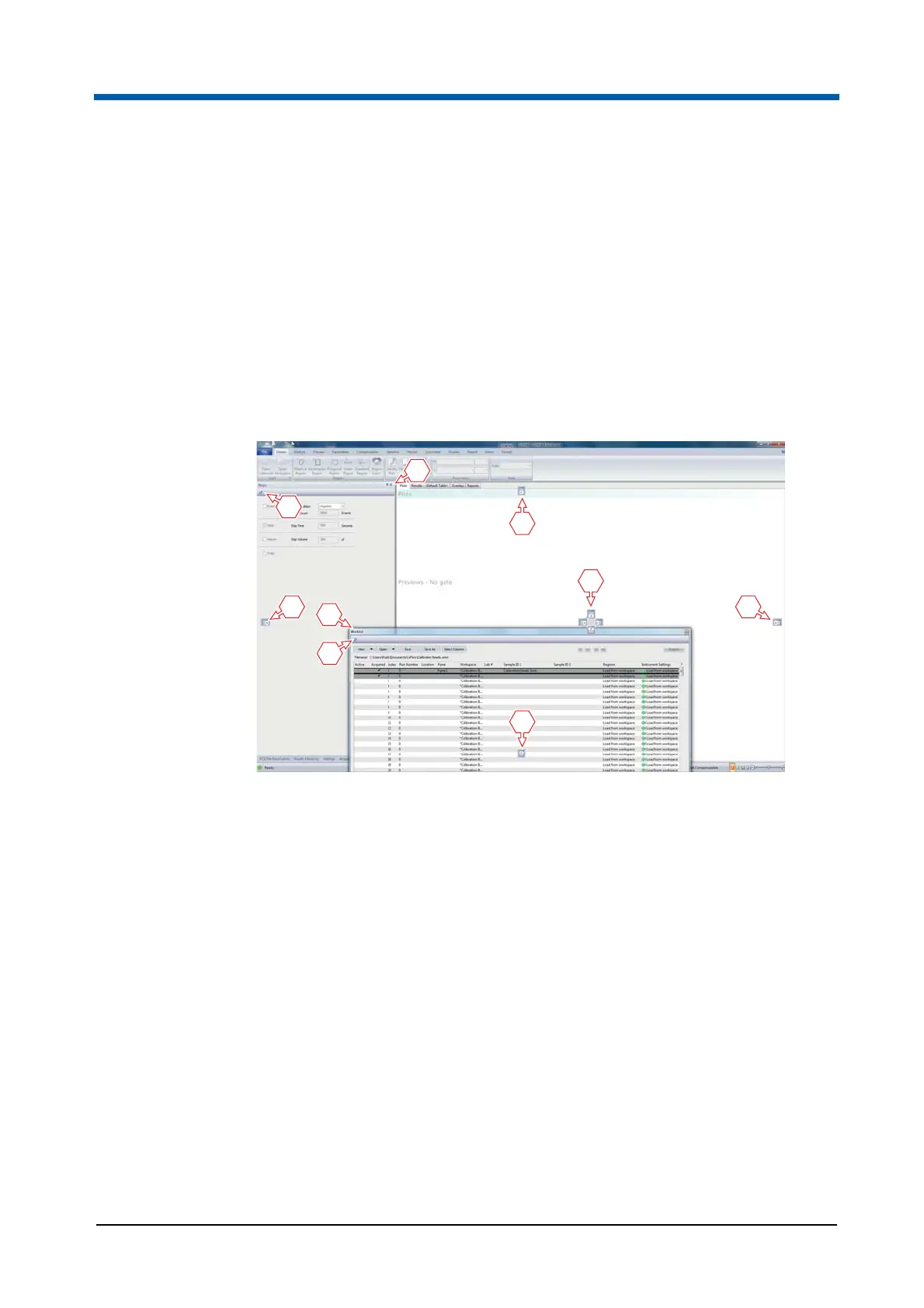
The panes, including the Worklist pane and the Playlist pane, can be
positioned and docked as required.
To undock a pane, the following options are available:
Click the title bar and relocate the pane by dragging and dropping. When
a pane is selected, its title bar is highlighted in orange.
Double-click the title bar.
Click the Float button.
The pane can then be dragged to the desired position.
To dock the pane to the previous position, double-click the title bar again or
click the Dock button.
The pane can be docked to other positions by using the blue relocation
arrows that are displayed while dragging the pane. To dock the pane to
bottom, top, right or left of the software window, drag the cursor onto the
corresponding relocation arrow. When the cursor is over a relocation arrow,
the position where the pane will be located on dropping is highlighted in blue.
1 Title bar of docked pane
2 Float button
3 Relocation arrows
4 Title bar of undocked pane
5 Dock button



 To Next Page