12 Software description
CyFlow
®
Cube 8 | Operating Manual | May 2018 | Revision 032 77
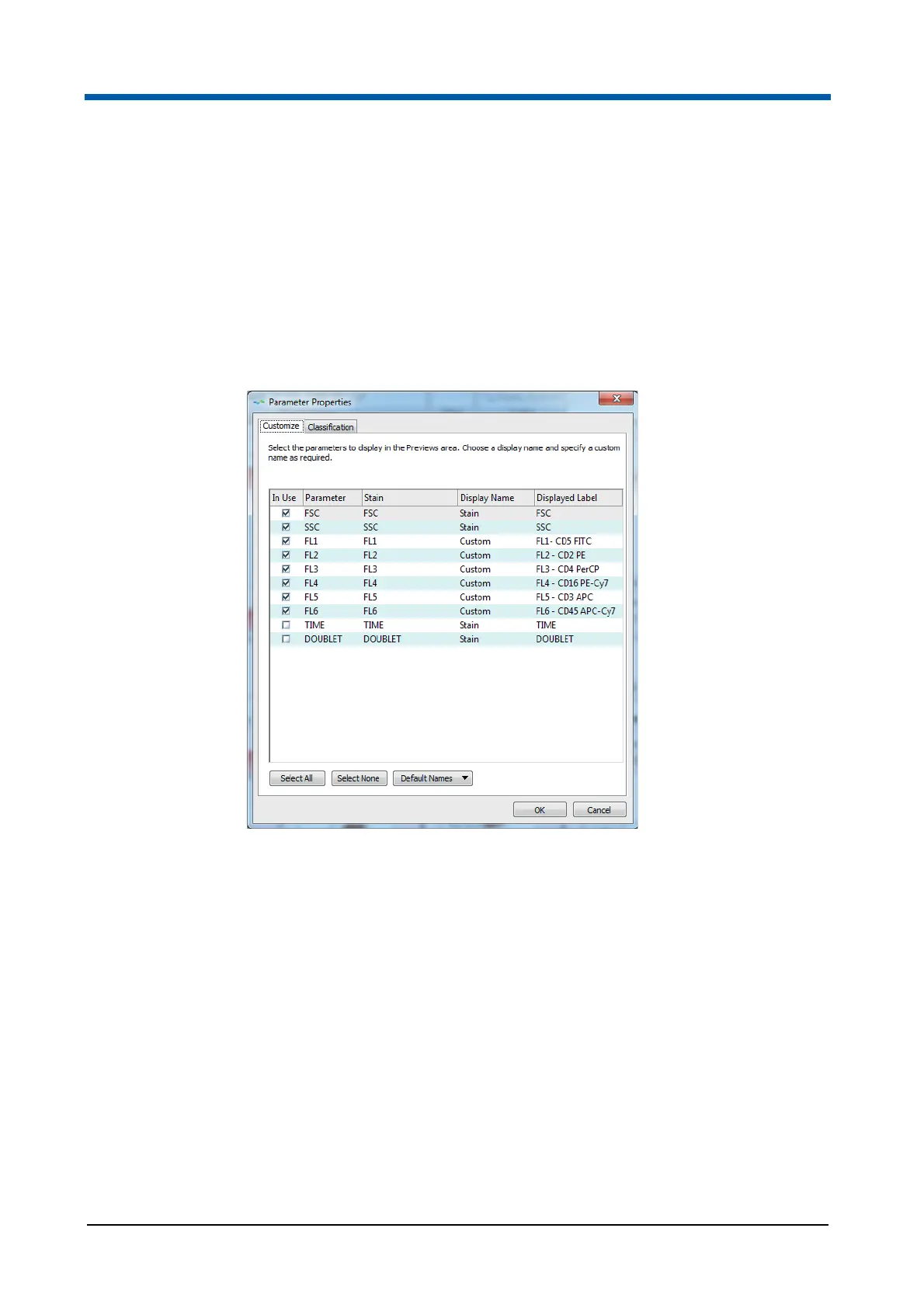
The Parameter Properties dialogue contains two tabs:
On the Customize tab, you can select which parameters are displayed in
the Previews area. You can also choose a display name and assign
custom names to individual parameters.
On the Classification tab, you can re-classify the group and type of a
parameter.
When the Parameter Properties dialogue is launched, the Customize tab is
displayed by default.
The Customize tab contains the following columns:
The "In Use" column contains check boxes. Select a check box to display
the corresponding parameter in the Previews area or deselect it to hide
the parameter. Selecting and deselecting parameters here does not
affect plots already present in the Plots area.
The "Parameter" column displays the parameter name for each of the
parameters available in the currently loaded listmode file.
The "Stain" column displays the stain name for each parameter.
The "Display Name" column allows you to select whether parameter
name, stain name, parameter - stain name combination or a custom
name is used as the display label for the parameter. Double-click in the
cell or press F2 to open a drop-down list and select the desired display
name. Once the dialogue closes, the display label is used throughout the
system. When a new LMD file is loaded, the custom display label will be
used only if both the parameter name and stain name for the new file
match those in the Workspace. If they don’t match, the stain name from
the new file is used as the display label.



 To Next Page