12 Software description
CyFlow
®
Cube 8 | Operating Manual | May 2018 | Revision 032 85
FL2, FL3, etc. You will be able to reallocate files later if required. If a single
LMD file contains more than one positive stain, you must load in the file once
for each stain present. The Wizard will allocate files based on the Playlist
starting from the first file. Additional files can be present in the Playlist but
will not be recognised by the Wizard.
Once the Playlist contains the required compensation setup files, click the
Compensation Wizard button to launch the Wizard.
The Compensation Wizard is made up of four types of pages:
Configuration Page
Background Fluorescent Page (only if a negative control file is used)
Compensation Pages (one for each selected compensation parameter)
Review Page
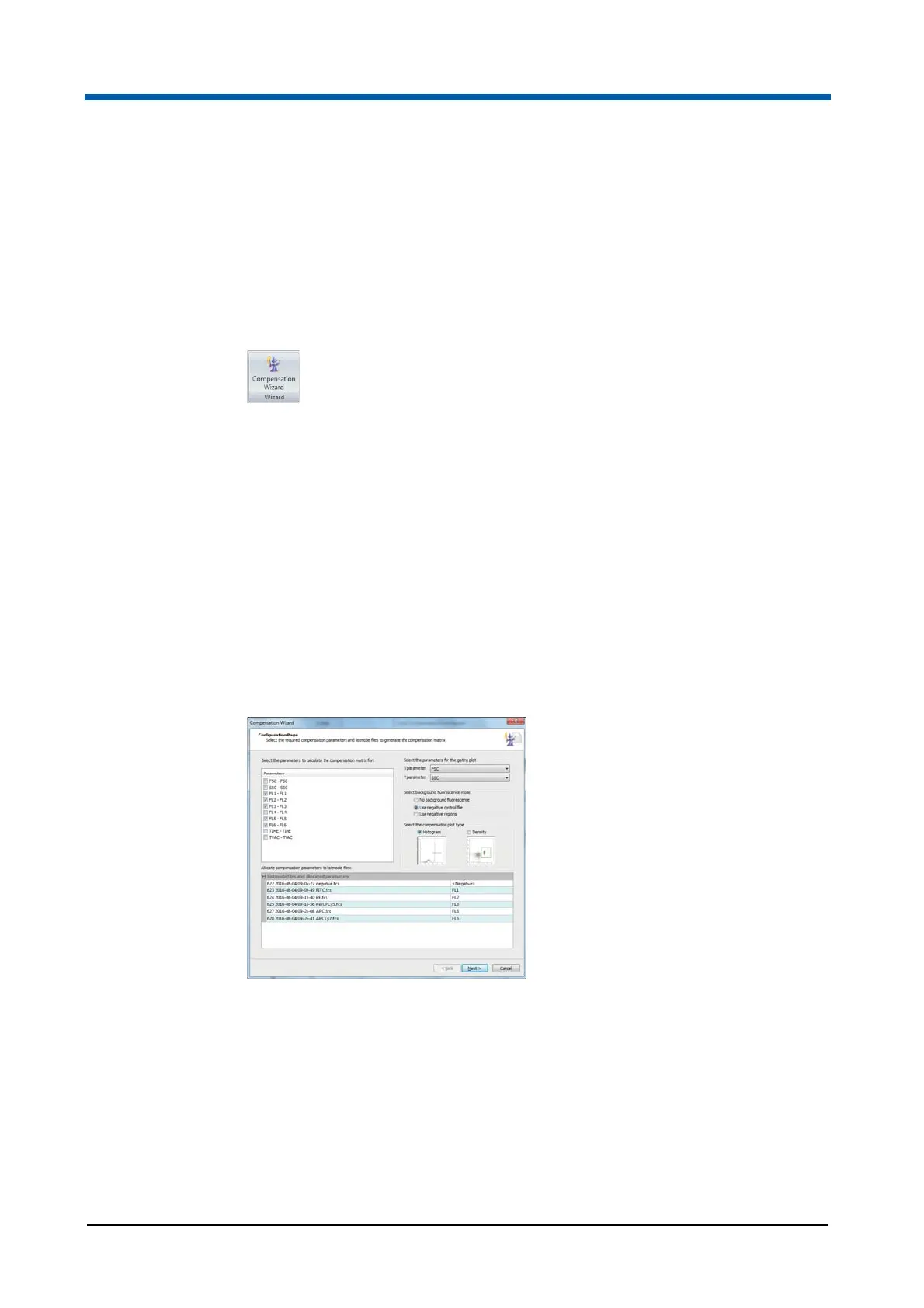
Compensation Wizard: Configuration Page
The first page of the Wizard, the Configuration page, is displayed when the
Wizard is launched. On this page, you can select the parameters you wish to
compensate and allocate an LMD file to each of them. You can specify how
negative control values should be calculated. You can also define the plot
type required for definition of positive and negative populations.
The page contains the following options:
Parameters: The list displays all the parameters from the first LMD file in
the Playlist in the format parameter name ($PnN) - stain name ($PnS).
Parameters identified as fluorescence are automatically selected. You
can deselect the ones you do not want to compensate. Parameters that
are not recognised as fluorescence parameters cannot be selected. For
details on parameter classification and how to reclassify parameters, see
chapter Parameter Properties on page 76.



 To Next Page