12 Software description
CyFlow
®
Cube 8 | Operating Manual | May 2018 | Revision 032 87
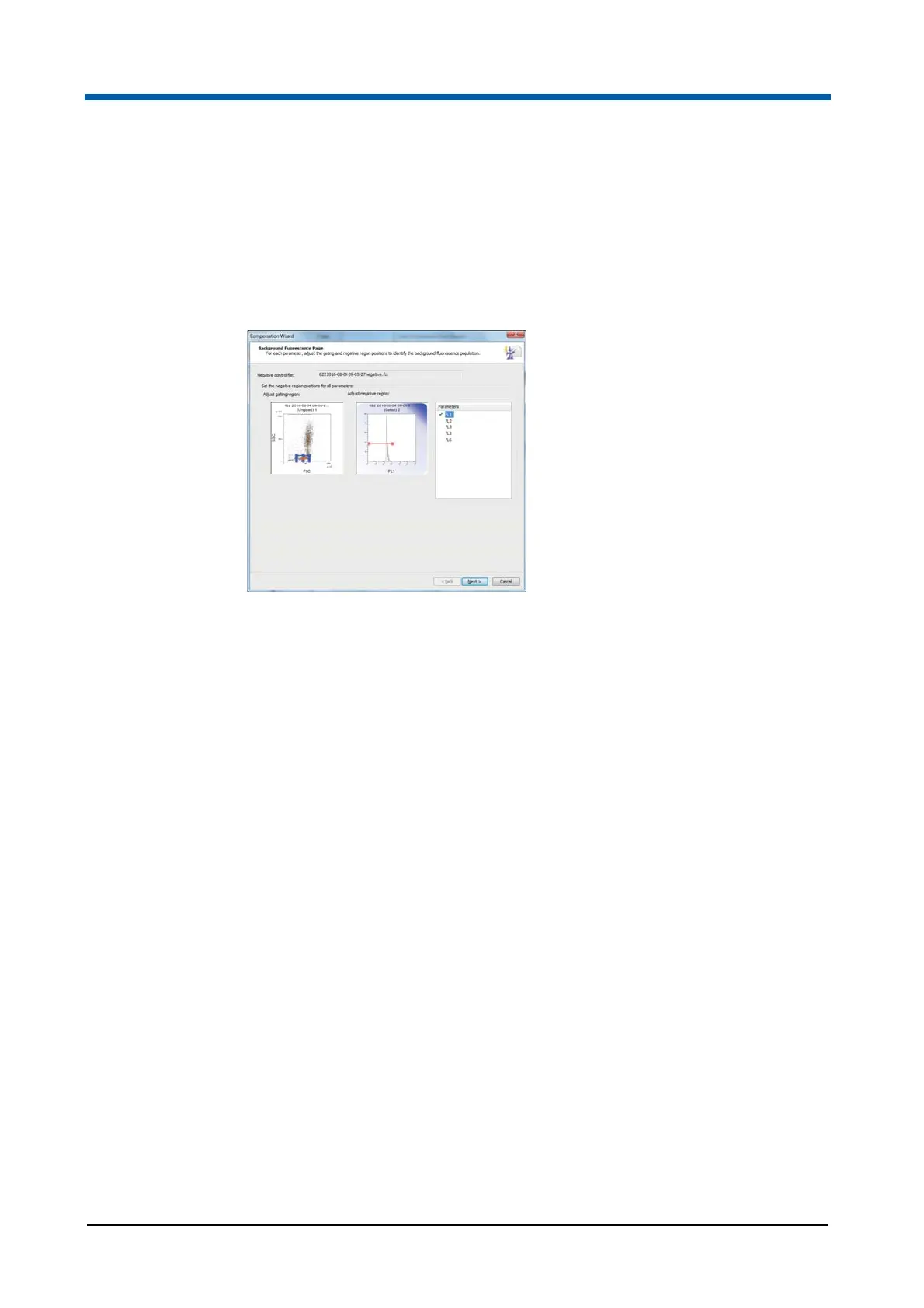
Compensation Wizard: Background Fluorescent Page
The Background Fluorescence page of the Compensation Wizard is only
displayed if the "Use negative control file" option is selected on the
Configuration page. On this page, you will define a default gate position for
subsequent pages and then use a region to define the negative events for
each parameter.
The page contains the following options:
Negative control file: The field displays the name of the negative control
LMD file that will be used for the background fluorescence computation.
Adjust gating region: The gating region plot is an ungated dual
parameter density plot. The X and Y parameters on the plot are those
selected on the Configuration page. The plot contains a single
rectangular blue coloured region that can be moved and resized as
required to define the gating region. Any adjustment of the region
automatically updates the background fluorescence plot.
Adjust negative region: The negative region plot is gated on the gating
region and used to define the negative population for the X parameter of
the current plot. A region needs to be defined for each parameter to be
compensated. The plot will be either a histogram or dual parameter
density plot depending on the selection on the Configuration Page. The
plot contains a single red coloured region that can be moved and resized
as required to define the negative events.
Select Y parameter: If the negative region plot is a dual parameter plot,
you can change the Y parameter in this box.
Parameters List: The list contains all fluorescence parameters that are
selected for compensation on the Configuration page. The currently
selected parameter is highlighted in the list. Parameters which have had
the negative region configured are indicated by a tick in the check box.
Next: If not all of the parameters listed in the Parameters list have been
configured, clicking the button will select the next unconfigured
parameter in the list. When all parameters have been configured, the
button will proceed to the first Compensation page of the Wizard.



 To Next Page