EXCITE + - Crossover: Technical Service guide- Ver. 4.1
Pagina 10.1
10. UPDATING THE SW
10.1. VISIO/VISIOWEB
For the following menu, please refer to the VISIO/WISIOWEB Manual.
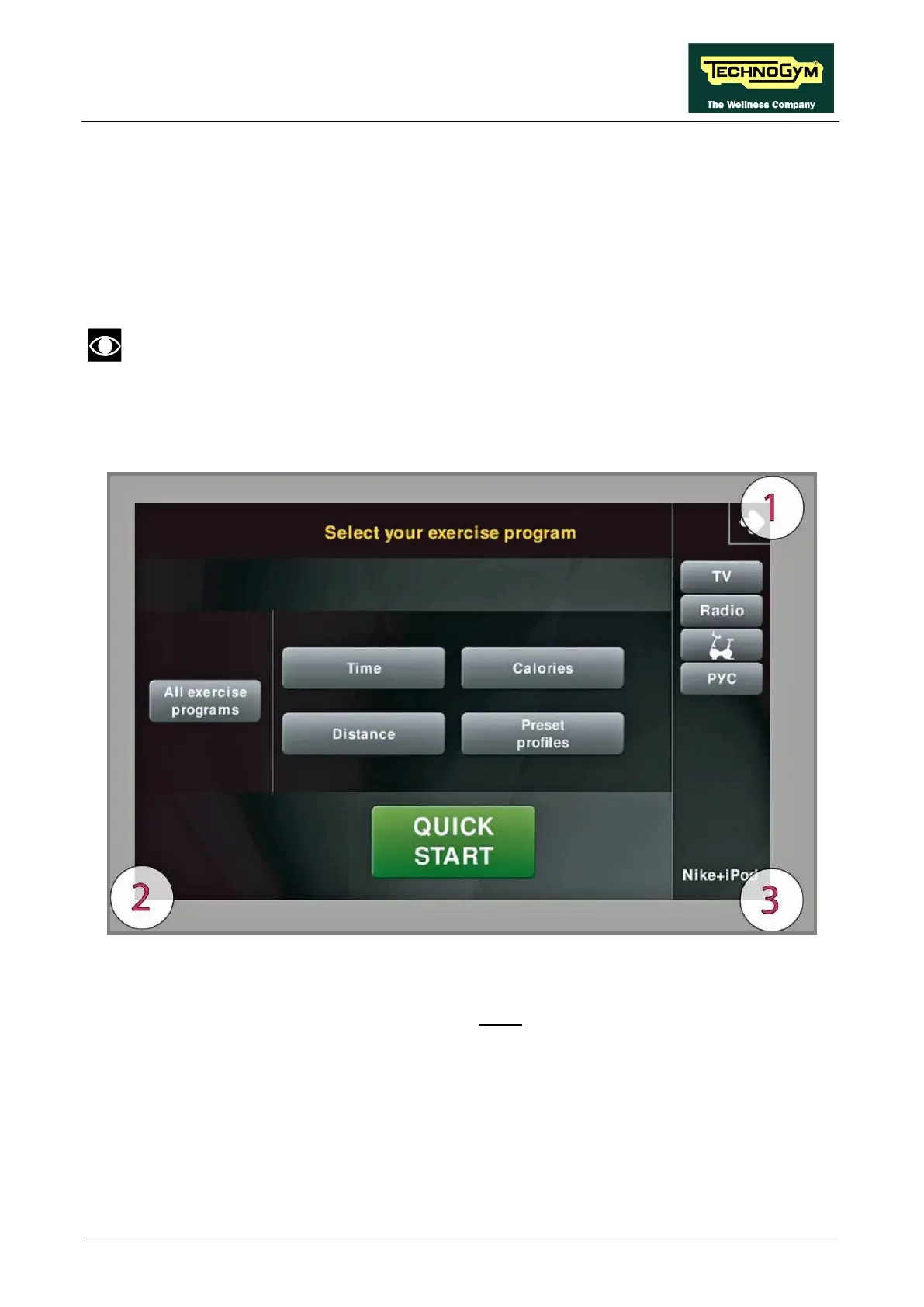
The procedure is activated by pressing the top right-hand corner, the bottom left-hand corner and the
bottom right-hand corner of the screen in that sequence when the equipment is in Stand-By, as
shown in the figure below.
A new display will appear from which you can gain access to the various configuration menus, by
entering the password on the number keyboard:
In order to access the menu, enter the password 2502 and press the ENTER key in order to
confirm, ESCI in order to quit.








 To Next Page