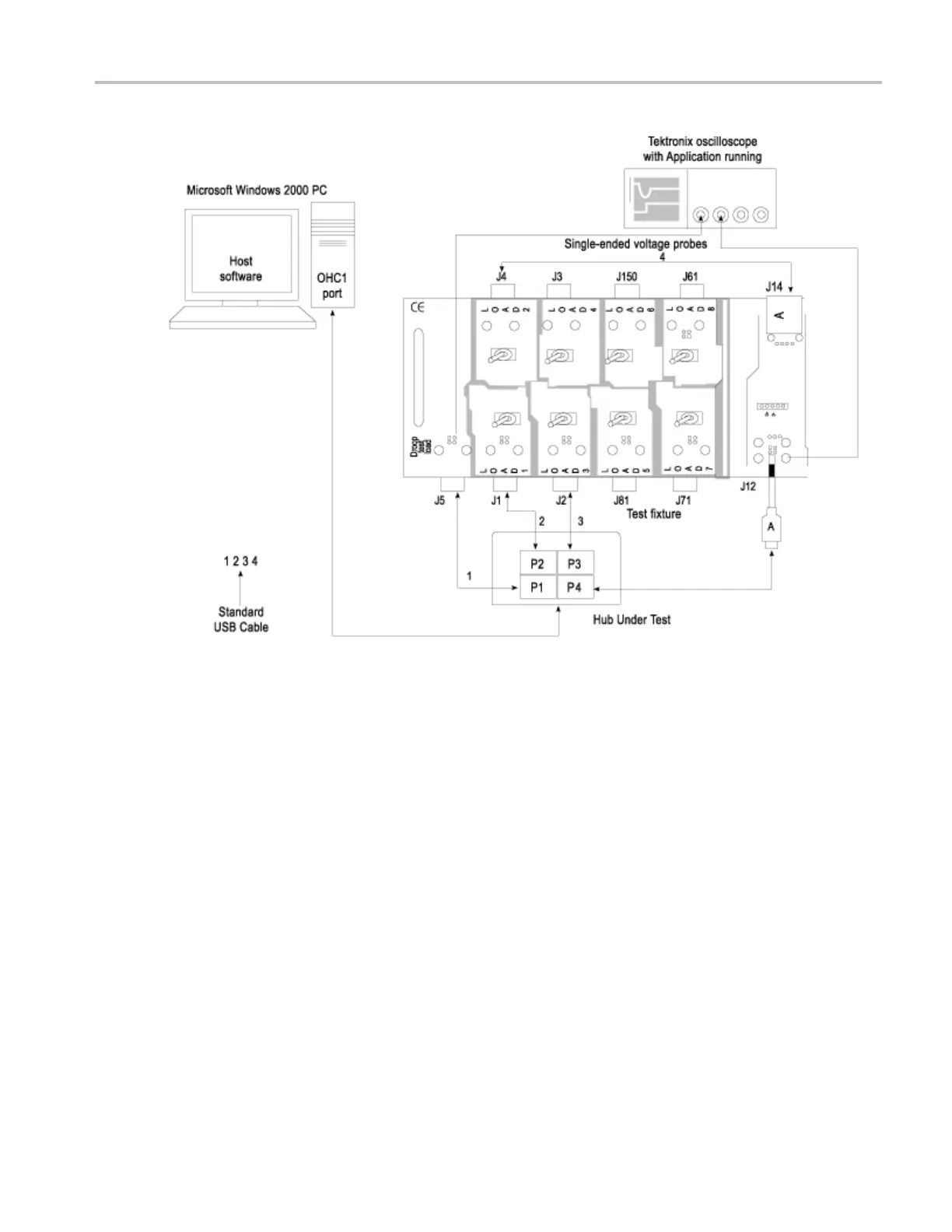
Application Examples Selecting a nd Configuring Measurements-Droop Tests
Selecting and Configuring Measurements-Droop Tests
From the application menu, select Measurement > Select > Droop Test.
Configuring the Measurement
Follow the steps to configure the selected measurement:
1. From the application menu, select Measurement > Configure.
2. Configure the following options:
TDSUSB2 Universal Serial Bus Measurements Package 73



 To Next Page