Instrument Maintenance Model 200E Instruction Manual
9.3.1. Changing the Sample Particulate Filter
The particulate filter should be inspected often for signs of plugging or excess dirt. It should
be replaced according to the service interval in Table 9-1 even without obvious signs of dirt.
Filters with 1 and 5 µm pore size can clog up while retaining a clean look. We recommend
to handle the filter and the wetted surfaces of the filter housing with gloves and tweezers.
We recommend not to touch any part of the housing, filter element, PTFE retaining ring,
glass cover and the O-ring with bare hands as this may cause the pores to clog quicker and
surfaces to become dirty due to possible oils from your hands.
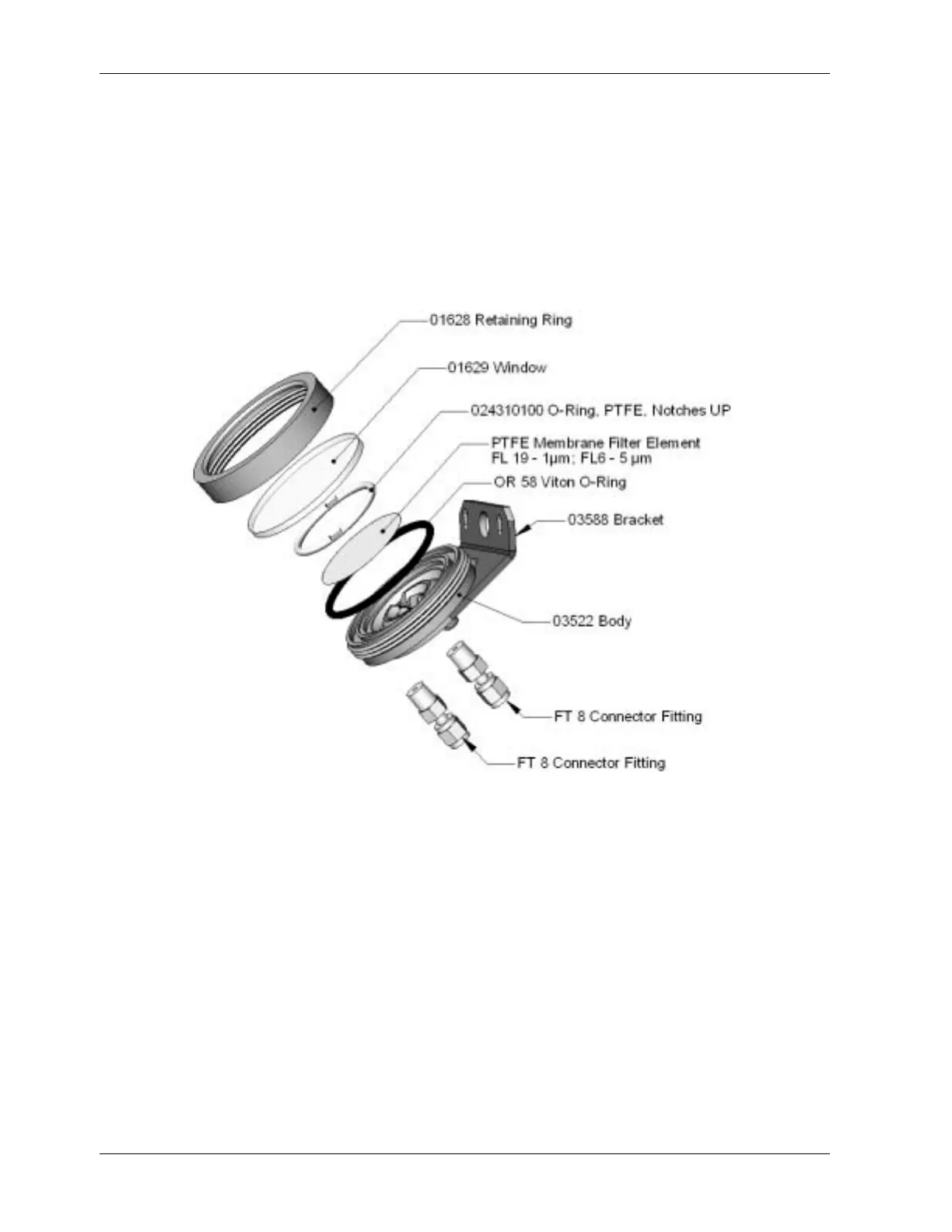
Figure 9-1: Sample Particulate Filter Assembly
• To change the filter according to the service interval in Table 9-1, follow this
procedure:
• Turn OFF the pump to prevent drawing debris into the sample line.
• Remove the CE Mark locking screw in the center of the front panel and open the
hinged front panel and unscrew the knurled retaining ring of the filter assembly.
• Carefully remove the retaining ring, glass window, PTFE O-ring and filter element.
We recommend to clean the glass and O-rings at least once monthly, weekly in very
polluted areas.
• Install a new filter element, carefully centering it in the bottom of the holder.
• Re-install the PTFE O-ring with the notches facing up (important!), the glass cover,
then screw on the hold-down ring and hand-tighten the assembly. Inspect the
(visible) seal between the edge of the glass window and the O-ring to assure proper
gas tightness.
144 044100102 Rev A












 To Next Page