Model 200E Instruction Manual Instrument Maintenance
• To fulfill CE Mark safety requirements, the front panel locking screw must be
installed at all times during operation of the analyzer.
• Re-start the analyzer.
9.3.2. Changing the O
3
Dryer Particulate Filter
The air for the O
3
generator passes through a Perma Pure
©
dryer, which is equipped with a
small particulate filter at its inlet. This filter prevents dust from entering the Perma Pure
©
dryer and degrading the dryer’s performance over time. To change the filter according to
the service interval in Table 9-1:
• Before starting the procedure, check and write down the average RCEL pressure and
the OZONE flow values.
• Turn off the analyzer, unplug the power cord and remove the cover.
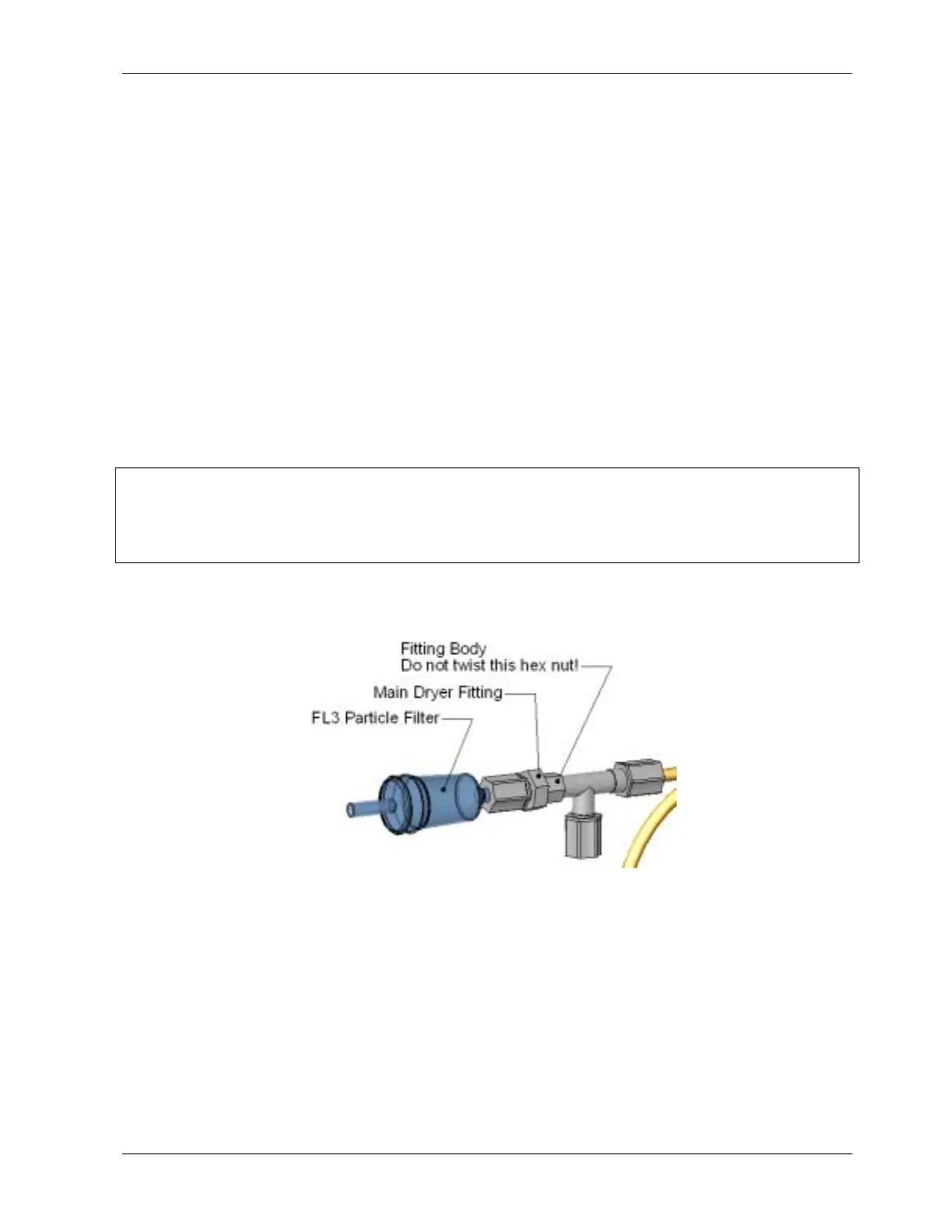
• Unscrew the nut around the port of the filter using 5/8” and 9/16” wrenches and by
holding the actual fitting body steady with a 7/16” wrench.
CAUTION
Risk of significant leak. Make sure to use proper wrenches and to not turn the
fitting against the Perma Pure
©
dryer. This may loosen the inner tubing and cause
large leaks.
• Take off the old filter element and replace it with a suitable equivalent
(TAPI part# FL-3).
Figure 9-2: Particle Filter on O
3
Supply Air Dryer
• Holding the fitting steady with a 5/8” wrench, tighten the nut with your hands. If
necessary use a second wrench but do not over-tighten the nut.
• Replace the cover, plug in the power cord and restart the analyzer.
• Check the O
3
flow rate, it should be around 80 cm³/min ± 15. Check the RCEL
pressure, it should be the same value as before.
044100102 Rev A 145












 To Next Page