Model 200E Instruction Manual Getting Started
3.2. M200E Layout
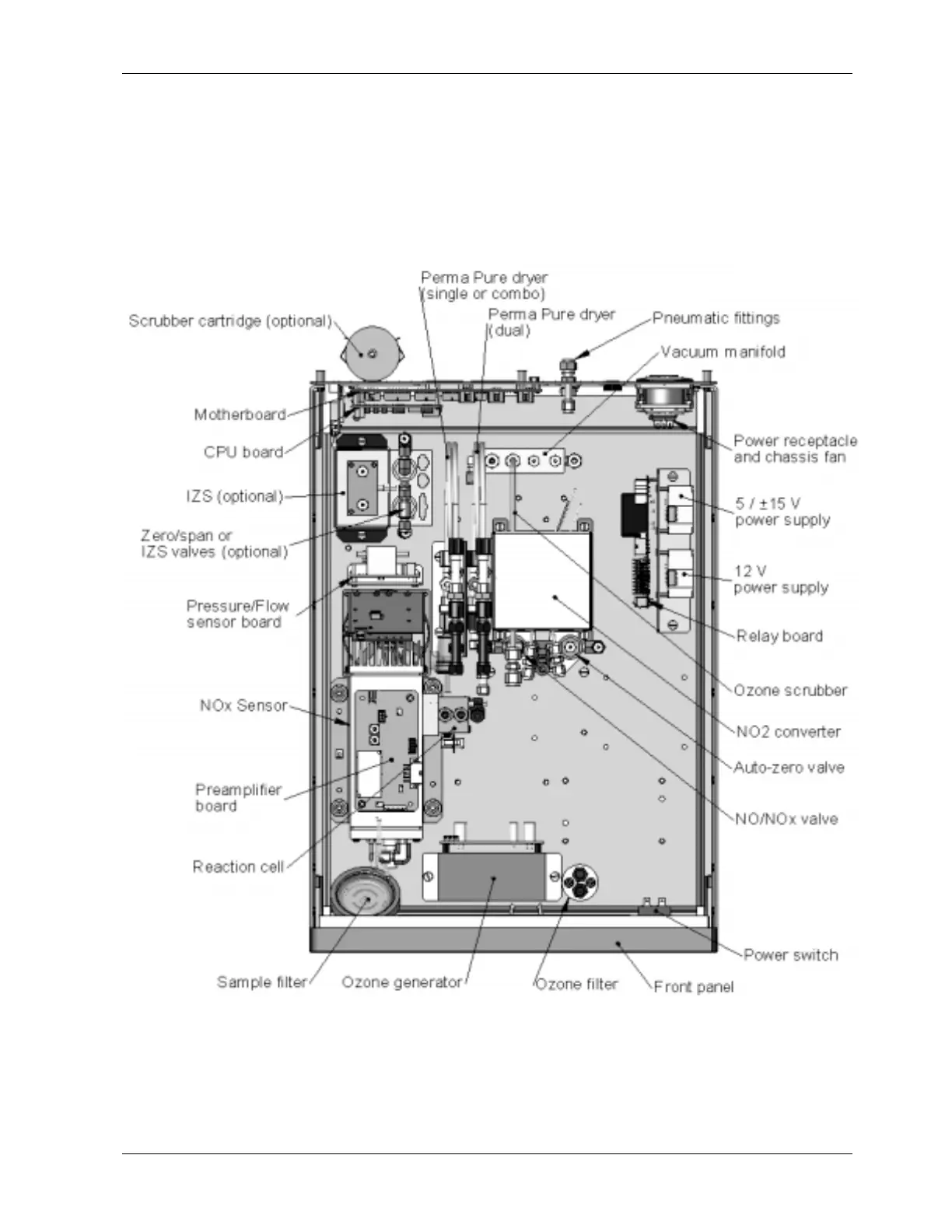
Figure 3-2 shows a top-down view of the analyzer. The shown configuration includes the
Ethernet board, IZS option, zero-air scrubber and an additional sample dryer. See
Chapter 5 for optional equipment. Figure 3-3 shows the rear panel configuration with
optional zero-air scrubber mounted to it and two optional fittings for the IZS option. Figure
3-4, finally shows the front panel layout of the analyzer.
Figure 3-2: M200E Layout
044100102 Rev A 11












 To Next Page