Model 200E Instruction Manual Operating Instructions
DIAG AIO
CONC_OUT_2 CALIBR
TED: NO
<SET CAL EXIT
DIAG AIO
UTO CALIBRATING CONC_OUT_2
DIAG AIO CONC_OUT_2 CALIBRATED:
YES
<SET CAL EXIT
DIAG
ANALOG I / O CONFIGURATION
PREV
NEXT
ENTR
EXIT
DIAG AIO AOUTS CALIBRATED:
NO
<
SET>
CAL
EXIT
DIAG AIO
CONC_OUT_2 RANGE: 5V
SET>
EDIT
EXIT
DIAG AIO
CONC_OUT_2:5V, CAL
< SET SET>
EDIT
EXIT
DIAG AIO
CONC_OUT_2 REC OFS: 0 mV
< SET
SET>
EDIT
EXIT
DIAG AIO
CONC_OUT_2 AUTO CAL: ON
< SET SET> EDIT EXIT
EXIT
to Return
to the main
Sample Display
Press
SET>
to select the
nalog Output channel to
be configured. Then Press
EDIT
to continue
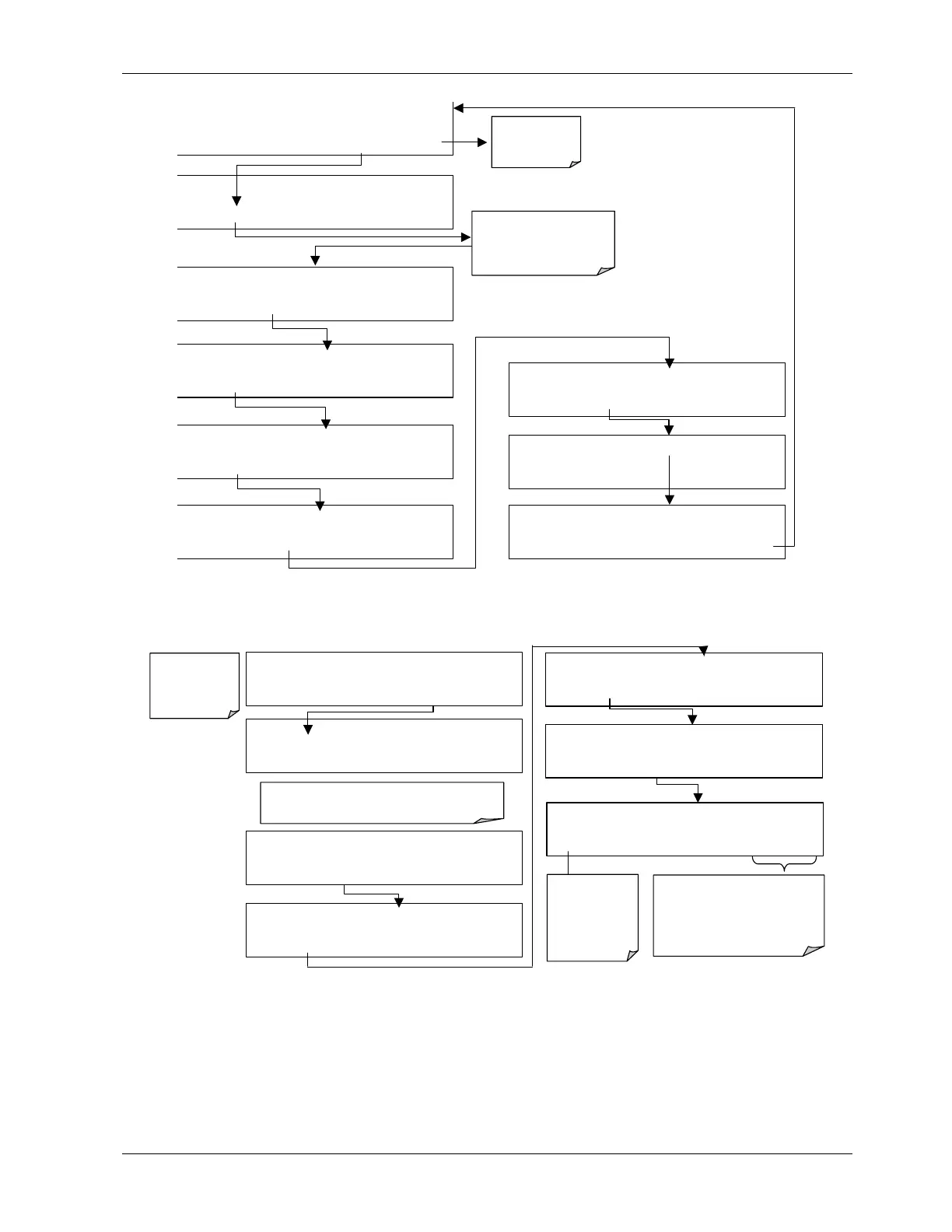
To select manual output calibration for a particular channel press SETUP-MORE-DIAG-
ENTR-NEXT-NEXT and then the following keys:
DIAG AIO AOUT AUTO CAL: ON
ON ENTR EXIT
Exit to return to
the main
sample display
DIAG
ANALOG I / O CONFIGURATION
PREV
NEXT
ENTR
EXIT
DIAG AIO AOUTS CALIBRATED: NO
< SET
SET>
CAL
EXIT
DIAG AIO
CONC_OUT_2 RANGE: 5V
SET>
EDIT
EXIT
Toggles the
auto cal mode
ON/ OFF for
this analog
output channel
only.
DIAG AIO
CONC_OUT_2:5V, CAL
< SET SET>
EDIT
EXIT
Press
SET>
to select the analog output channel to
be configured. Then press EDIT to continue
ENTR
accepts the new setting
and returns to the previous menu.
EXIT
ignores the new setting and
returns to the previous menu.
DIAG AIO
CONC_OUT_2 REC OFS: 0 mV
< SET
SET>
EDIT
EXIT
DIAG AIO
CONC_OUT_2 AUTO CAL: ON
< SET SET>
EDIT
EXIT
Now the analog output channels should either be automatically calibrated or they should be
set to manual calibration, which is described next.
044100102 Rev A 63












 To Next Page