Observation Possible Cause Action
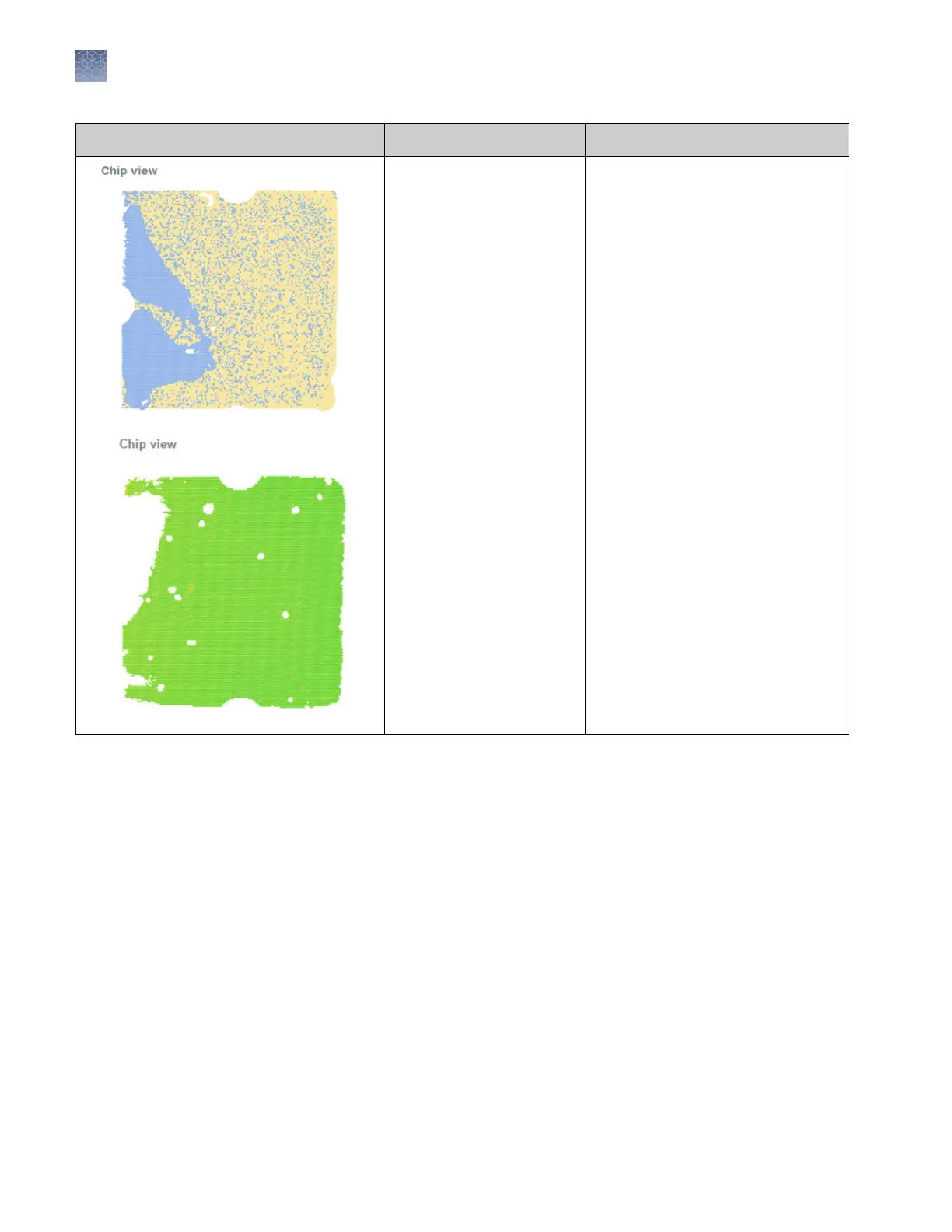
Too much sample was left in
loading blade.
Note: The top image on the
left was generated by
QuantStudio
™
3D Instrument
rmware v1.1 or earlier. The
bottom image was
generated by rmware v2.0
or later. In v2.0 or later, the
overloaded sections of the
chip appear in white and
these regions are ltered out
and removed from analysis.
Ensure that you are loading only
14.5 µL of reaction mix into the
loading blade.
Chapter 6 Troubleshooting
Troubleshooting chip images using the Chip View
6
60
QuantStudio
™
3D Digital PCR System User Guide











 To Next Page