10.
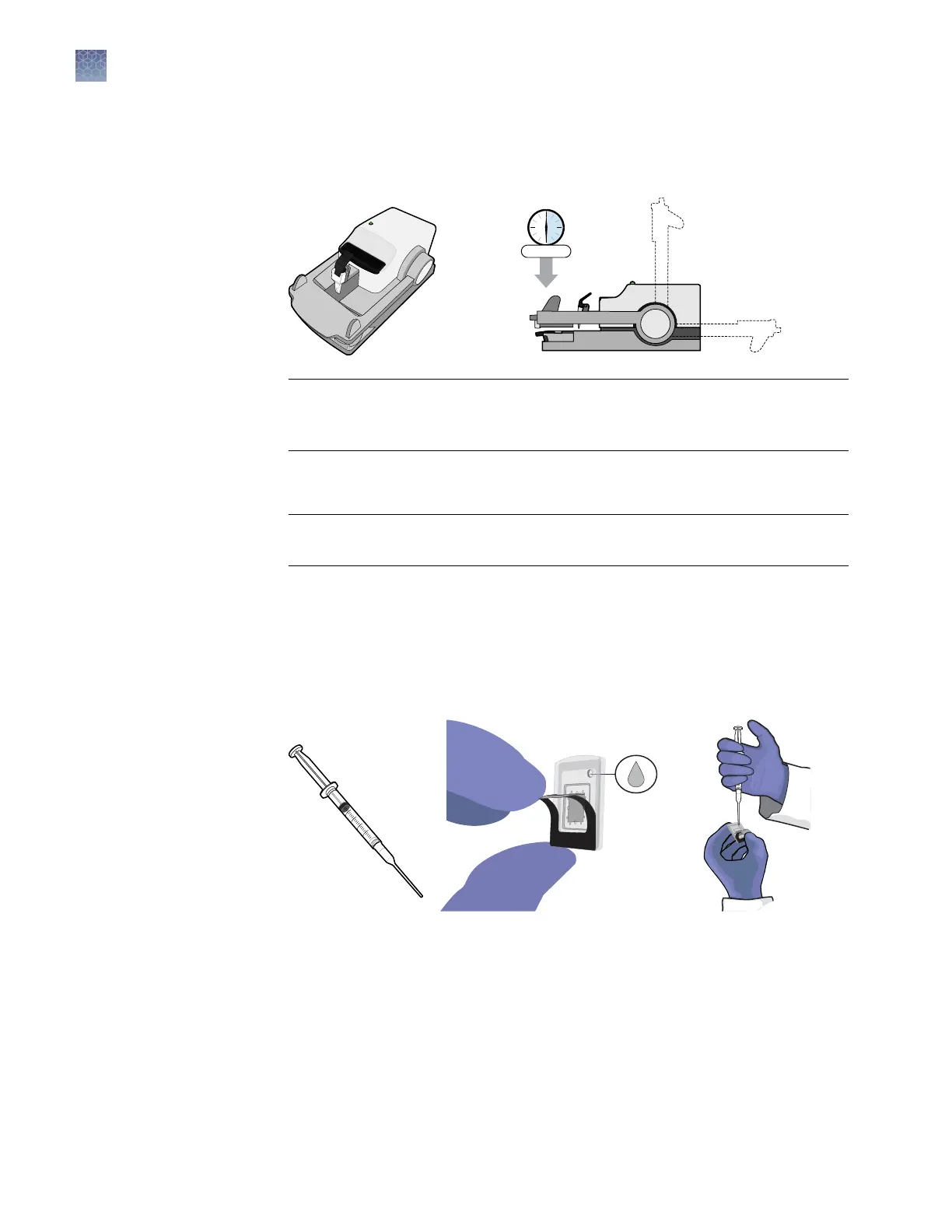
Rotate the loader arm so that the chip lid solidly contacts the chip. Firmly press
down on the arm for 15 seconds to ensure a tight seal (you can count each ash
of the status light, which ashes at 1‑second intervals).
IMPORTANT! The loading arm requires >20 lbs of force to seal the lid. If you
suspect that you are applying insufcient pressure, press down longer (>
15 seconds).
11.
Press the lid nest button to release the chip lid, then lift and return the loader
arm to its original position.
IMPORTANT! Lift the loader arm gently and do not press down again to avoid
creating a vacuum.
Proceed to
ll the chip case with Immersion Fluid.
1.
Hold the chip and lid assembly by its edges at a 45° angle so that air can
escape from the ll port as you ll it.
2.
Hold back the top half of the chip lid label to expose the ll port.
Figure 3 QuantStudio
™
3D Digital PCR Chip Lid v2
3.
Carefully dispense Immersion Fluid into the port until the chip case contains an
air bubble slightly larger than the ll port (<2–3 mm in diameter). Rotate the chip
slightly to expose any hidden bubble. If a bubble larger than 2–3 mm is present,
add additional uid.
4.
Using a low-lint wipe, remove any excess Immersion Fluid from the chip case to
ensure optimal imaging.
Fill the chip
case with
Immersion
Fluid
Chapter 3 Prepare the digital PCR reaction and load the chips
Load the chips using the QuantStudio
™
3D Digital PCR Chip Loader
3
30
QuantStudio
™
3D Digital PCR System User Guide











 To Next Page