Note: If your wireless hotspot performs MAC ltering, you can obtain the Media
Access Control (MAC) address of the QuantStudio
™
3D Instrument on the label
of the WiFi Adapter that you installed in step 1.
The following procedure allows you to create network data destinations to receive
experiment (.eds) les generated by the QuantStudio
™
3D Digital PCR Instrument.
You can create data destinations for the QuantStudio
™
3D AnalysisSuite
™
Software
for direct upload, or for local Windows
™
operating system-based or SAMBA le
servers for later import. You can create an unlimited number of destinations and
select from them prior to each run.
1.
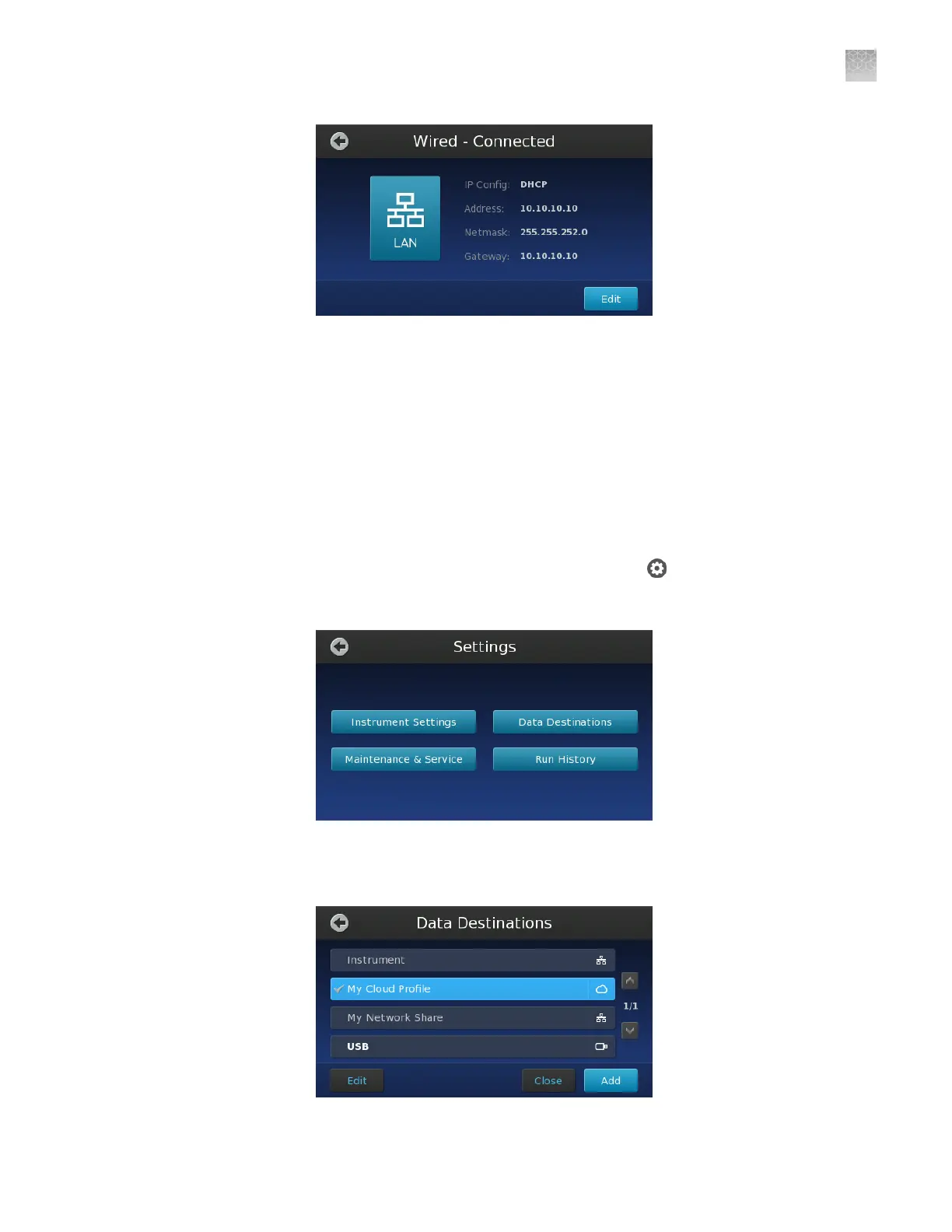
From the Main Menu of the touchscreen, touch .
2.
In the Settings menu, touch Data Destinations.
3.
In the Edit Destinations screen, touch Add to add a data destination.
Note: To edit an existing destination, touch the name of the destination.
Create a
network
destination to
receive run
data
Appendix D Networking
Connect the instrument to the network
D
QuantStudio
™
3D Digital PCR System User Guide
103











 To Next Page