e.
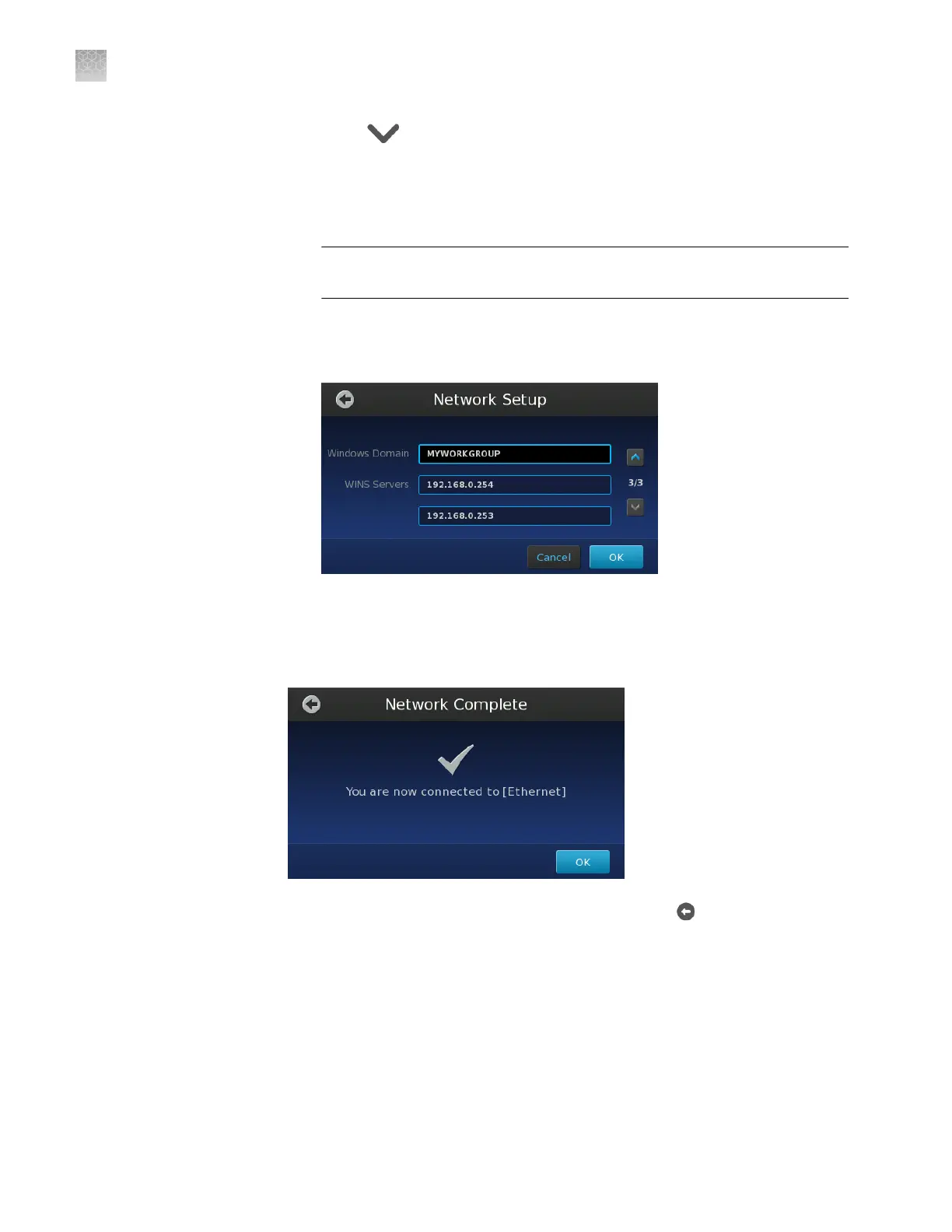
Touch , then congure the Windows Internet Naming Service (WINS)
settings:
•
Windows Domain – Enter the domain name of the WINS server.
•
WINS Server – Enter the IP addresses for the primary (top) and
secondary (bottom) WINS servers.
IMPORTANT! WINS may be required if you specify a le server as a data
destination.
Note: During operation, the instrument attempts to resolve WINS names to
IP addresses using the server specied in the top-most eld. If unavailable,
the instrument uses the server specied in the bottom-most eld.
f.
When you are nished conguring your network settings, touch OK.
The touchscreen displays "Network Complete" when the instrument
successfully connects to the network.
7.
In the Network Complete screen, touch OK, then touch to return to the Main
Menu.
After the instrument has successfully connected to the network, the Network
Setup screen displays the details of the network connection.
Appendix D Networking
Connect the instrument to the network
D
102
QuantStudio
™
3D Digital PCR System User Guide











 To Next Page