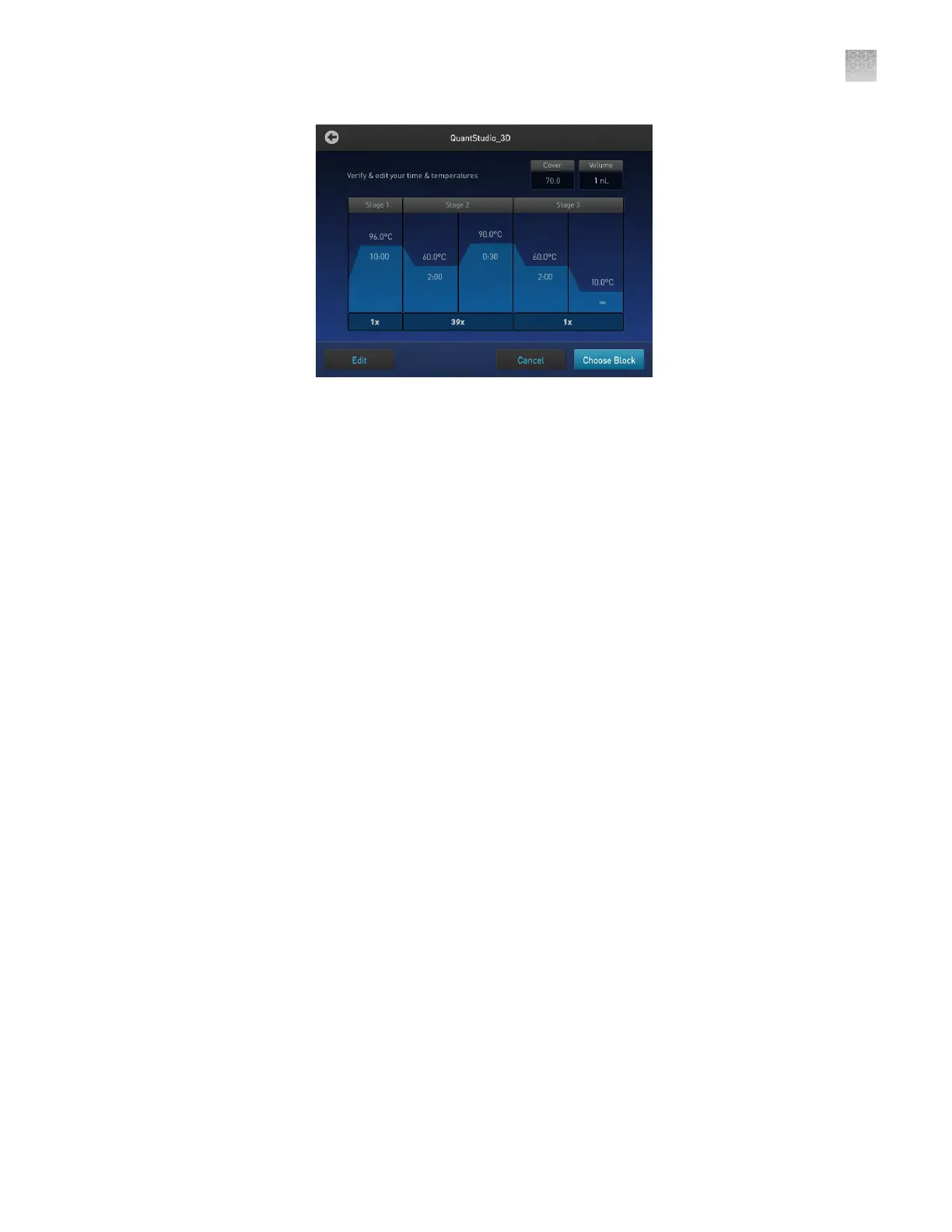
Note: For information on opening templates and programming the thermal
cycler, see the ProFlex
™
PCR System User Guide (Pub. No. MAN0007697). If
you cannot locate the 3D template on your ProFlex
™
PCR System, you may
need to upgrade the rmware (see “Prepare the thermal cycler” on page 32).
The installation of the ProFlex
™
PCR System is complete and the thermal cycler is
ready for use.
Install the GeneAmp
™
PCR System 9700
This section includes the essential procedures for preparing the GeneAmp
™
PCR
System 9700 for use. For complete instructions, see the GeneAmp
™
PCR System
9700 Base Module User Manual (Pub. No. 4303481) or the GeneAmp
™
PCR System
9700 Dual Flat Block User Manual (Pub. No. 4307808).
Note: For information on preparing the ProFlex
™
2 × Flat PCR System, see “Install
the ProFlex
™
2 × Flat PCR System” on page 68.
1.
Open the package containing the Base Module.
2.
Remove the packing crate from the package, and verify that it contains all of the
parts listed on the shipping manifest.
If you have not received one or more of the parts, contact customer support for
replacement (see “Customer and technical support” on page 123).
Unpack and
place the
GeneAmp
™
PCR System
9700 Base
Module
Appendix A Install the QuantStudio
™
3D Digital PCR System
Install the GeneAmp
™
PCR System 9700
A
QuantStudio
™
3D Digital PCR System User Guide
73











 To Next Page