Troubleshooting
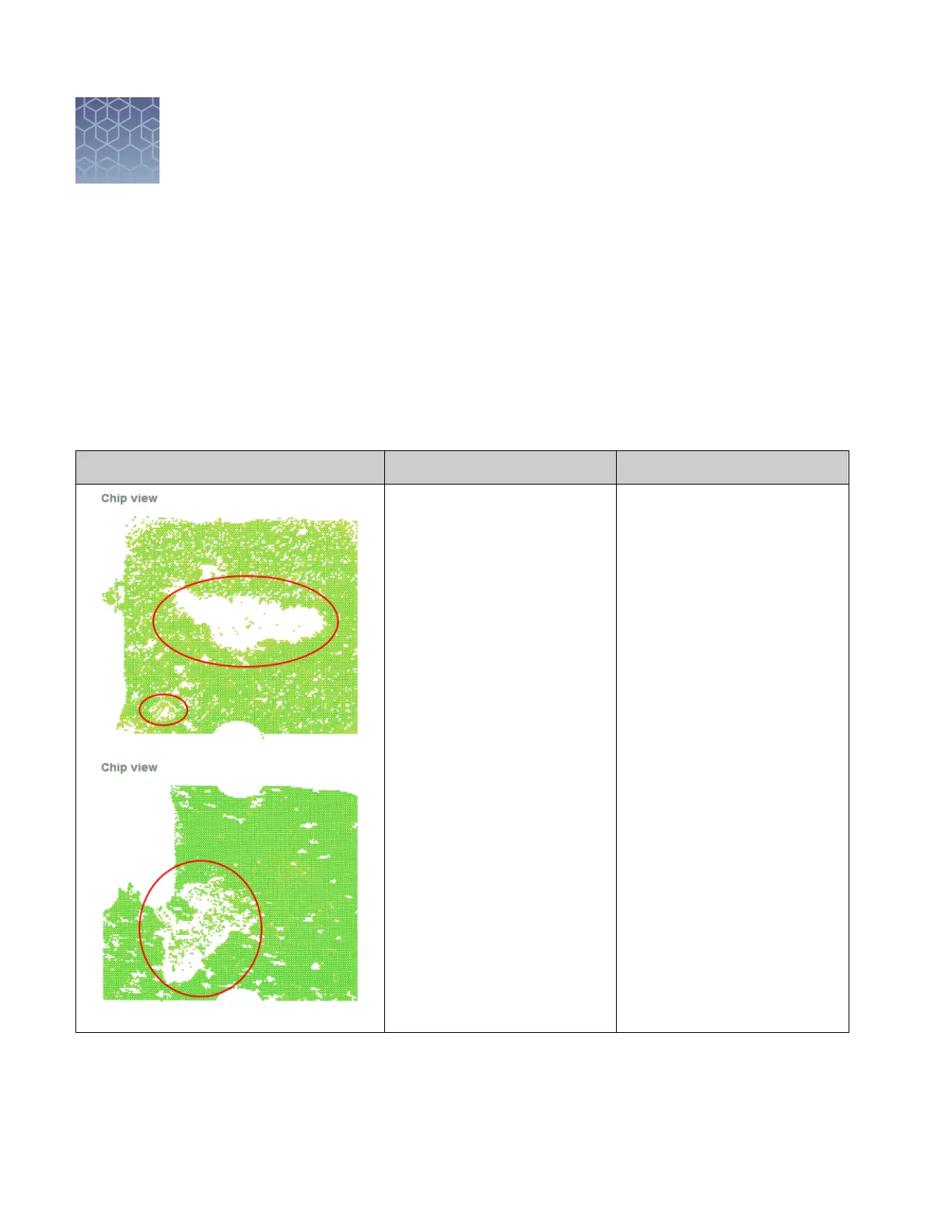
Troubleshooting chip images using the Chip View
The following table summarizes some of the more common problems that can affect
chip imaging. In the examples shown below, the conditions triggered a data ag and
were diagnosed using the Chip View of the QuantStudio
™
3D AnalysisSuite
™
Software.
Observation Possible Cause Action
•
Excess PCR reaction was
present on the chip after
loading it with the loading
blade.
•
(Manual load only) The
loading blade was drawn
across the chip too quickly
or at an angle shallower than
70–80°.
If possible, use the
AnalysisSuite
™
Software to lter
the low-quality data points, or
discard the chip and run the
sample again.
To prevent leaving excess PCR
reaction on the chips:
•
Install the Tilt Base on the
thermal cycler. You must
thermal cycle the chips at an
11° angle.
•
(Manual load only) Ensure
that the heated block used
to load the chips is set to
40±1°C.
•
(Manual load only) Wait
20 seconds after loading a
chip before pre-wetting it
with Immersion Fluid.
•
(Manual load only) Draw the
loading blade across the
chip slowly (>10 seconds)
and at a 70–80° angle.
6
54
QuantStudio
™
3D Digital PCR System User Guide











 To Next Page