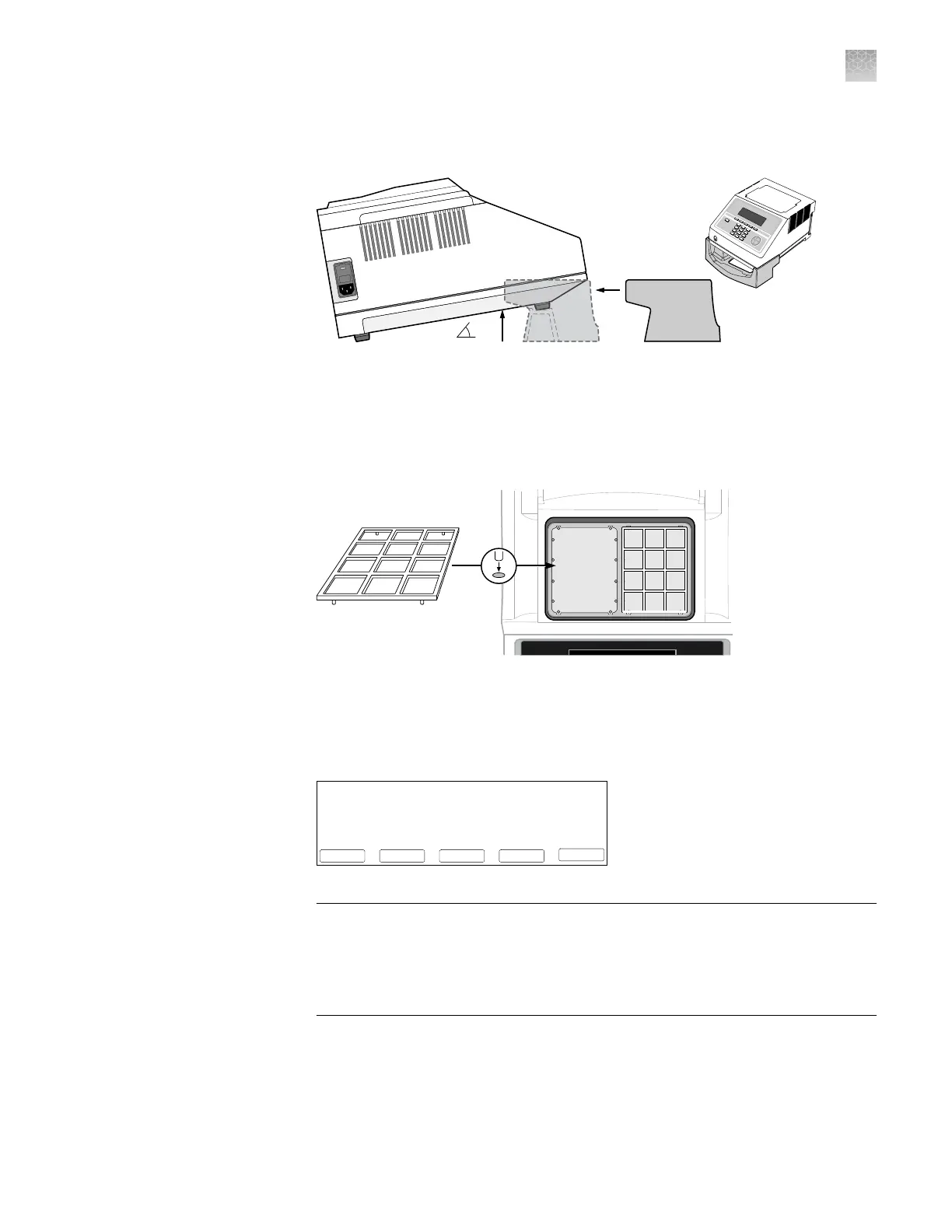
1.
Open the package containing the QuantStudio
™
3D Digital PCR Tilt Base for
GeneAmp
™
PCR System 9700 and install it beneath the thermal cycler.
11°
GeneAmp
®
PCR System 9700
POWER
F1
F2
F3
F4
F5
STOP
1
2
3
4
5
6
7
8
9
ENTER
0
CE
2.
Open the packages containing the QuantStudio
™
3D Digital PCR Chip Adapter
Kit for Flat Block Thermal Cycler and install them.
Note: Each Chip Adapter includes a set of four alignment pegs that t into the
holes of a at sample block. The Chip Adapter can t onto either side of the
sample block (right or left).
1.
Connect the GeneAmp
™
PCR System 9700 power cord, power on the thermal
cycler, then wait for it to start (about 30 seconds).
The cooling fan powers up and the start-up screens appear. The thermal cycler
is ready to use when the Main Menu displays.
08:00 AM 4/25/13 25.0°C
GeneAmp® PCR System 9700
F1 F3 F4 F5F2
Run UserUtilEditCreate
Name:tc001 User:<<pe>>
Version: 3.12
IMPORTANT! If the thermal cycler does not start, check the position of the
Dual Flat Block Module. The instrument cannot be powered on if the module is
seated incorrectly. If the thermal cycler does not start even after adjusting the
Dual Flat Block Module, or if the screen contains any permanent patterns of
lines or bars, contact technical support for assistance.
Install the Tilt
Base and Chip
Adapter
Set up the
GeneAmp
™
PCR System
9700
Appendix A Install the QuantStudio
™
3D Digital PCR System
Install the GeneAmp
™
PCR System 9700
A
QuantStudio
™
3D Digital PCR System User Guide
75











 To Next Page