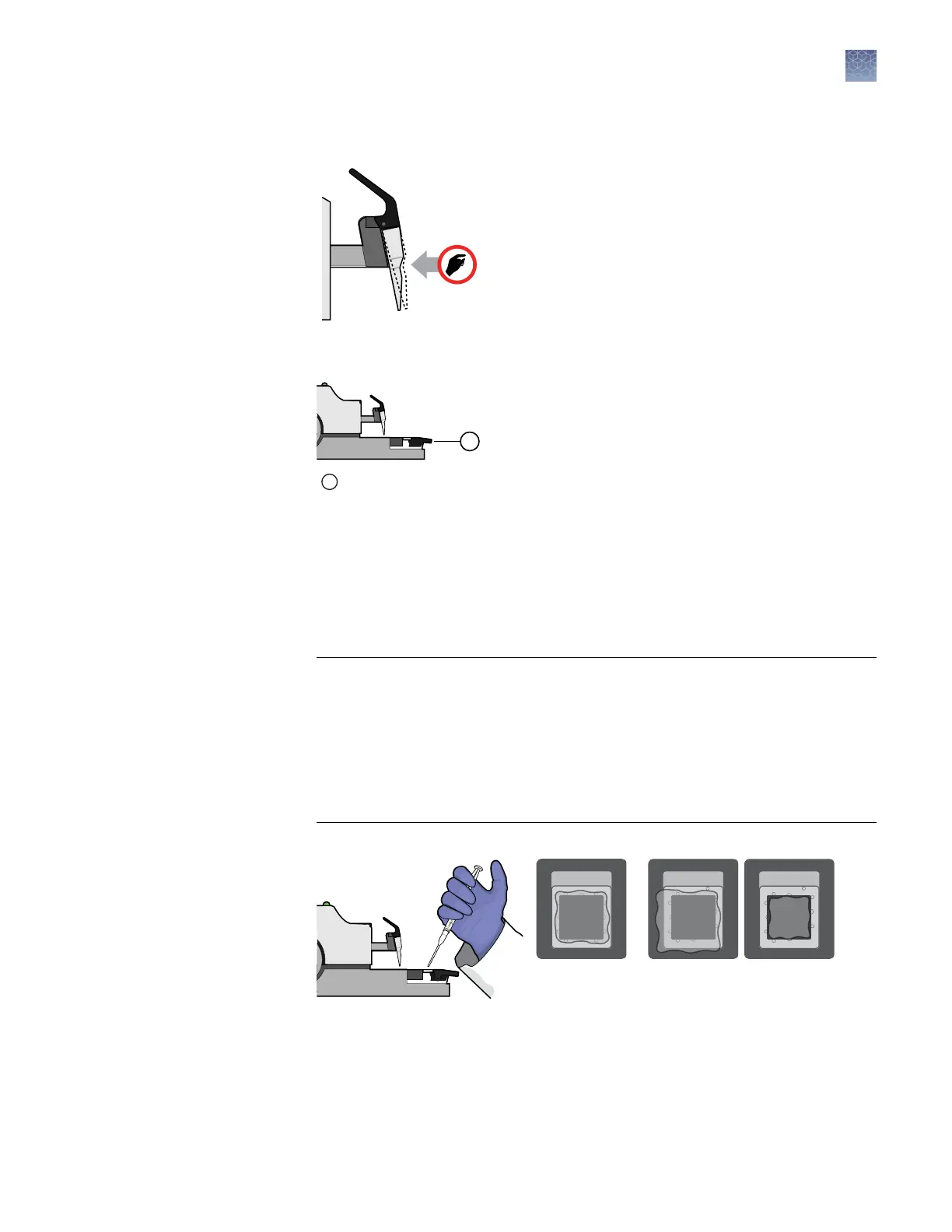
7.
Ensure that the loading blade is rmly seated on the loader arm.
8.
Press the dark grey/black loading button to load the chip.
1
Loading button
The status light ashes green during the loading sequence, and displays solid
green when nished.
9.
After loading, hold the Immersion Fluid syringe at an angle over the chip surface
without touching the surface, and slowly add several drops of uid directly onto
the chip so that the uid covers the entire surface. After dispensing, remove any
uid from the edges of the chip case with a low-lint wipe that has been sprayed
with isopropanol.
IMPORTANT!
·
Expel the uid slowly to avoid ushing out the reactions in the chip wells.
·
Do not allow the syringe tip to touch the chip surface.
·
Cover the entire surface of the chip, or reactions in the exposed wells may
evaporate.
·
Do not ll the entire chip case with uid. A small amount of uid running off
the surface of the chip is acceptable.
Correct
Fluid on
edges
Incorrect
Insufficient
fluid
Fluid over
chip
Chapter 3 Prepare the digital PCR reaction and load the chips
Load the chips using the QuantStudio
™
3D Digital PCR Chip Loader
3
QuantStudio
™
3D Digital PCR System User Guide
29











 To Next Page