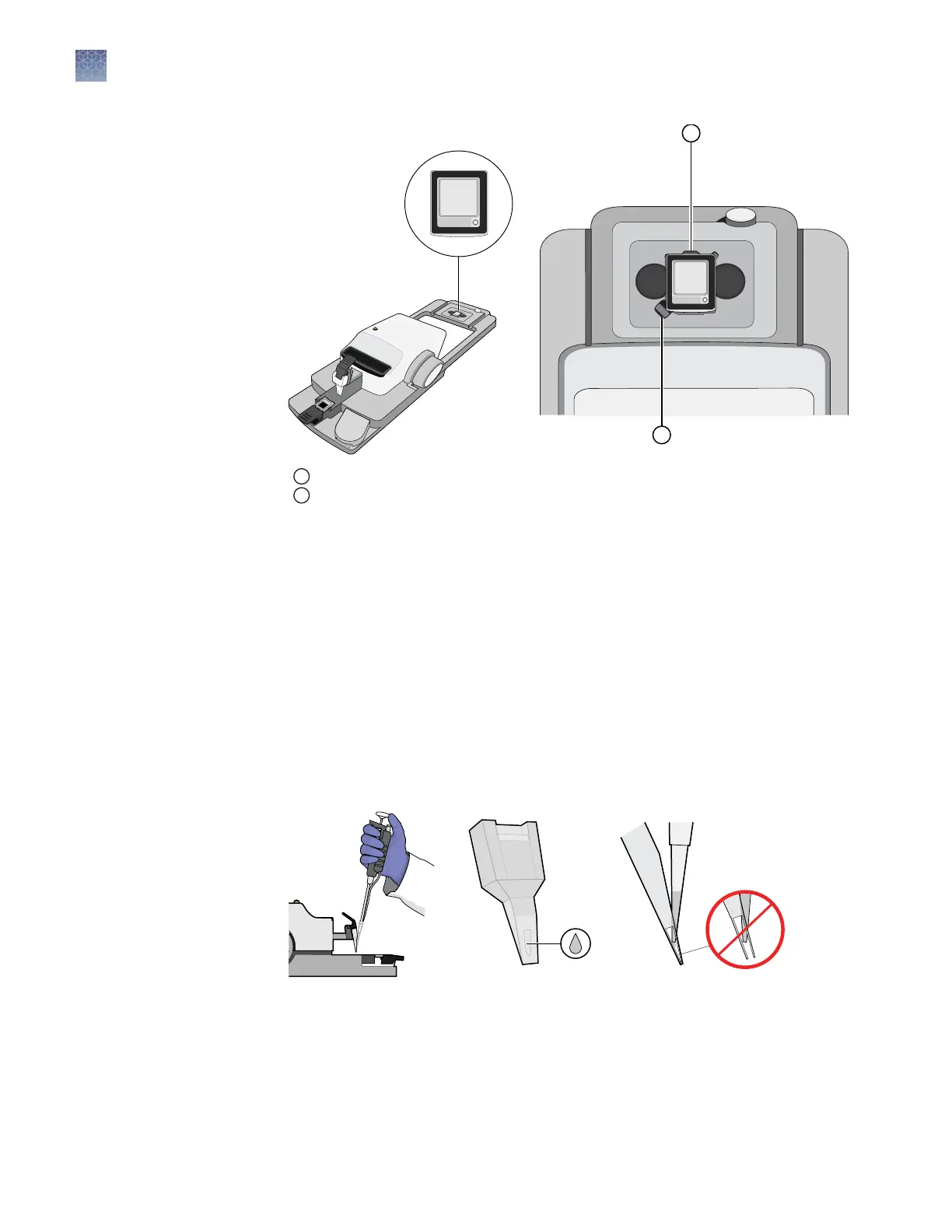
1
Lid nest button
2
Lid nest, with the lid in the correct orientation
6.
Briey vortex and centrifuge the prepared dPCR reaction (from “Prepare the
dPCR reaction mix for each sample” on page 23), then carefully transfer 14.5 µL
of the solution into the sample loading port of the loading blade. If the reactions
were placed on ice, allow them to warm prior to loading.
While lling the blade:
•
Hold the pipette so that the tip meets the loading port at a sharp angle and
so it does not deect either blade (forward or rear).
•
Do not depress the pipette to the second stop. Doing so increases the
chance of introducing an air bubble to the blade.
•
Avoid creating air bubbles.
Note: Although the master mix may not distribute evenly in the loading blade
immediately after loading, the uid will spread across the blade prior to loading.
Chapter 3 Prepare the digital PCR reaction and load the chips
Load the chips using the QuantStudio
™
3D Digital PCR Chip Loader
3
28
QuantStudio
™
3D Digital PCR System User Guide











 To Next Page