2.
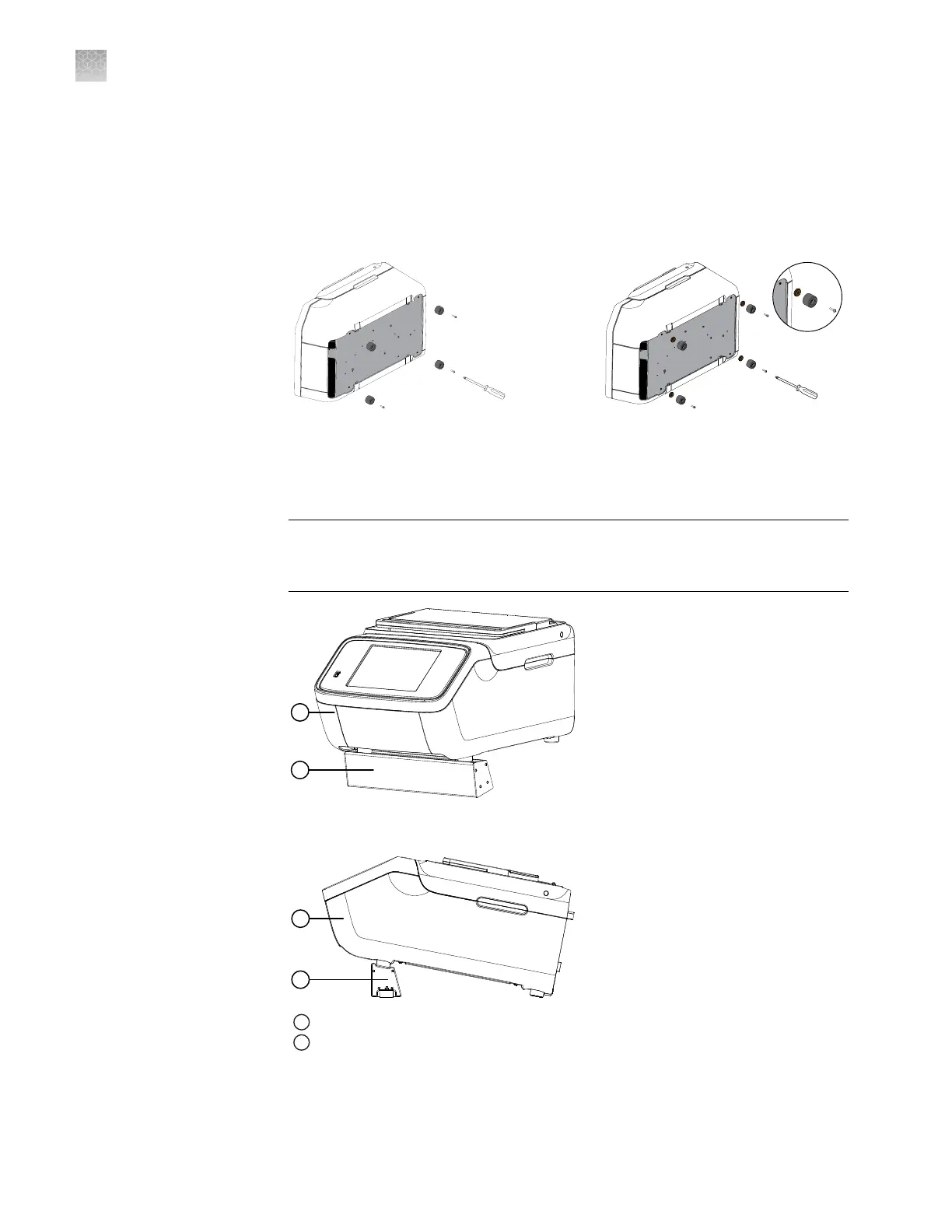
Use the screwdriver to remove the four footings from the instrument.
3.
Fit the four risers between the base and the footings, then reattach the footings
using the screwdriver.
Ensure that the risers are rmly seated between the instrument base and the
footings.
►
4.
Carefully roll the instrument back onto its footings.
5.
Lift the front end of the instrument, then slide the Tilt Base underneath the front
footings of the instrument.
IMPORTANT! Before removing your hands from the instrument, ensure that the
front footings are securely seated within the Tilt Base as shown in the following
gures.
1
Instrument at optimal angle
2
Properly installed Tilt Base
Appendix A Install the QuantStudio
™
3D Digital PCR System
Install the ProFlex
™
2 × Flat PCR System
A
70
QuantStudio
™
3D Digital PCR System User Guide











 To Next Page