Thursday, May 14, 2009
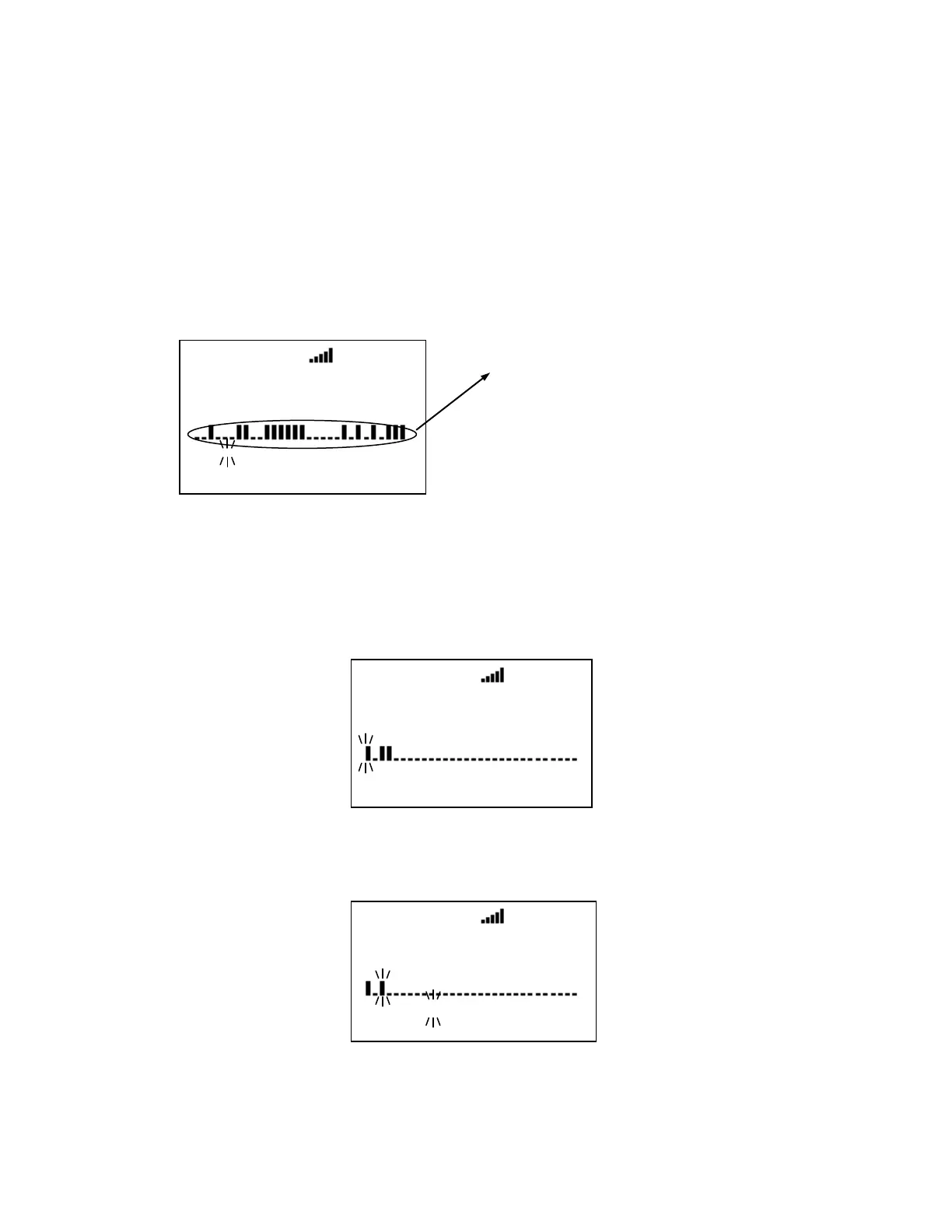
Trunking Activity Indicators (Display Mode 3)
The scanner shows trunking activity when held on the C-Ch.
Press [6 / RIGHT / disp] in Function Mode to change the Display Mode in Scan Hold Mode. (See SCAN HOLD
MODE.)
In EDACS and LTR systems, the order of indicators is the order of LCN.
In Motorola systems, it is the order of the frequency programming.
*This mode does not work for EDACS SCAT Systems.
When the scanner receives a trunked system channel grant, the V-Ch blinks and the C-Ch lights. The
scanner has 30 Channel Activity Indicators to visualize trunked system activity. This shows which site
frequencies are in use.
The following figure shows that the scanner is staying on LCN1 and LCN3 and LCN4 are active.
While the scanner is staying on a V-Ch, the voice channel blinks and its C-Ch turns on.
The following figure shows that the scanner is staying LCN3 and LCN1 is the control channel.
Si te 1- 1 MOT
ID SEARCH ↑
S0: 1 2 * * 5 * 7 8 * 0
GRP 1 2 3 4 5 6 7 8 9 0
Trunking Activity Indicators.
Si te 1- 1 EDC
ID SEARCH ↑
S0: - - - - - - - - - -
GRP - - - - - - - - - -
Si te 1- 1 EDC
ID: 01- 012
S1: - - 3 - - - - - - -
GRP - - - - - - - - - -



 To Next Page