EasyManua.ls Logo

Uniden BCD396XT - Page 537

Uniden BCD396XT
1059 pages
Print Icon
To Next Page IconTo Next Page
To Previous Page IconTo Previous Page
Loading...
ToneOutMode < UnidenMan4 < TWiki
FUNCTION
+ Press &
hold
NA Toggle the
attenuator state
for all signals.
NA NA
Key Name
(2nd
operation)
Action on:
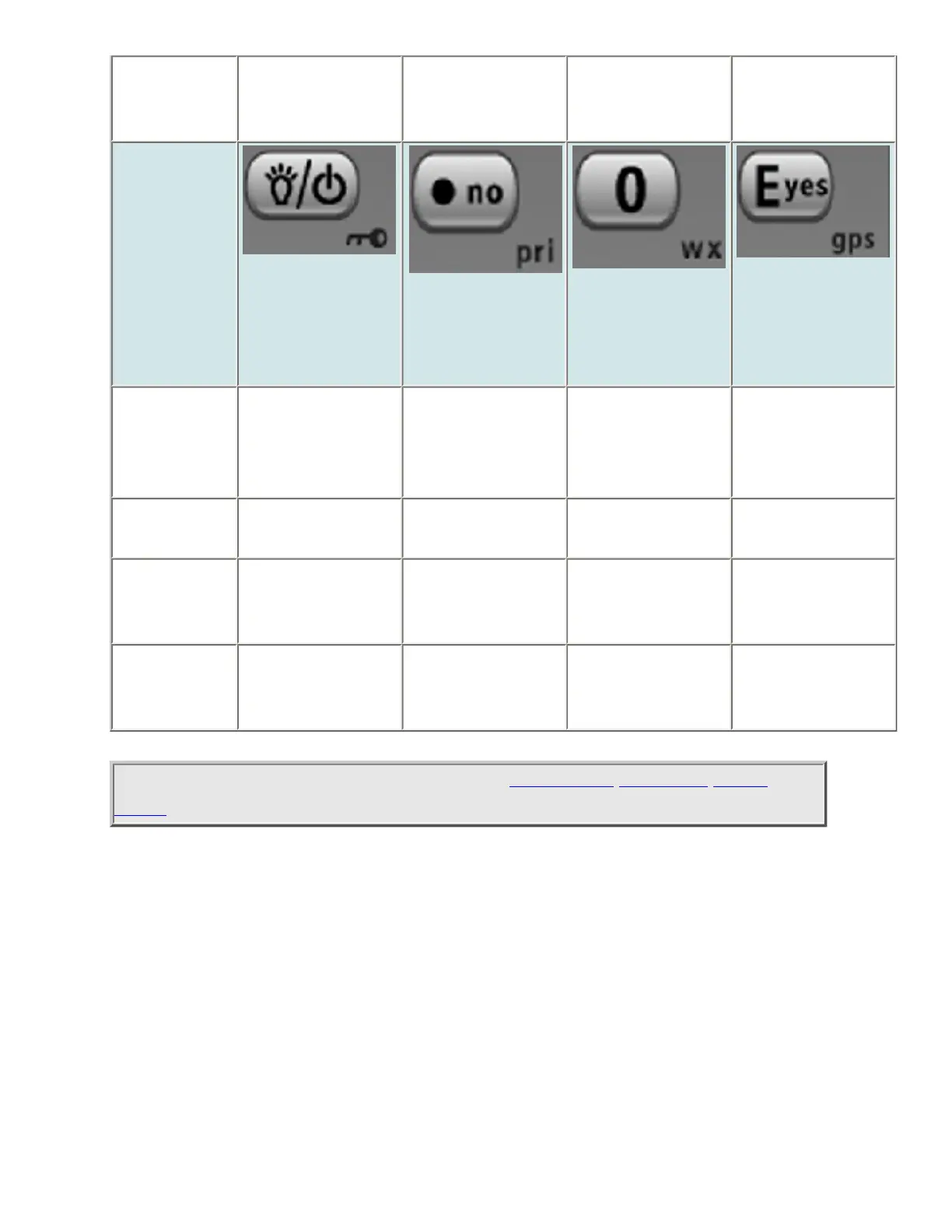
Backlight
(Power, Lock)
No (Decimal,
Priority)
0 (Weather)
Yes (Enter,
GPS)
Tap Turn on the LCD
backlight.
During a system
message: Cancel
the message and
exit that screen.
Enter the number
on the key.
Edit the current
Tone-Out
channel.
Press & hold Turn the scanner
on or off.
NA NA NA
FUNCTION
+ Tap
Lock or unlock
the keypad.
NA Change the WX
Alert Priority
settings.
Enter GPS mode.
FUNCTION
+ Press &
hold
NA NA Enter Weather
mode.
NA
This page applies to the following scanner(s): BCD396XT BC346XT Users
Guide
file:///C|/Documents%20and%20Settings/POpitz/My%20Documents/temp/CDImage_090515/Manual/ToneOutMode.html (4 of 4)5/26/2009 11:13:54 AM

Table of Contents

Other manuals for Uniden BCD396XT

Related product manuals