you select here.
● FUNCTION + tap MENU to edit the current system.
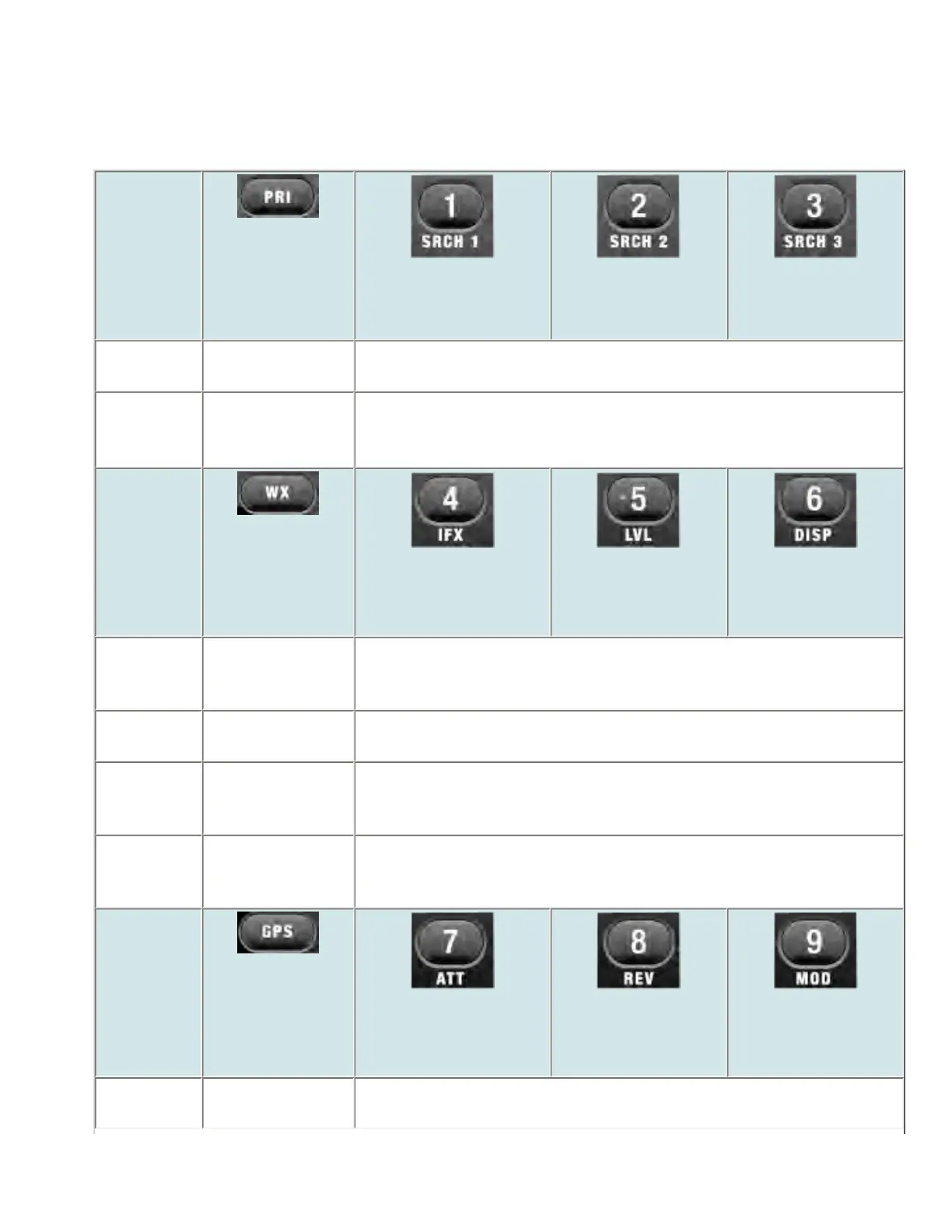
Keypad controls
Key Name
(2nd
operation)
Action On
PRI
1 (Search 1)
2 (Search 2)
3 (Search 3)
Tap Toggle priority
modes.
Disable the systems or sites assigned to this System/Site Quick Key
(SQK). Tap again to enable.
FUNCTION
+ Tap
Toggle priority
modes.
Disable the channel groups in the current system assigned to this Group
Quick Key (GQK). Tap again to enable.
Key Name
(2nd
operation)
Action on:
Weather
4 (IF exchange)
5 (Level offset)
6 (Display mode)
Tap Toggle Weather
Alert priority
mode.
Disable the systems or sites assigned to this System/Site Quick Key
(SQK). Tap again to enable.
Press &
Hold
Weather Scan NA
FUNCTION
+ Tap
Toggle Weather
Alert priority
Mode.
Disable the channel groups in the current system assigned to this Group
Quick Key (GQK). Tap again to enable.
FUNCTION
+ Press &
Hold
Weather Scan NA
Key Name
(2nd
operation)
Action on:
GPS
7 (Attenuation)
8 (Reverse freq.)
9 (Modulation)
Tap Change to GPS
Mode.
Disable the systems or sites assigned to this System/Site Quick Key
(SQK). Tap again to enable.
file:///C|/Documents%20and%20Settings/POpitz/My%20...s/temp/CDImage_090515/Manual/BCD996XTScanMode.html (3 of 9)5/26/2009 11:15:46 AM



 To Next Page