EasyManua.ls Logo

Vaisala HMT370EX - User Manual

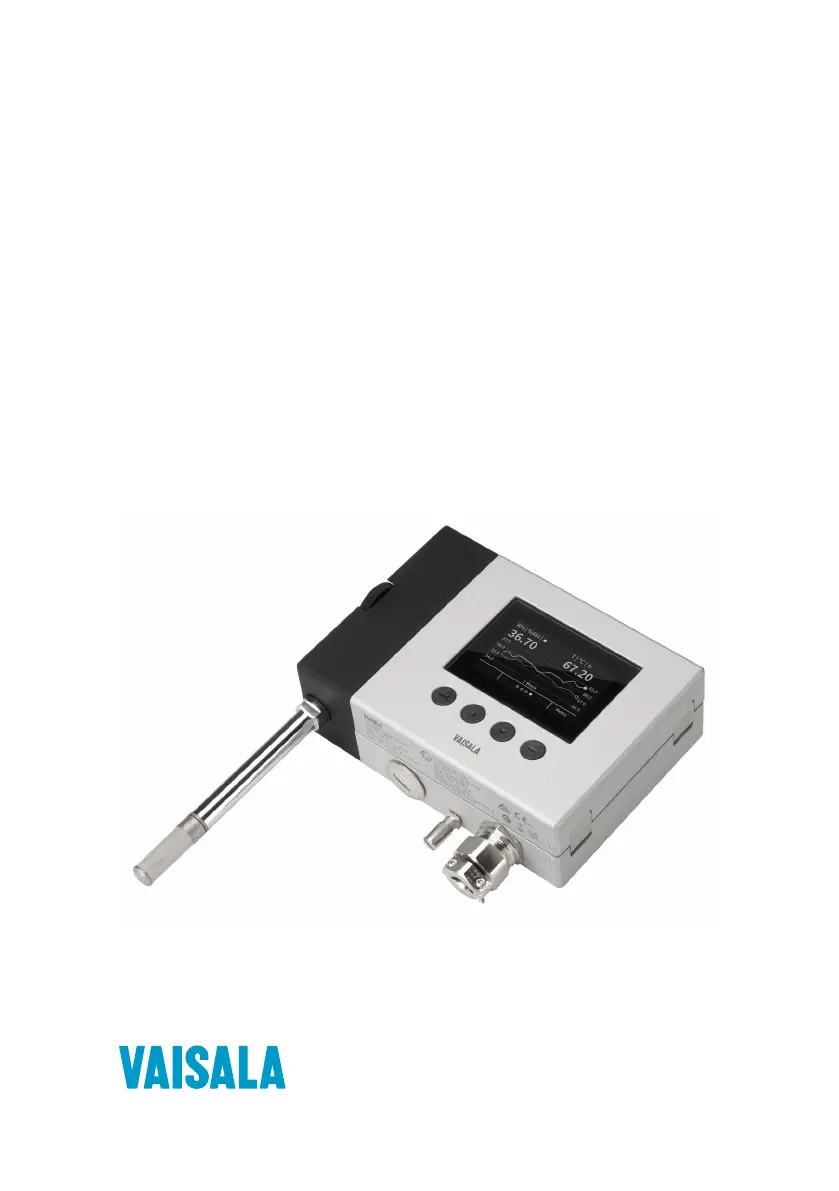
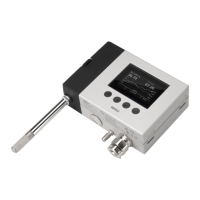
Vaisala HMT370EX
152 pages
Print Icon
To Next Page IconTo Next Page
Loading...
M212305EN-B
User Guide
Intrinsically Safe Humidity and Temperature
Transmitter Series
HMT370EX

Table of Contents

Questions and Answers

  • C
    calvinweberAug 14, 2025
    What to do if Vaisala HMT370EX does not power on?
    • T
      Timothy LopezAug 14, 2025
      If your Vaisala Transmitter isn't powering on, first ensure that analog output channel 1 (CH1) is wired, as the transmitter receives power through it. Also, verify that the supply voltage is within the range of 12 – 28 V DC, with a minimum of 12 V DC measured at the transmitter's screw terminals. Finally, check the screw terminal connections to ensure correct polarity.
  • K
    Kayla SmithAug 17, 2025
    What to do if Vaisala Transmitter shows temperature sensor failure?
    • D
      Daisy DavisAug 17, 2025
      If you're experiencing a temperature sensor failure with your Vaisala Transmitter, start by visually inspecting the probe head and sensors. If the probe is wet, allow it to dry out. If the sensors are damaged or missing and the error persists, contact Vaisala for probe repair.
  • J
    jacksonbryanAug 20, 2025
    Why Vaisala HMT370EX has unexpected device restart?
    • P
      Paul MoonAug 20, 2025
      If your Vaisala Transmitter is unexpectedly restarting, check that the supply voltage is stable and that the operating environment is within the specified limits.
  • A
    Antonio RiddleAug 25, 2025
    How to locate Insight PC software configuration options for Vaisala Transmitter?
    • L
      Linda CunninghamAug 25, 2025
      If you cannot locate Insight PC software configuration options for your Vaisala Transmitter, it might be because you are not in Advanced Mode. Switch from Basic Mode to Advanced Mode in the Settings menu to access all functionalities.
  • N
    Nicole BellAug 28, 2025
    How to change language on Vaisala HMT370EX Transmitter local display?
    • F
      fmathisAug 28, 2025
      If the Vaisala Transmitter local display interface language is incorrect, follow these steps: 1. Press and hold Back to return to the home view. 2. Press Select three times to open the Display menu. 3. Press Down once to move to the language selection menu item. 4. Press Select to open the language selections. 5. Use the Up and Down buttons to select the correct language, then press Select to confirm.
  • P
    Peter RiceAug 31, 2025
    What to do if calibration has expired on Vaisala Transmitter?
    • A
      aramirezAug 31, 2025
      If the calibration has expired on your Vaisala Transmitter, calibrate the probe and update the calibration date information.
  • J
    Jose JohnsonSep 3, 2025
    What to do if calibration is about to expire on Vaisala Transmitter?
    • T
      Theresa RogersSep 3, 2025
      If the calibration is about to expire on your Vaisala Transmitter, calibrate the probe and update the calibration date information.
  • L
    Leslie PattonSep 6, 2025
    What to do if Vaisala Transmitter does not power on when power supply is switched on?
    • W
      Willie MartinSep 6, 2025
      If the Vaisala Transmitter doesn't power on, there could be several reasons. First, analog output channel 1 (CH1) must always be wired, as the transmitter receives power through it. The device will not power on if only Channel 2 (CH2) is wired. Second, ensure that the transmitter is powered correctly using a supply voltage range of 12 – 28 V DC, with a minimum of 12 V DC measured at the transmitter screw terminals. Finally, check that the screw terminal connections have been made correctly.
  • S
    sara44Sep 9, 2025
    Why does the analog output level appear incorrect on my Vaisala Transmitter?
    • A
      Andrew JacksonSep 9, 2025
      An incorrect analog output level on your Vaisala Transmitter may be due to insufficient supply voltage. Ensure that the transmitter is powered correctly. The minimum voltage required in all conditions is 12 V DC, measured at the transmitter screw terminals. If the supply voltage is less than 12 V DC, the analog output current can be erroneous.

Summary

About this document

Version Information

Details document revision history and changes made in different versions.

Related Manuals

Lists other relevant Vaisala manuals for the product.

Documentation Conventions

Explains symbols, warnings, and notes used throughout the manual.

Product Overview

Introduction to HMT370 EX Series

Overview of the HMT370EX as a humidity and temperature transmitter for hazardous areas.

Basic Features and Options

Lists key features, measurement parameters, and certifications of the HMT370EX.

Hazardous Area Safety

Provides essential safety warnings for operating in hazardous environments.

Available Measurement Parameters

Details the various physical quantities the HMT370EX can measure.

Display Options

Describes the available display configurations for the transmitter.

Connectivity to Vaisala Insight Software

Explains how to connect the transmitter to Vaisala's configuration software.

Regional Safety Certification Information

Regional Safety Certification Overview

Provides a guide to safety certification details for different regions.

ATEX;IECEx Safety Certification Information

Details safety requirements for ATEX and IECEx certified hazardous area use.

US (FM) Safety Certification Information

Details safety requirements for US (FM) certified hazardous area use.

UK (UKEX) Safety Certification Information

Details safety requirements for UK (UKEX) certified hazardous area use.

Probe Options

HMT370 EX Probe Options Overview

Details the various probe types available for the HMT370EX transmitter.

Temperature Only Probe Option (HMP371 and HMP373)

Explains the configuration for probes measuring temperature only.

HMP374 Probe for High Pressure Applications

Describes the HMP374 probe designed for high-pressure environments.

HMP378 Probe for Pressurized Pipelines

Details the HMP378 probe for measurements inside pipelines.

HMP378 F Probe Option for Measuring Oil Moisture and Temperature

Explains the HMP378F variant for oil measurements.

Installation

HMT370 EX Installation Overview

Provides a general overview of the installation process for the HMT370EX.

Installation Preparations

Outlines essential steps and checks before starting the installation.

Probe Installation Overview

Describes the different methods for installing the transmitter probes.

Mounting

Details how to physically mount the HMT370EX transmitter.

Wiring

Covers the electrical wiring procedures for the transmitter.

Wiring with Galvanic Isolators

Illustrates wiring diagrams using galvanic isolators for safety.

Local Display Interface

Local Display Overview

Introduces the graphical LCD display and its interface.

HMT370 EX Display Main Menu

Shows the main navigation menu structure of the display.

Settings Menu

Details the configuration options available within the settings menu.

Analog Outputs Menu

Explains how to configure analog output channels.

Measurement Settings Menu

Covers environmental compensation and filtering settings.

Calibration Menu

Details the procedures for calibrating measurements.

Operating with Insight PC Software

Vaisala Insight PC Software

Introduces the software for configuring and managing the transmitter.

Connecting to Insight PC Software

Guides on connecting the transmitter and probe to the PC software.

Installing Driver for the USB Service Cable

Instructions for installing the necessary USB driver.

Insight Main View with Transmitter

Explains the interface for the transmitter when connected to Insight.

Analog Output Configuration

Analog Output Configuration Overview

Explains the 4-20 mA analog output channels and their configuration.

Configuring Analog Outputs with Insight

Details how to configure analog outputs using the PC software.

Analog Output Level Test

Describes how to test and verify the analog output signals.

Testing Analog Output Level with Local Display Interface

Steps to test analog outputs using the local display.

Environmental Compensation and Measurement Settings

Environmental Compensation and Measurement Settings Overview

Overview of settings for environmental factors and measurement filtering.

Configuring Pressure Compensation

Details how to set up pressure compensation for accurate measurements.

Configuring Filtering Factor

Explains how to apply filtering to smooth measurement outputs.

Configuring Calculation Coefficients

Covers setting coefficients for specific measurement calculations.

Calibration and Adjustment

Calibration and Adjustment Overview

Provides an overview of the calibration and adjustment process.

Adjusting Measurements with Insight

Guides on adjusting measurements using the Insight PC software.

Adjusting Measurements with HMT370 EX Local Display Interface

Guides on adjusting measurements using the local display.

Analog Output Adjustment Overview

Overview of adjusting analog output levels.

Adjusting Analog Output Level with Insight

Steps to adjust analog output levels using Insight software.

Maintenance

Overview

General information on inspecting and maintaining the transmitter and probe.

Technical Support

Information on how to contact Vaisala for technical assistance.

Changing Probe Filter

Details the process for replacing the probe filter.

Troubleshooting

Problems and Their Possible Solutions

Lists common issues and their resolution steps.

Error Messages

Explains various error messages and their meaning.

Restoring Factory Default Settings

Describes how to reset the transmitter and probe to factory defaults.

Technical Data

Specifications

Presents detailed technical specifications for measurement performance.

HMP371 Specifications

Lists specific technical data for the HMP371 probe.

HMP374 Specifications

Lists specific technical data for the HMP374 probe.

Spare Parts and Accessories

Lists available spare parts and accessories for the product.

Maintenance and Calibration Services

Warranty

Technical Support

Vaisala HMT370EX Specifications

General IconGeneral
Humidity Measurement Range0 ... 100 %RH
Protection ClassIP65
Explosion Proof CertificationATEX, IECEx
Intrinsically SafeYes
Measurement ParametersHumidity, Temperature
Humidity Accuracy±1 %RH (0 ... 90 %RH) ±1.7 %RH (90 ... 100 %RH)
Temperature Accuracy±0.2 °C
Output Signals4...20 mA
Operating Temperature Range-40 to +60 °C
Housing MaterialStainless steel

Related product manuals