Vectorworks 2010 Products 25
Vectorworks Spotlight 2010 Getting Started Guide
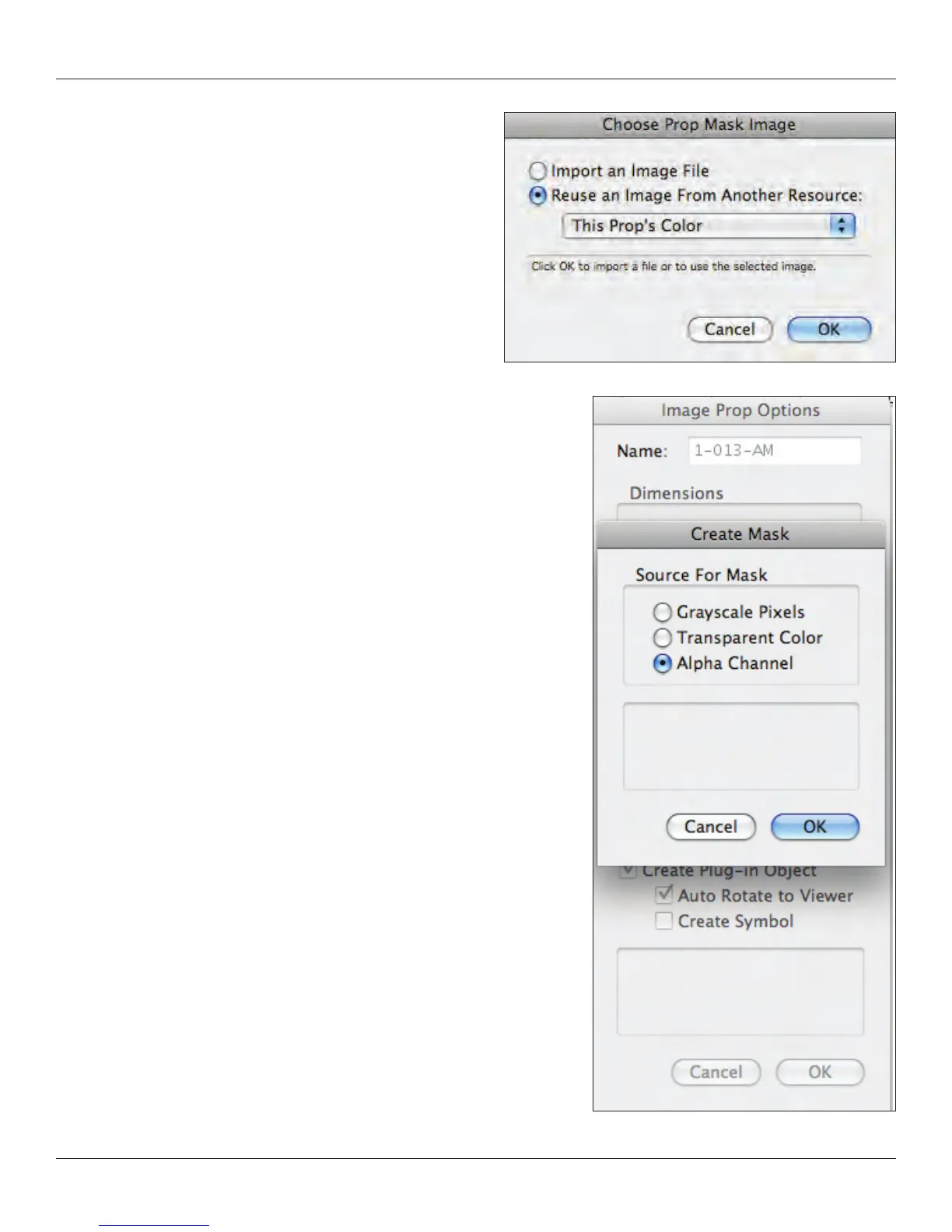
Check ‘Use Mask’ and then ‘Create Mask’ nally select ‘This Prop’s
Color.’ I have an image with an Alpha Channel, if you do not an Alpha
Channel select “Transparent Color’ and follow the prompts.
Grayscale Pixels is for other effects.
Does not appear in plan. Appears fuller in 3D views. Crossed planes
also helps to create proper cast shadows. This is some of the magic
in Image Props. Auto Rotates allow the prop to always ‘face the
camera’ when rendered. You will see how this looks when we nish
and you see the IP in plan. Select Constant Reectivity (which we’ll
look at more closely later) which means that the image will not have
a shadow of itself in place when rendered. Select Create Plug-in
Object, Auto Rotate to Viewer and Create Symbol. We’ll discuss
those things below.
I now have this person rendered in Final Quality Renderworks. If I
had a light in place and a oor surface, she would cast a shadow with
the same prole.



 To Next Page