Vectorworks 2010 Products 79
Vectorworks Spotlight 2010 Getting Started Guide
Bump Maps allow you to add texture and depth without modeling.
They do slow the rendering process, but not nearly as much as if
you were to model each and every last detail. Bump maps are
black and white images. The black is recessed, the white bumps
forward. Once again, experiment with the settings.
Review all of your choices on the different shapes in the
preview window.
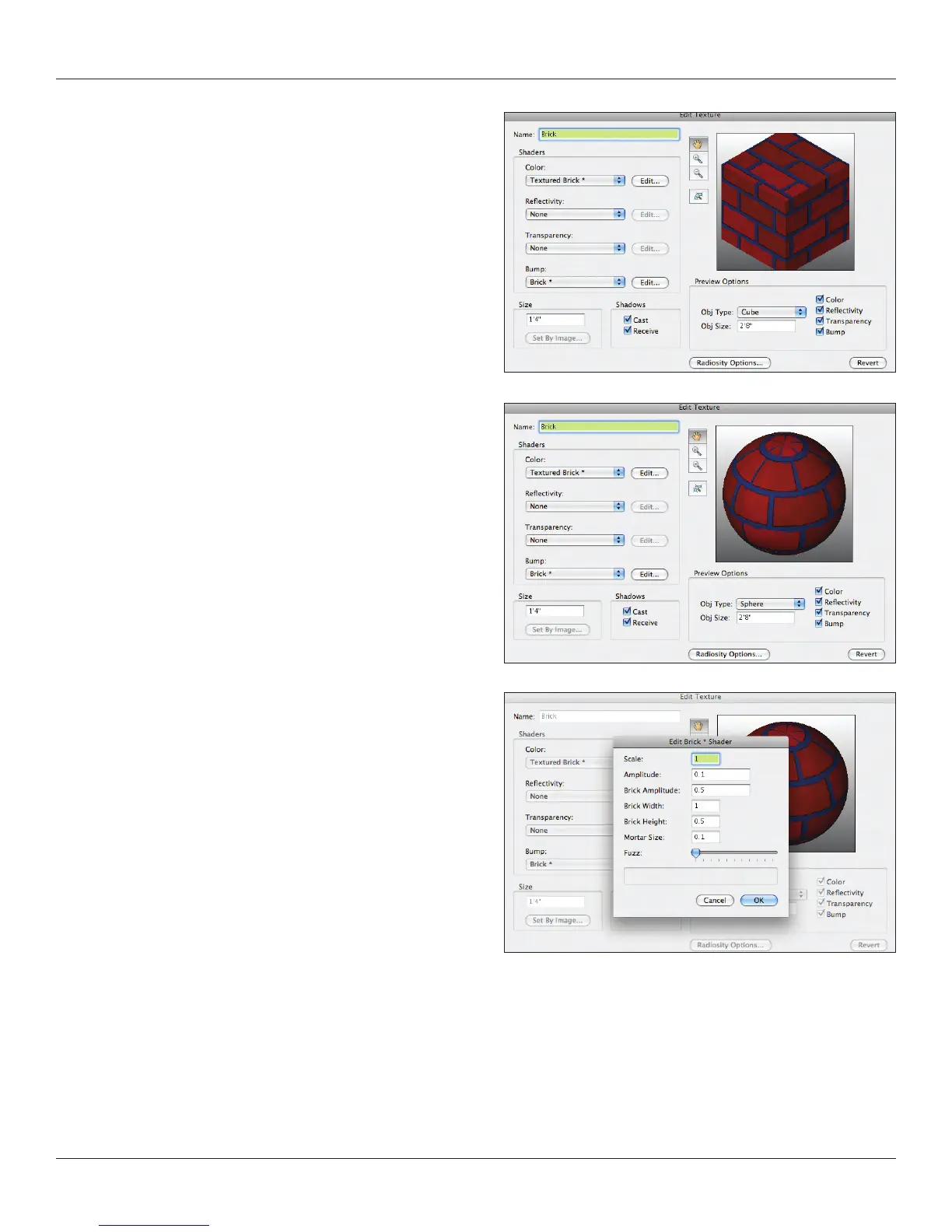
Let’s make a brick texture to combine some of these options. Use
the Textured Brick* Color and Brick* Bump. I set the Bump .1
Amplitude. I made my colors a bit darker. We’ll use this in our
scene later.
Renderworks obviously comes with many shaders and many
textures in the Library. You will certainly nd many options to begin
to experiment. As you become more procient, you will likely look to
create your own textures. One obvious need would be to create
backdrops, murals or custom wallpapers. I would refer you back to
the section on creating Image Props to determine the appropriate
size of an image le to be imported into Vectorworks. Set the size
of the image in the lower left of the Create Texture dialogue and be
sure to resize the preview.



 To Next Page