ArcLight Hub User’s Guide
Screen Descriptions for NMS Client
Rev. 001 1081006 3-91
3.3.13 Manage Component Membership
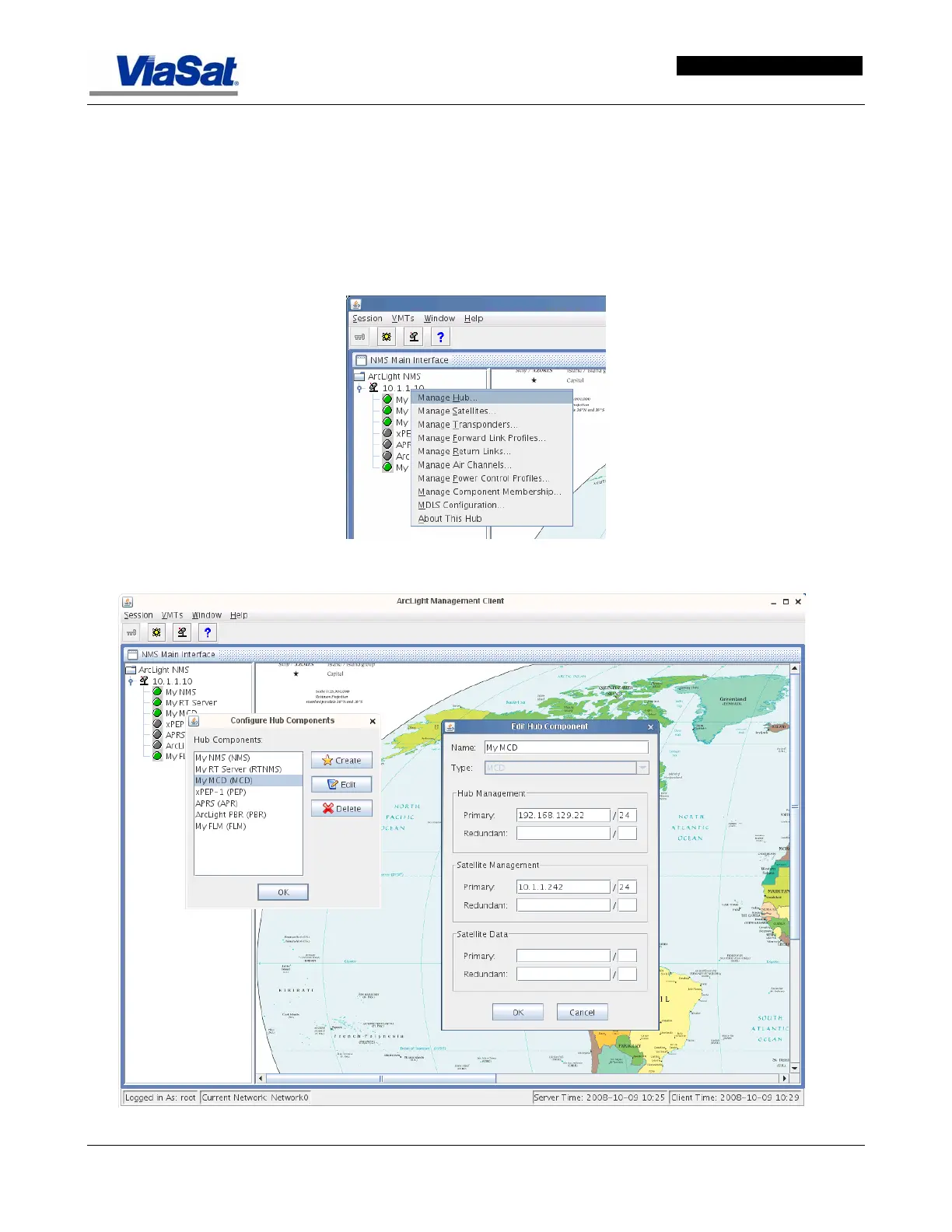
The Manage Component Membership selection from the NMS Main
Interface List displays the Configure Hub Components screen
(
Figure 3-57), which provides a list of these items and buttons that
allow a new component to be created, an existing component to be
edited or deleted. In
Figure 3-57 the MCD named My MCD is
selected for editing.
Figure 3-56. NMS Main Interface Screen.
Figure 3-57. Edit Hub Component Screen.


 To Next Page