ArcLight Hub User’s Guide
Screen Descriptions for NMS Client
3-26 1081006 Rev. 001
3.3.2.4.2 VMT Filter Options
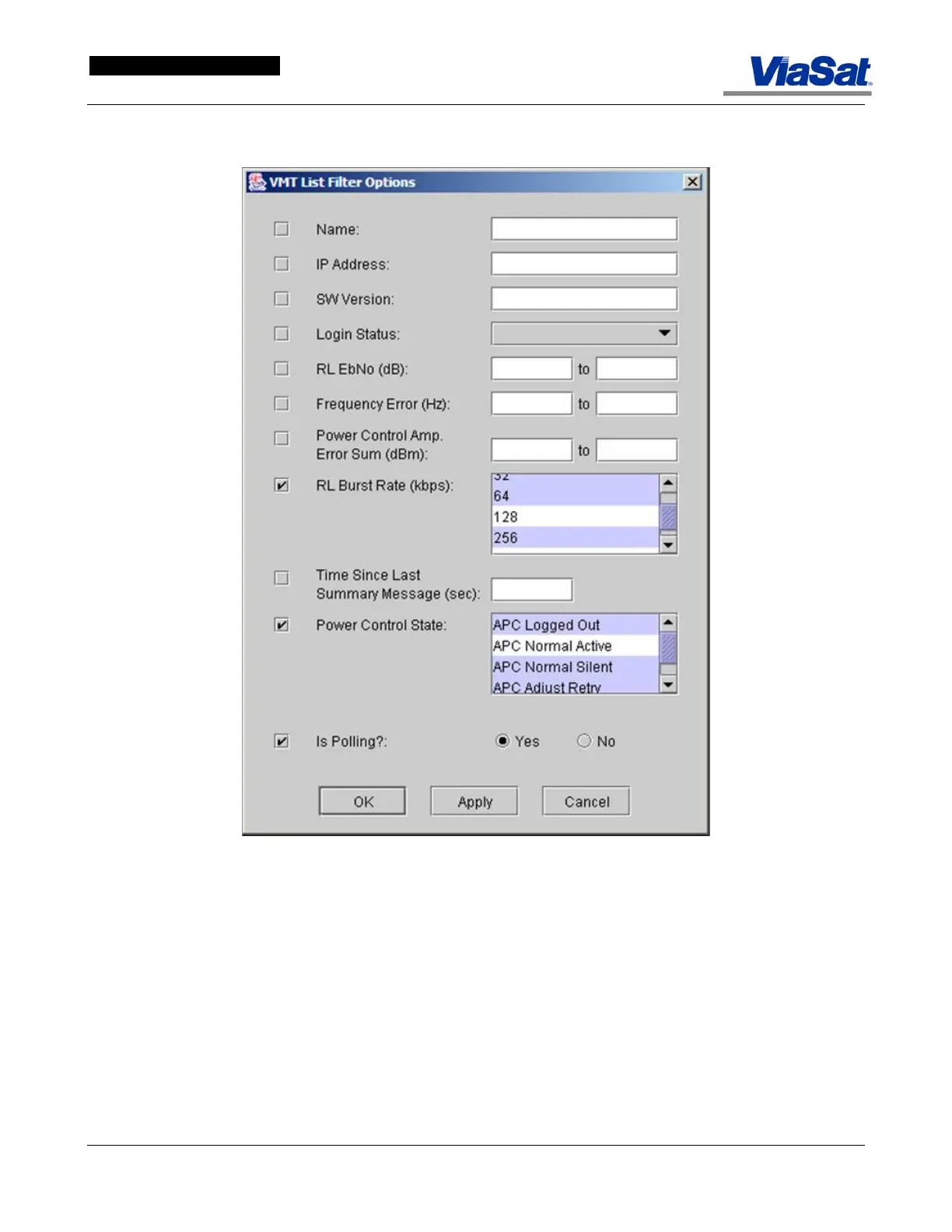
Figure 3-20. VMT Filter Options Screen.
The VMT List Filter Options screen opens when Filter is clicked on
in the VMT List screen. This screen lets the operator define a set of
filter options to configure what information is displayed on the VMT
List screen.
Name: Shows ID of the VMT of interest.
IP address: This field specifies the satellite (management) IP Address of
the VMT whose status is being provided.
SW version: Software version of the VMT as reported in the VMTLogin
network message.
Login Status: Select option from pull down list.



 To Next Page