ArcLight Hub User’s Guide
Screen Descriptions for NMS Client
Rev. 001 1081006 3-163
3.3.16.6.3 Hub Canceller Status Screens
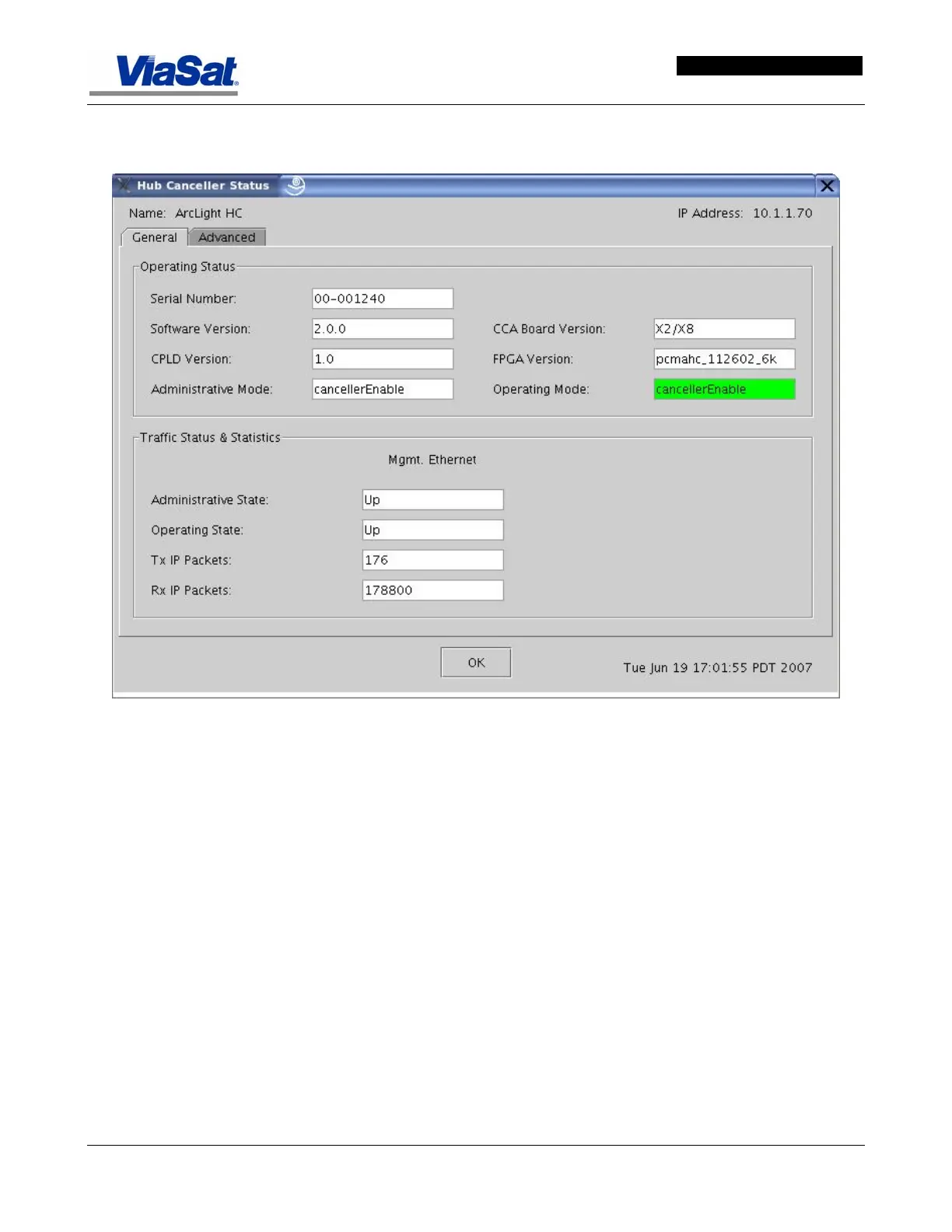
Figure 3-98. Hub Canceller General Status Dialog.
3.3.16.7 Hub Canceller Status General Tab
Operating Status Panel –
Serial Number – Displays the serial number of the ArcLight
installation.
Software Version – Displays the version of the ArcLight software.
CPLD Version – Displays the version of the installed CPLD.
Administrative Mode – Displays the current Administrative Mode.
CCA Board Version – Displays the version of the circuit card assembly.
FPGA Version – Displays the version of the FPGA.
Operating Mode – Displays the mode in which the HC is currently
operating.
Traffic Status & Statistics Panel –


 To Next Page