ArcLight Hub User’s Guide
Screen Descriptions for NMS Client
Rev. 001 1081006 3-141
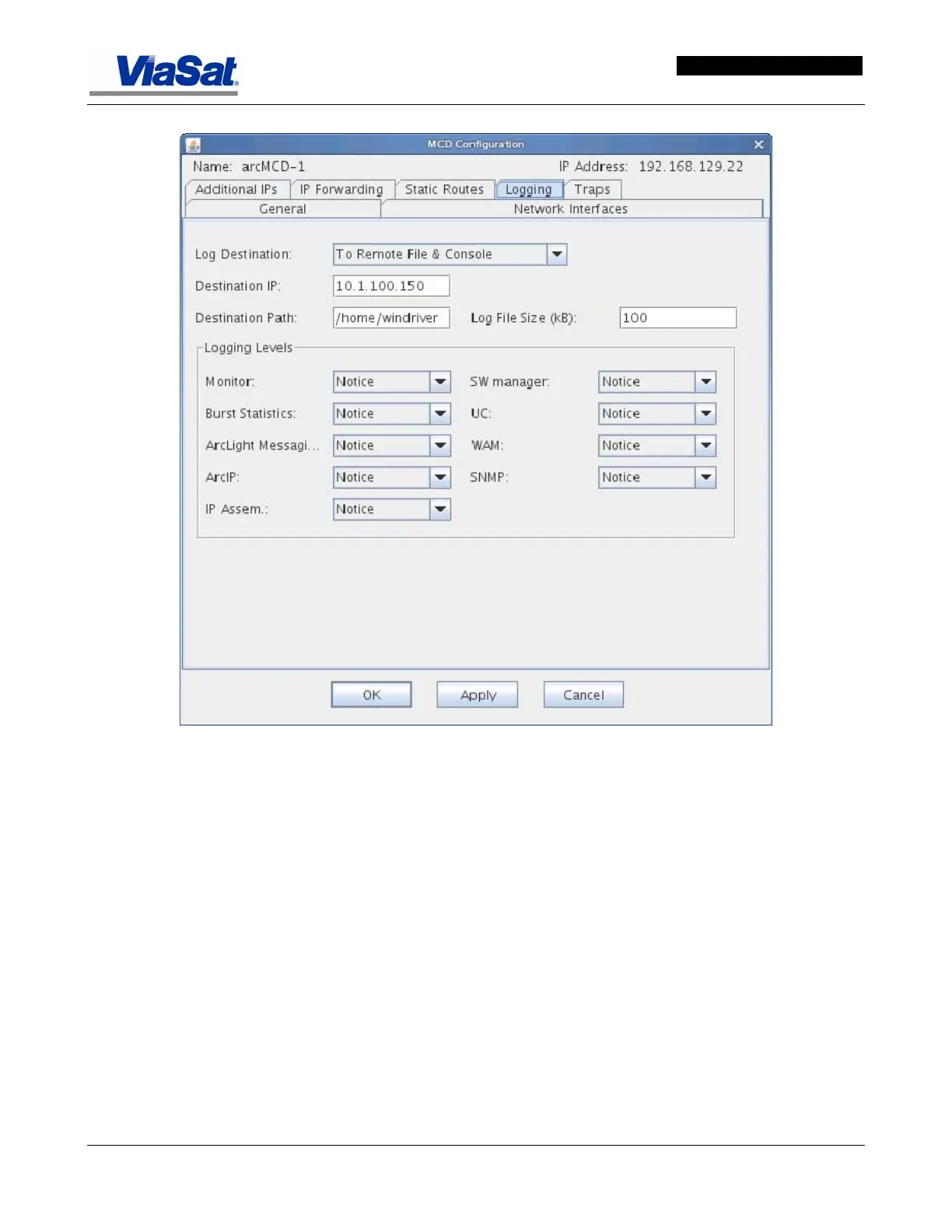
Figure 3-85. MCD Configuration Screen - Logging Tab.
Name - Displays the name of the ArcLight MCD and identifies if it is a
MCD I or MCD II.
IP Address - Displays the hub management IP address of the ArcLight
MCD
Logging Tab:
Log Destination - Select the log destination from the drop down menu.
Destination IP - This field displays the destination IP address which
will be used for log file storage if any of the “remote file” options have
been selected.
Destination Path - This field displays the destination path on the
remote file system which will be used for log file storage if any of the
“remote file” options have been selected.
Log File Size (kB) - This field displays the file size of the log file in
kilobytes before rolling over to a new file.



 To Next Page