ArcLight Hub User’s Guide
Screen Descriptions for NMS Client
Rev. 001 1081006 3-25
3.3.2.4 View List…
3.3.2.4.1 VMT List
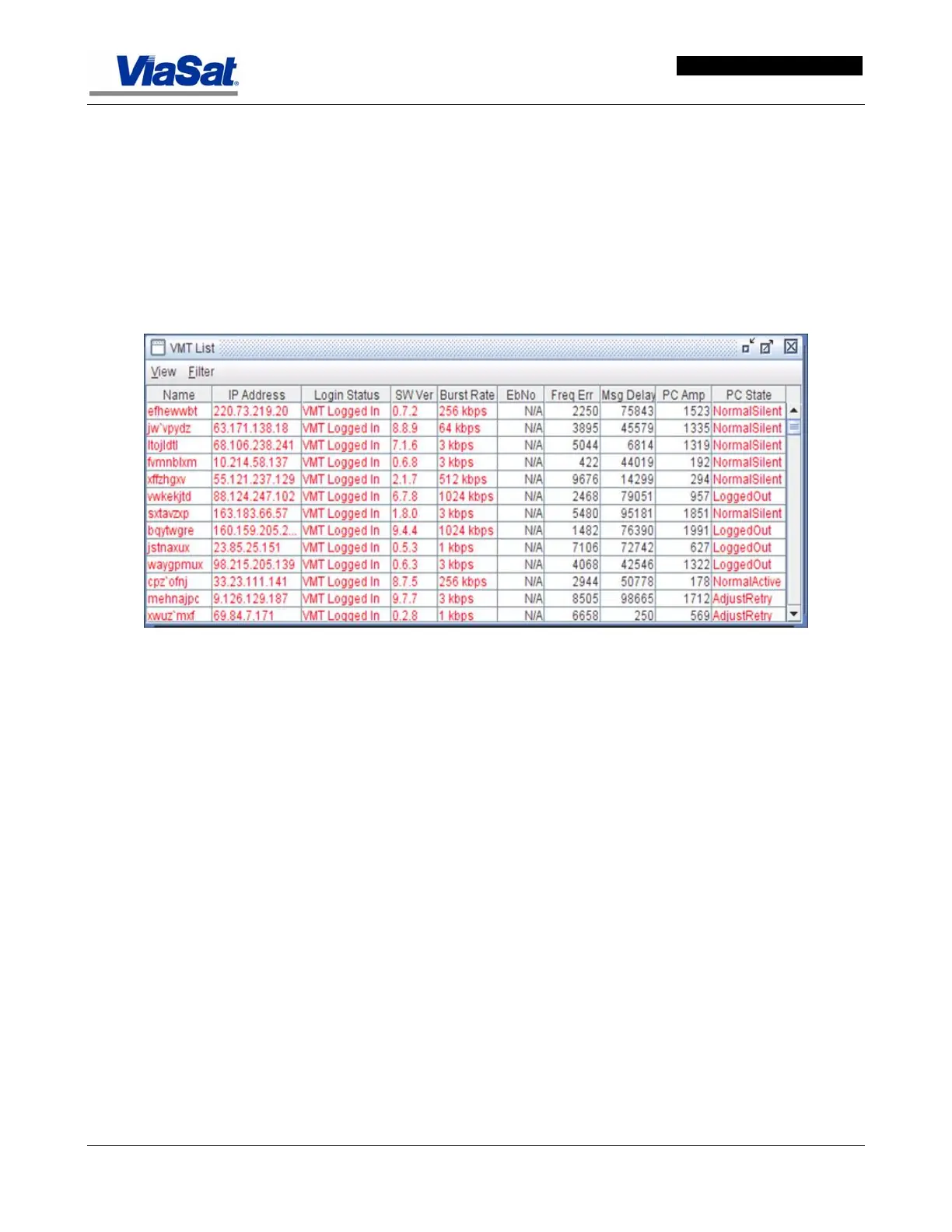
This screen is used to view a list of VMTs in the ArcLight network and
their attributes. Click on VMTs on the main menu bar and select VMT
List… to display the VMT List screen shown in
Figure 3-19. Selecting
Filter brings up the VMT List Filter Options screen, shown in
Figure
3-20.
Figure 3-19. VMT List.
VMT List: shows the name, IP address, login status, software
version, burst rate, EbNo, Frequency error, message delay, PC
Amplitude and state in tabular form.



 To Next Page