Managing results 3-65
Managing results
In standalone mode, having run a spectrum, you can store it for later review,
subtraction, or playback. You can store up to five spectra (see page 3-65). You
can the retrieve the spectrum for purposes of reviewing it from one of the five
storage slots by selecting the review function from the scan list (see
page 3-66). If you store more than one spectrum, you can create a difference
spectrum (see page 3-67).
Tip: The current spectrum is the one being subtracted from; the stored
spectrum, whose slot number you enter, is the spectrum being subtracted.
You can replay the current spectrum or a stored one in real time using the
real-time replay function on the scan list. The detector plays the selected
spectrum in real time, both on the detector display and out the analog
Detector Output 1 to the chart or data collection system. Once you retrieve a
spectrum for playback, the detector displays it graphically.
Storing a spectrum
To store a spectrum:
1. Select SCAN (Shift, Chart Mark) from the graph of a sample scan.
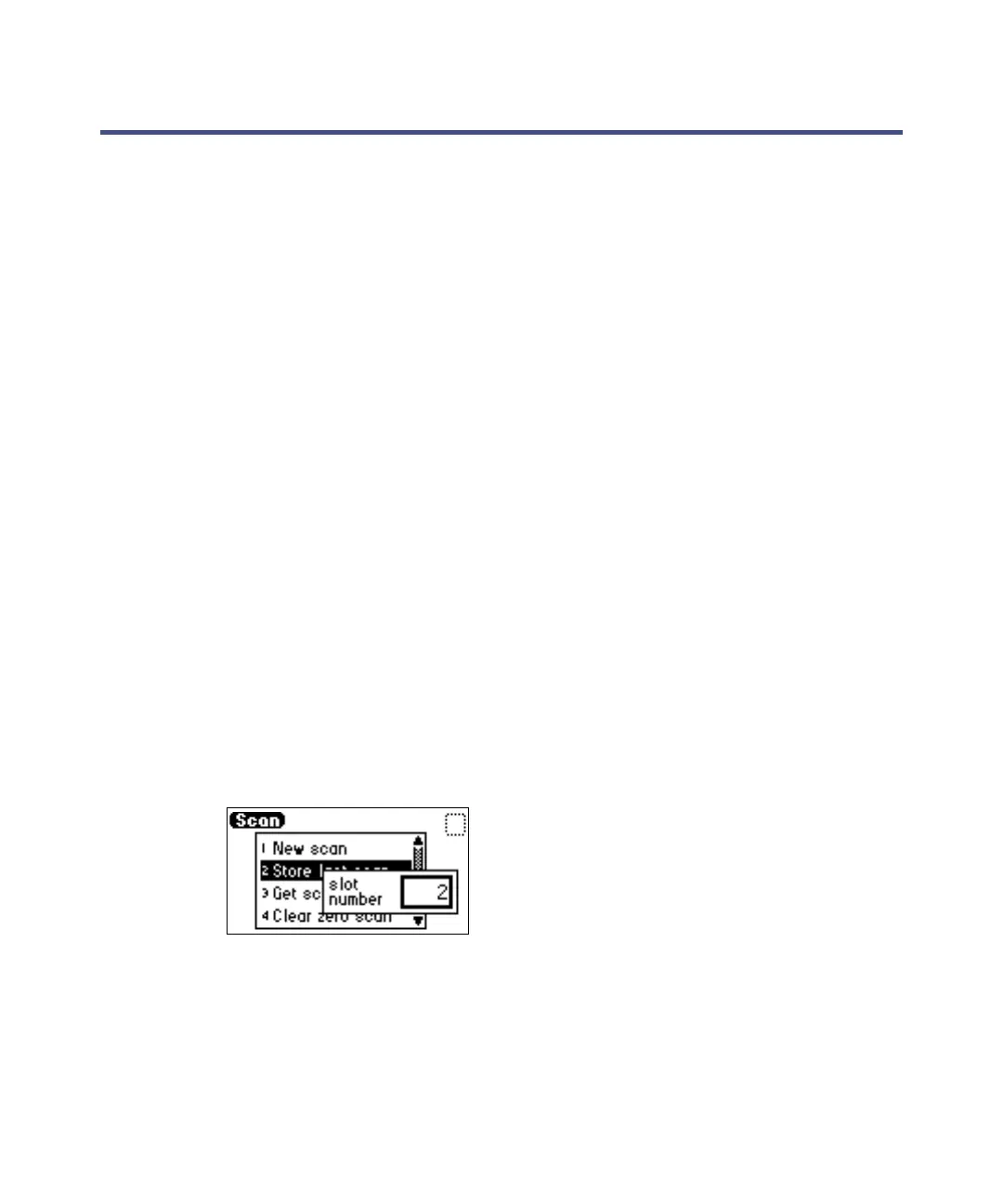
2. Press 2 Store last scan.
Tip: When you select store last scan, you are storing the zero-scan and
the sample scan as a pair.
Slot number box
3. In the slot-number box, specify a number from 1 through 5.
4. Press Enter to store the last sample scan, paired with its zero-scan.



 To Next Page