2-18 Setting Up the Detector
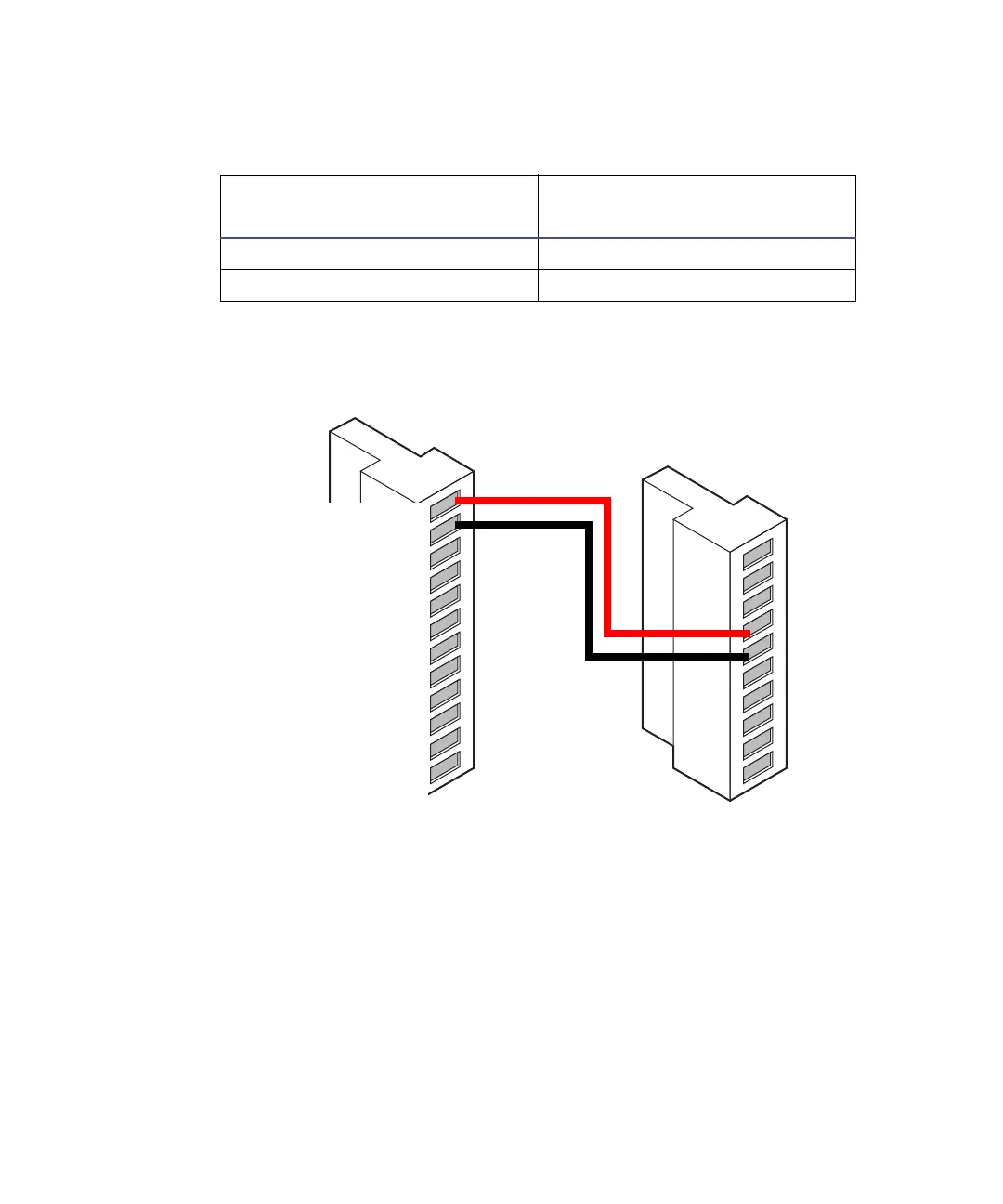
2. Make the connections shown in the following table and figure.
Connections for turning the lamp on or off
Connecting RS-232 devices
Tip: The RS-232 interface connector is used when the detector is in 474
Emulation mode.
The rear panel includes one RS-232 interface connector for digital signal
communications. Use it to connect RS-232 devices, such as an RS-232
communications port in an Empower system or Millennium
32
chromatography
Connections for turning the detector lamp on or off
Alliance separations module
(A Outputs)
2475 detector (A Inputs)
Pin 1 Switch 1 Pin 4 Lamp On/Off +
Pin 2 Switch 1 Pin 5 Lamp On/Off –
Alliance
B (inputs and outputs)
2475 detector
A (inputs)
1
2
3
4
5
6
7
8
9
10
11
12
+
−
+
−
+
−
+
−
+
−
Inject start
Inject start
Ground
Stop flow
Stop flow
Hold inject 1
Hold inject 1
Hold inject 2
Hold inject 2
Ground
Chart out
Chart out
1
2
3
4
5
6
7
8
9
10
+
−
+
−
+
−
+
−
Inject start
Inject start
Ground
Lamp on/off
Lamp on/off
Chart mark
Chart mark
Ground
Auto zero
Auto zero
Red
Black



 To Next Page