2-6 Setting Up the Detector
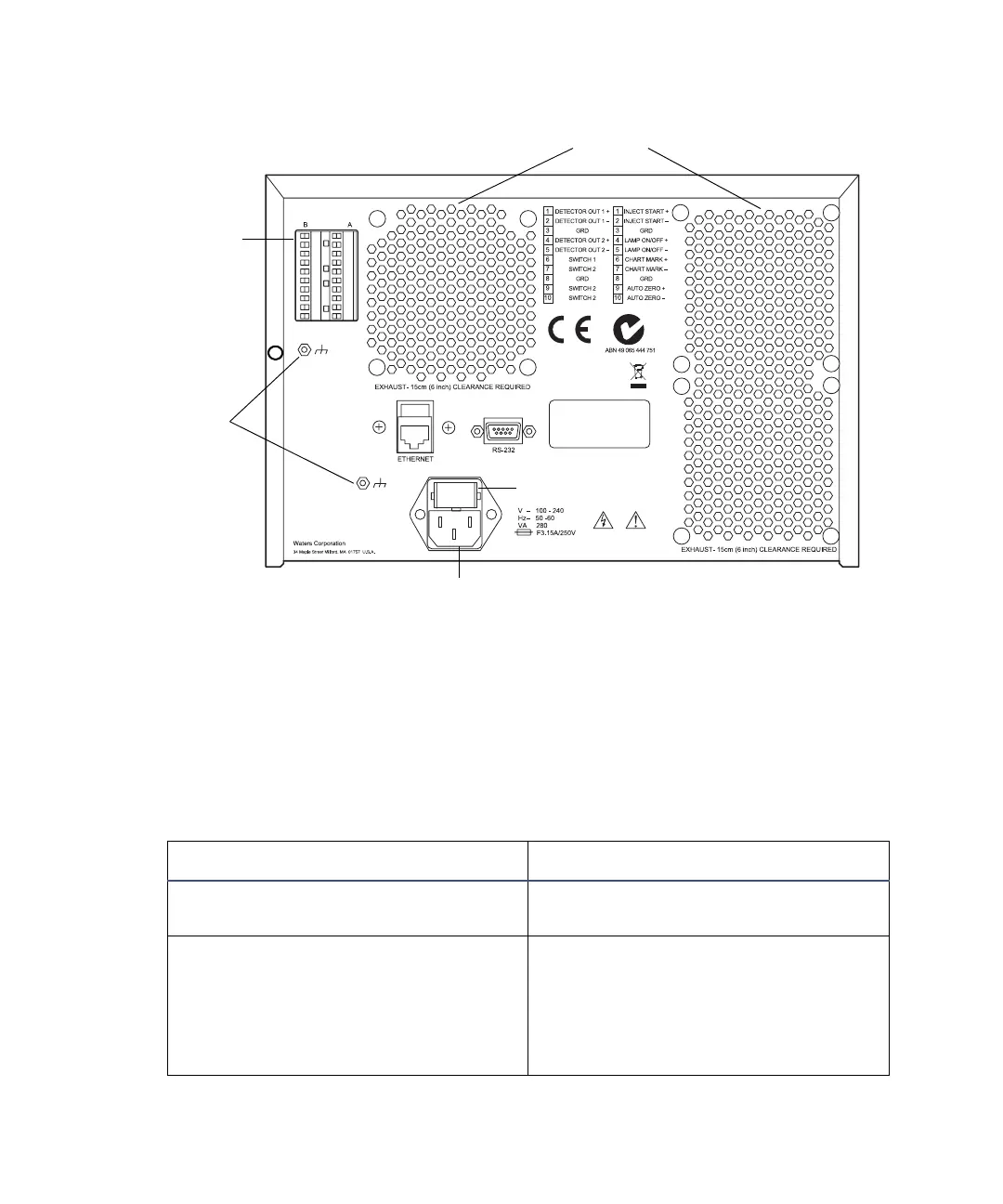
2475 detector rear panel
Component connection overview
Tip: Waters recommends you connect the 2475 detector to other system
components via an Ethernet connection.
The following table summarizes the signal connections needed to connect the
2475 detector to other HPLC system components.
Component connector types
Connector type Component
Ethernet connection Used to connect to a Waters
Empower system using Ethernet.
Analog outputs • SAT/IN Module
• 746 Data Module (integrator or
data system using the A/D
interface)
• Chart Recorder
Chassis
ground
Inputs and
outputs
Fan vents
Fuse holder
Power input



 To Next Page