Preparing to start a run 3-27
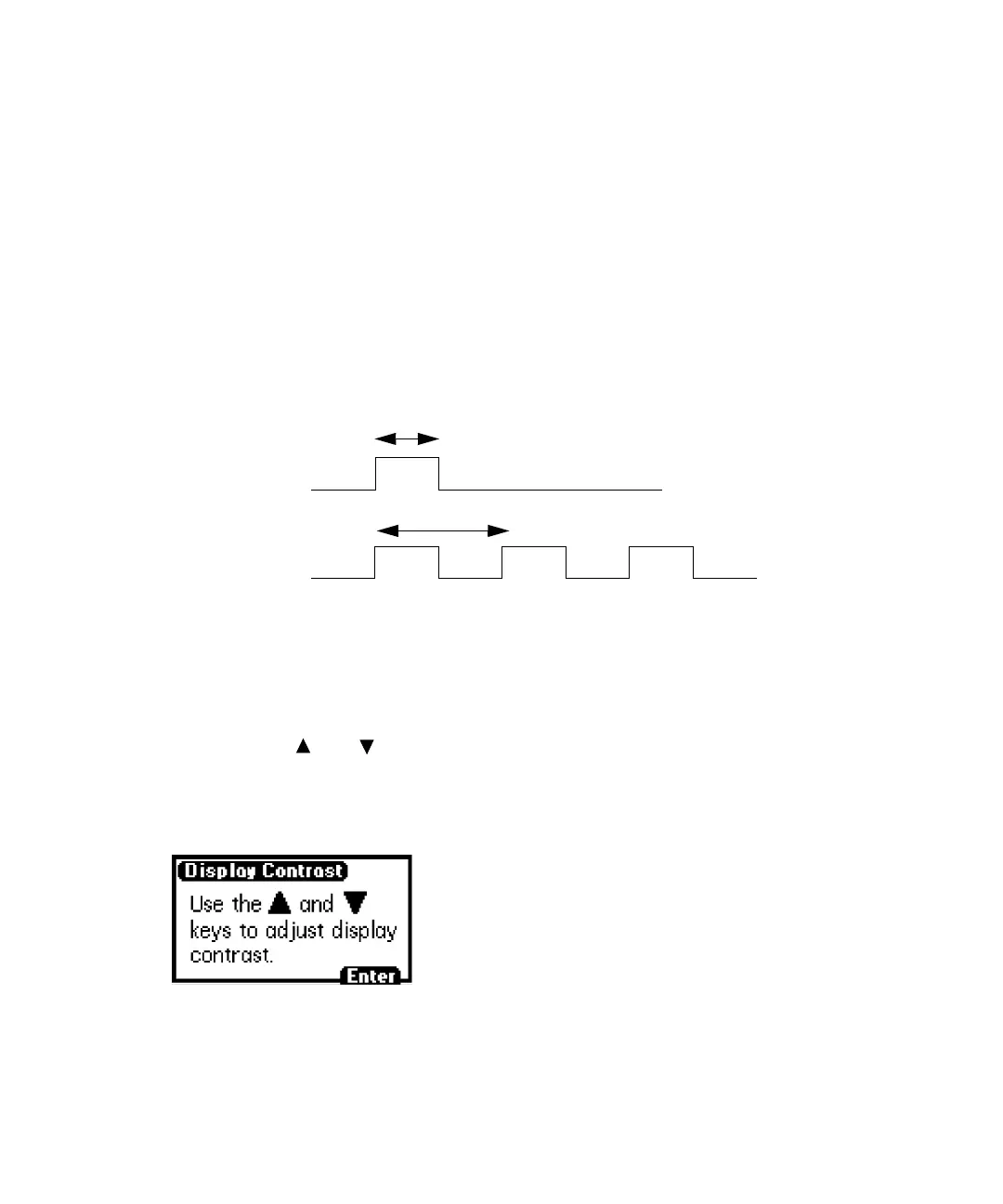
SW2. The figure “Setting the pulse period or signal width on SW1 or SW2” on
page 3-27 shows a single pulse and a rectangular wave.
• Single pulse (in seconds) – If SW1 or SW2 is programmed to generate a
pulse as a timed or threshold event, then this field specifies the period of
the signal (single pulse width; range 0.1 to 60 seconds).
• Rectangular wave (in seconds) – If SW1 or SW2 is programmed to
initiate a rectangular wave as a timed or threshold event, then this field
specifies the period of the signal (the width of one pulse period in a
rectangular wave or pulse train; range 0.2 to 60 seconds).
Setting the pulse period or signal width on SW1 or SW2
Setting the Display Contrast
Using the contrast function, you adjust the contrast of the detector display
screen. When you select Contrast (Shift, 6), the Display Contrast screen
appears. Use and to adjust the contrast of the display, and then press
Enter.
Display Contrast screen
n seconds
n seconds
Single pulse
Rectangular wave



 To Next Page