3-4 Using the Detector
Idle mode
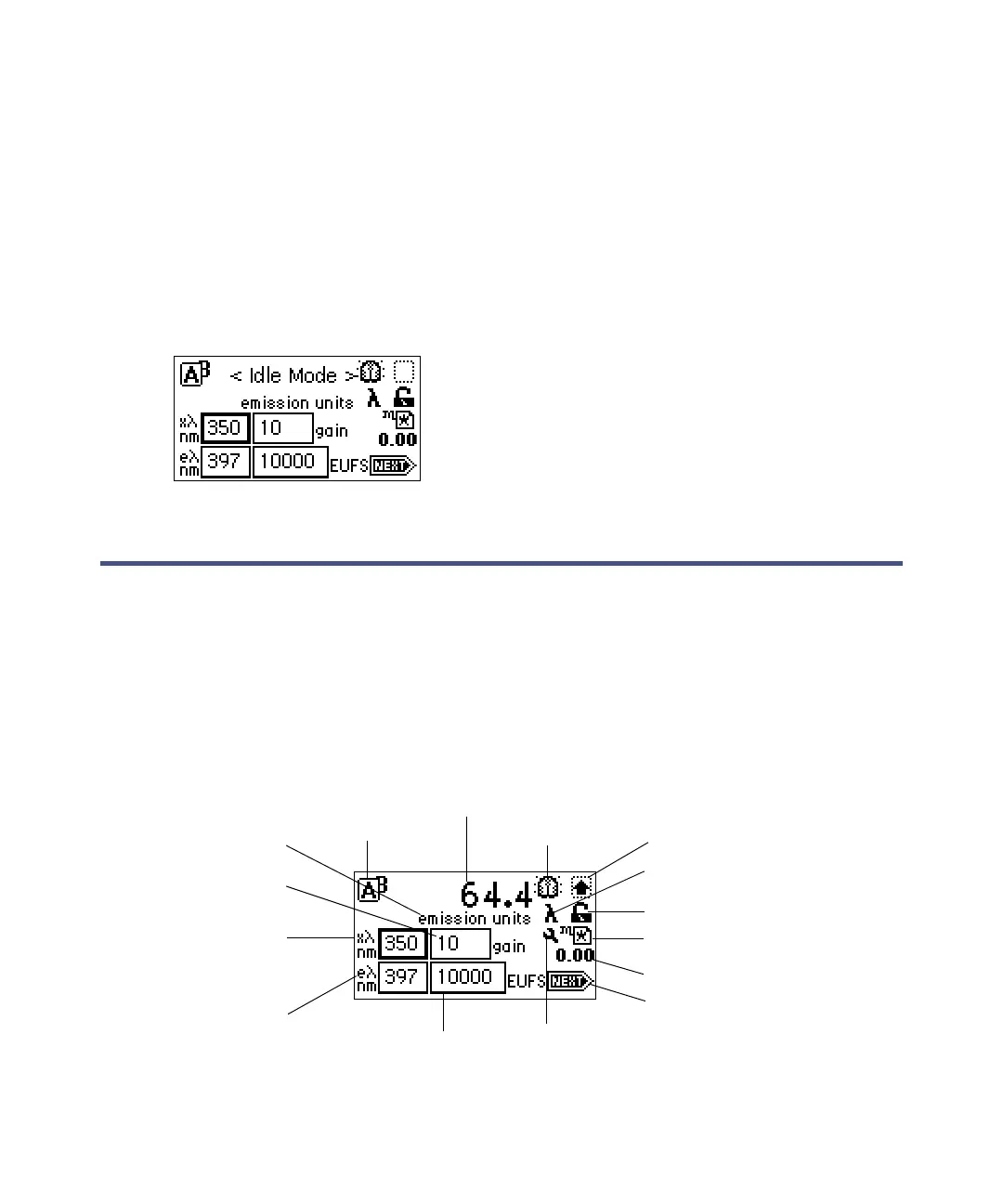
When the detector is successfully started, it defaults to idle mode (see the
figure “2475 detector idle mode screen” on page 3-4). When it is not
performing any function requiring the shutter to be open (local methods,
scans, noise test, and so on), the shutter is closed, and the detector remains in
idle mode with the lamp lit. The Closed Shutter limits unnecessary UV light
from reaching the detector’s optics bench.
2475 detector idle mode screen
Using the operator interface
Using the display
The detector’s operator interface includes a 128 × 64 bitmap graphic display
and a 24-key membrane keypad. The home screen appears as shown in below.
Finding parameters in the fluorescence home screen
Emission/energy
units
Lamp on/off
Shift on/off
Single/multiwavelength
Keypad lock/unlock
Local method #/Remote Control
Run time (minutes)
Next screen
Sticky diagnostics
on/off
Sensitivity
Emission
wavelength
Excitation
wavelength
Gain
Units indicator
Channel selector



 To Next Page