User-selected diagnostic tests and settings 5-15
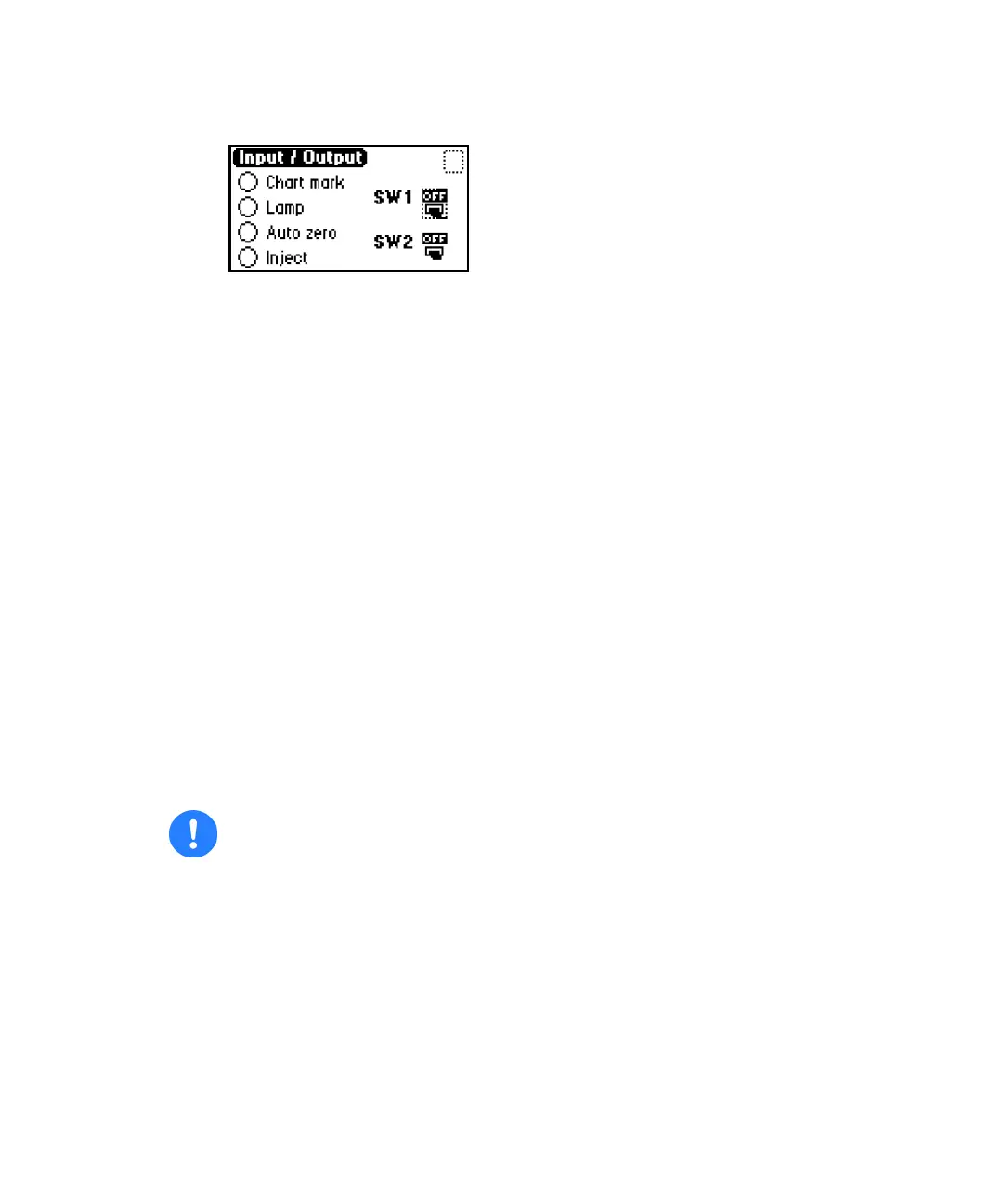
Contact closures & events screen
You can monitor the state of the contact closure inputs in real time. A
solid (filled in) circle indicates the contact closure is closed (ON = High).
An open (empty) circle indicates the contact closure is open (OFF = Low).
2. For the outputs (SW1 and SW2)
a. Press Enter to display the active switch (surrounded by a
dotted-line border).
b. Press any numerical key to change the status (from ON to OFF, or
vice versa).
c. Press Enter to select the second switch.
Change-lamp function
Whenever you change the lamp, use this function to enter a new serial
number and installation date. See page 4-12 and page 4-13 for a complete
explanation of the lamp replacement procedure.
Tip: If you do not record the new lamp’s serial number using the procedure on
page 4-12 and page 4-13, the date of the previous lamp installation remains in
the detector memory, and the lamp warranty is voided.
To enter a serial number and date:
1. Press DIAG, and then press 7 Lamp, display & keypad >>.
2. Press 1 Change lamp.
Caution: Interrupt power to the detector before you replace the lamp.



 To Next Page