2-34 Setting Up the Detector
Auto-zero connections
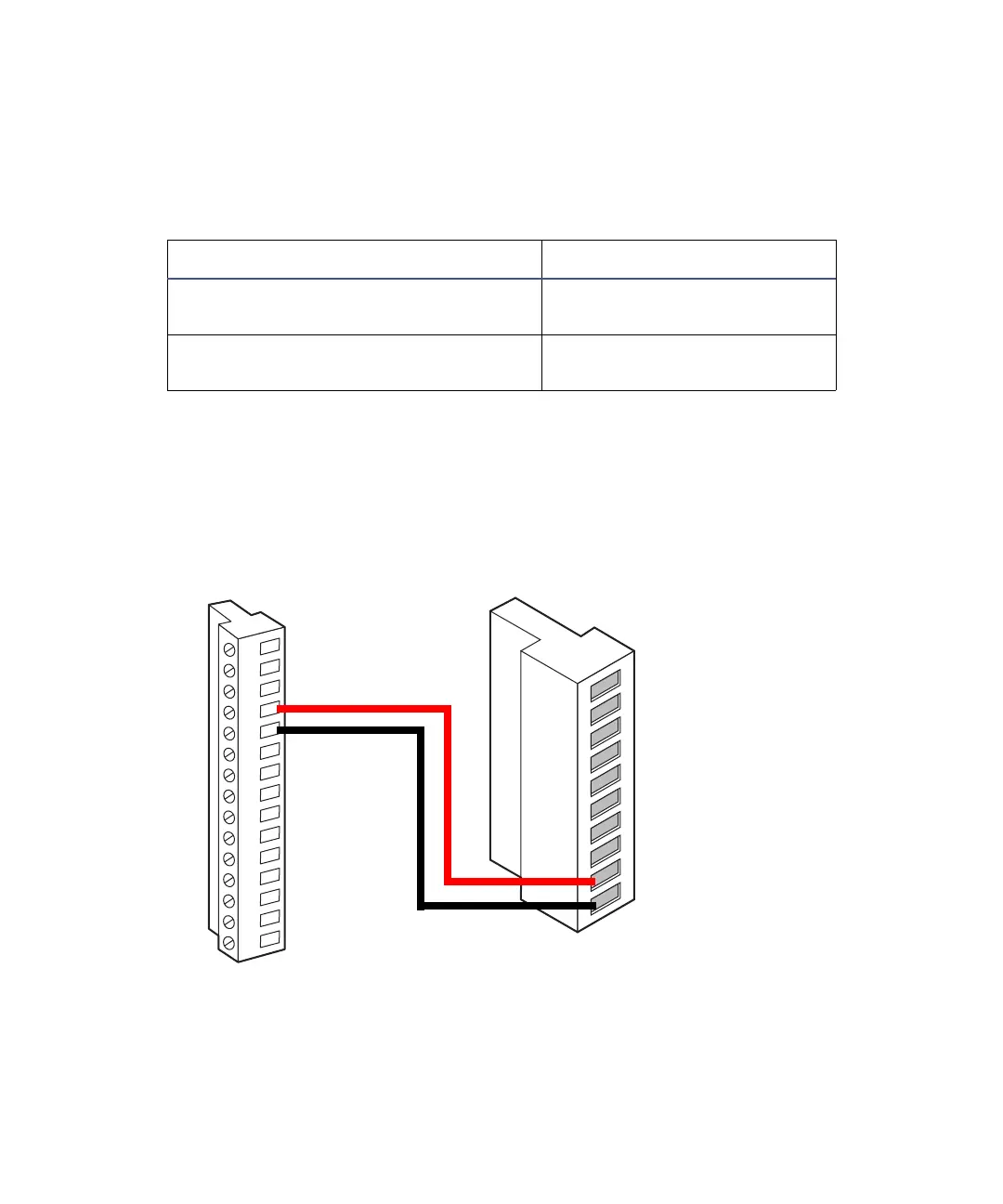
To auto zero the detector at the start of an injection, make the connections in
shown in the following table and figure.
The following figure illustrates the connections between the detector and
autosampler. Use any available pair of inject-start terminals on the
autosampler.
Auto-zero connections for the 717plus autosampler
Auto-zero connections for the 717plus autosampler
717plus autosampler terminal 2475 detector (A inputs)
Inject Start + (any one of many paired
with –)
Pin 9 Auto Zero +
Inject Start – (any one of many paired
with +)
Pin 10 Auto Zero –
123456789101112131415
717plus Autosampler
2475 detector
A (inputs and outputs)
1
2
3
4
5
6
7
8
9
10
+
−
+
−
+
−
+
−
Inject start 1
Inject start 1
Ground
Lamp on/off
Lamp on/off
Chart mark
Chart mark
Ground
Auto zero
Auto zero
Red
Black



 To Next Page