32 Preparing Your 600E System for Operation
• Open the slide-out drawer. Disconnect the fluid tubing at the column inlet. See the
Waters 600E Multisolvent Delivery System Installation and Maintenance Guide,
Section 2.3.1, Installing a Column. Disconnecting the fluid line avoids introducing
air into the column and reduces backpressure resistance to priming.
• If you are using a Waters 717plus Autosampler, put the autosampler in purge mode.
Initiating Flow
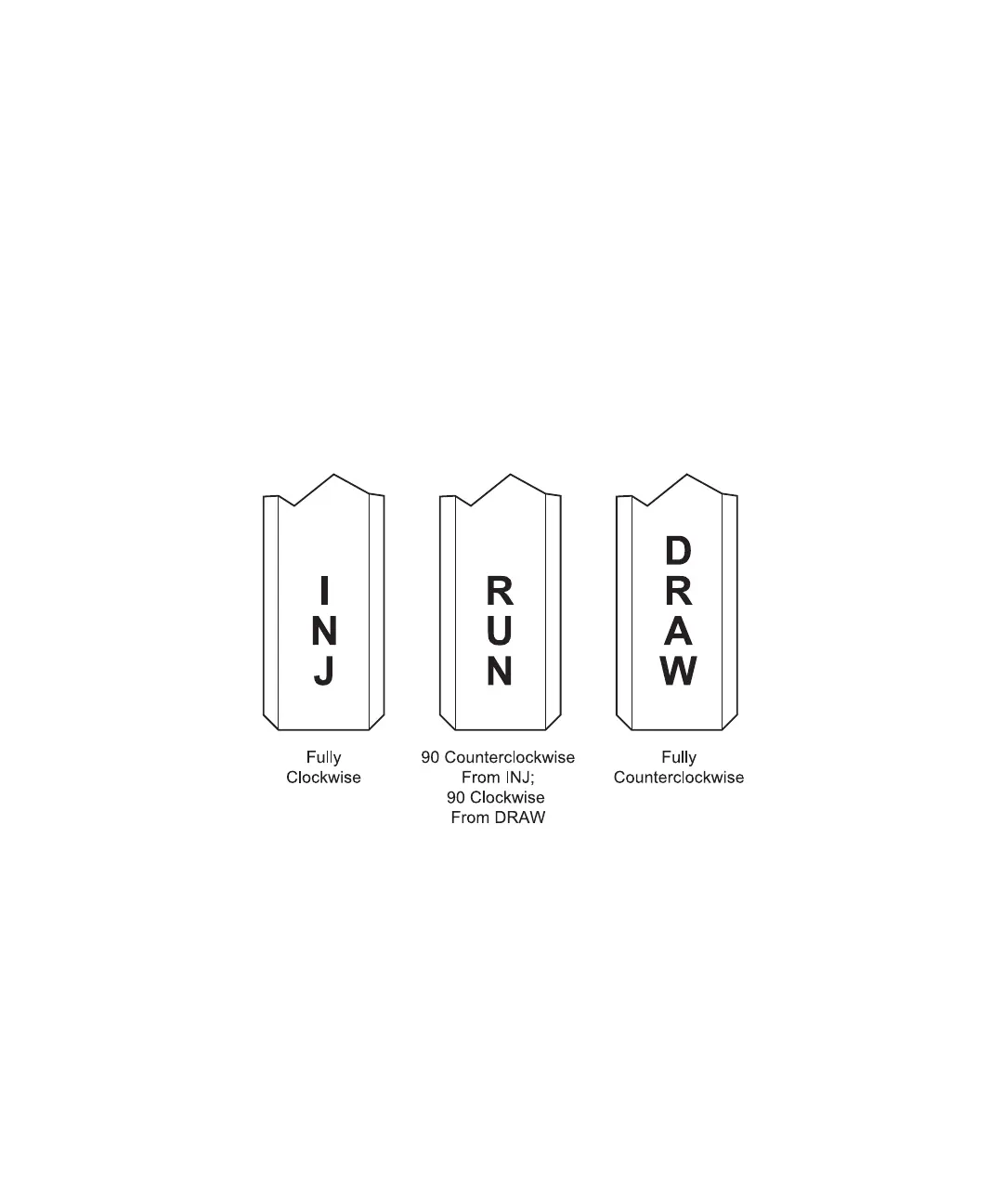
1. Rotate the inlet manifold valve handle located on the front of the pump to the Run
position (Figure 3-3).
2. Place a waste beaker under the vent tube of the reference valve to collect the
diverted eluent.
3. Open the reference valve (see Figure 1-4) by rotating the handle from left to right to
isolate the column from the flow path.
Figure 3-3 Pump Inlet Manifold Valve Positions
4. Press the Direct function key and the Direct Control screen appears. At the Flow
field, type a flow rate of 1.0 mL/min (the gradient proportioning valve is not
actuated at 0 mL/min).



 To Next Page