Use
28.03.2022 37 / 112
Mandatory
Observe the documentation of the compressor
manufacturer!
To avoid operating errors that can lead to damage.
Contaminated compressed
air
Caution - material
Material damage due to the use of contaminated
compressed air!
The use of contaminated compressed air can damage the device.
Mandatory
Follow the obligations set out below:
Only use oil-free, dry and dust-free air!
Ensures that no condensation water can enter into the device via the
compressed air.
Service the compressor regularly as specified in the manufacturer's
documentation!
Ensures operation with clean compressed air.
Risk of crushing
CAUTION
Risk of crushing when closing the bell cover!
There is a risk of crushing between the bell cover and the housing of the
device when closing the bell cover.
• Before closing the bell cover, make sure that no body parts or
objects are inside the closing area.
5.2 Basic operation
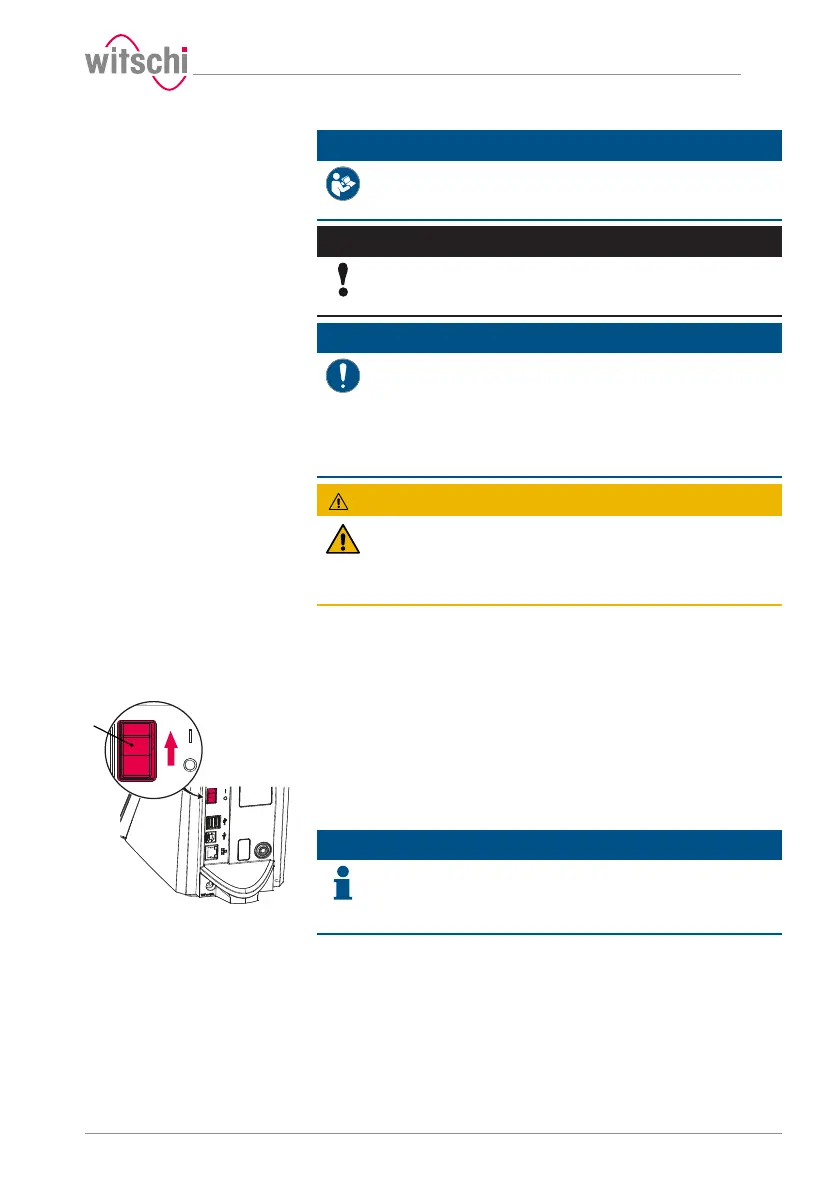
5.2.1 Switching on the Proofmaster
ü The ProofMaster has been commissioned correctly, see Initial
operation [}Page24].
a) Switch on the ProofMaster by pressing the switch 1 in the
direction of the arrow.
ð The home screen appears.
ð The bell cover opens.
Info
When the ProofMaster is switched on for the first time, the
display language can be selected on the displayed screen.
The display language can be changed at any time, see Language
selection [}Page77].
ð The "Programs" screen appears.
b) Make sure that the pressure reducing valve of the compressor is
set to a maximum of 11bar, but at least 1bar higher than the
desired test pressure.
c) Switch on the compressor as specified in the manufacturer's
documentation.
ð The Proofmaster is ready for operation.



 To Next Page