Settings
96 / 112 28.03.2022
7.7 Printer
7.7.1 Configuring the printer
The configuration of the thermal printer is carried out on the
ProofMaster.
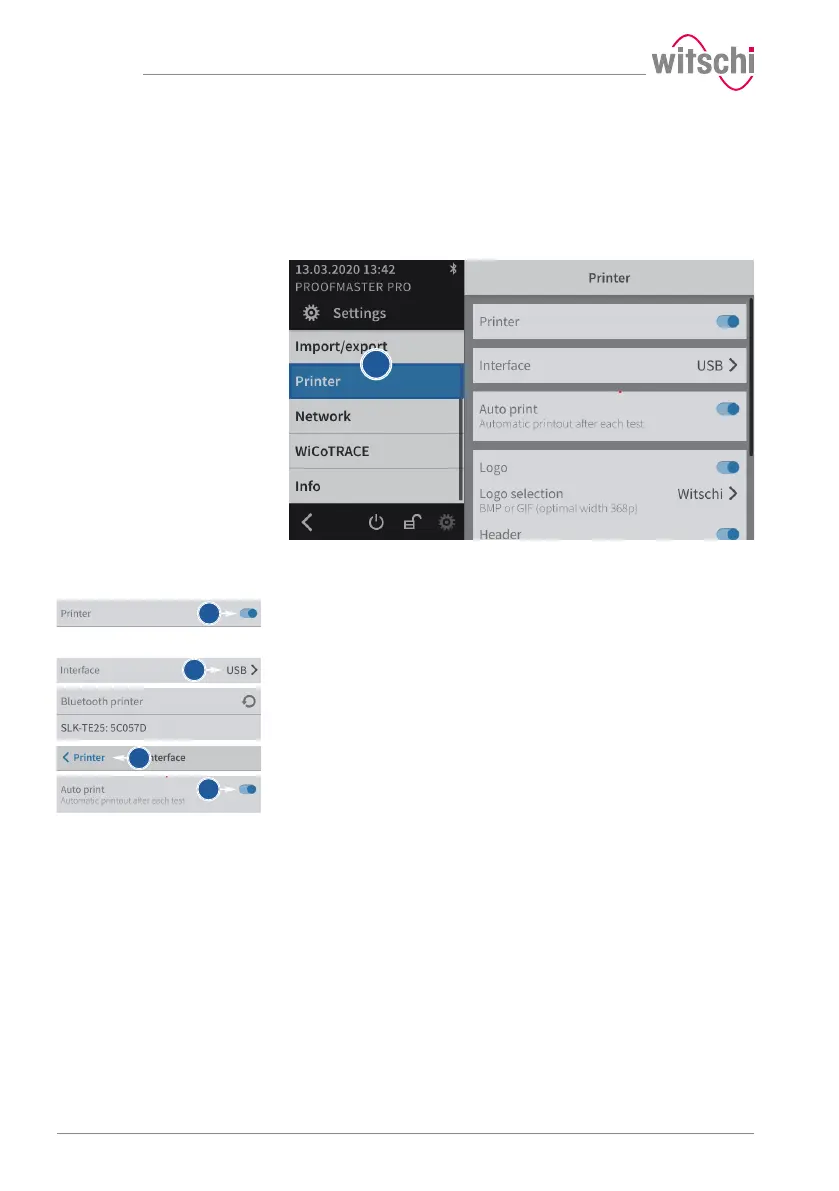
a) Select Printer from the list.
ð Printer is highlighted in blue and the right window displays
the device options.
b) Enable the printer.
ð The button is blue when the function is enabled and grey
when it is not.
c) Open the user interface display by tapping the current selection.
d) Select the connection type.
ð In the following example, Bluetooth.
e) Press < Printer to save and return to the previous screen.
f) If necessary, enable automatic printing.
ð The button is blue when the function is enabled and grey
when it is not.
g) If necessary, configure the label.
ð See Configuring the label [}Page97].



 To Next Page