Settings
28.03.2022 83 / 112
7.4 Device
7.4.1 Opening speed of the bell cover
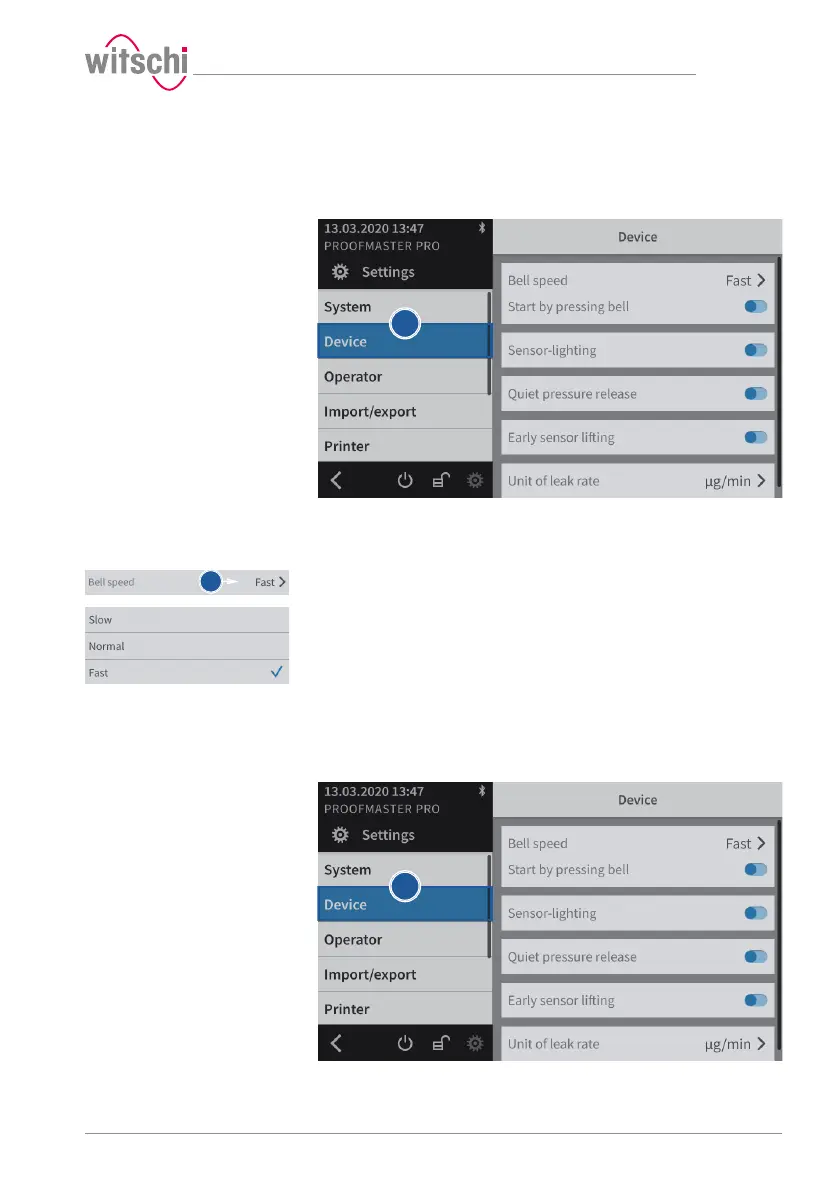
a) Select Device from the list.
ð Device is highlighted in blue and the right window displays
the device options.
b) Open the bell cover speed selection by tapping the current
selection.
c) Select the desired bell cover speed.
7.4.2 Start by pressing the bell cover
Using this function, a measurement can be started by pressing the bell
cover.
a) Select Device from the list.



 To Next Page