Use
62 / 112 28.03.2022
5.5.3 Creating a program (ProofMaster PRO)
Info
This function is available in the ProofMaster PRO software
version.
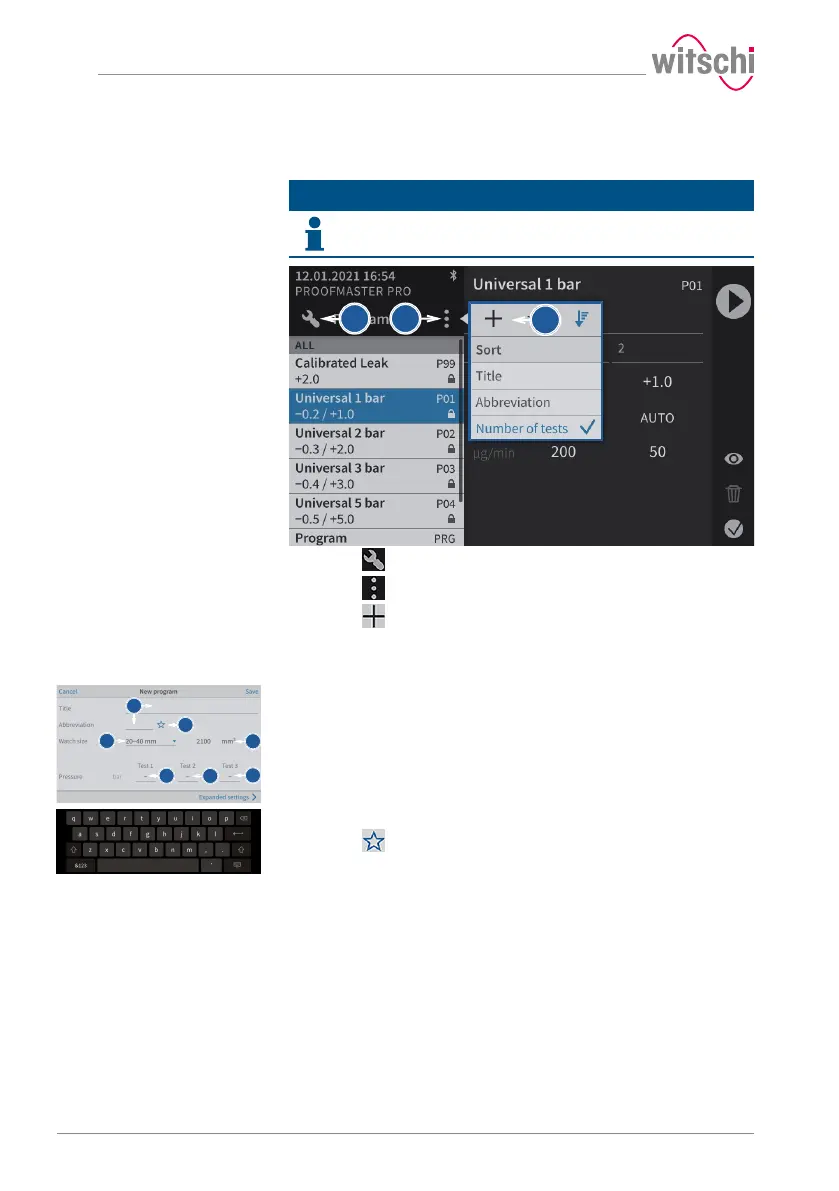
Creating a program
a) Press to display the program menu options.
b) Press to open the program menu options.
c) Press to create a new program and open the basic
programming window.
Basic programming
a) Give the new program a name and, if necessary, a short name.
ð An alphanumeric keypad appears for entering the names.
b) Press to mark the program as a Favourite.
ð The star is filled in if the option is enabled and empty if the
option is disabled.
c) Select the watch size from the list.
ð The volume used as the basis for the test is displayed 1.
d) Enter the pressure for the first test.



 To Next Page