Use
28.03.2022 65 / 112
5.5.5 Deleting a program (ProofMaster PRO)
Info
This function is available in the ProofMaster PRO software
version.
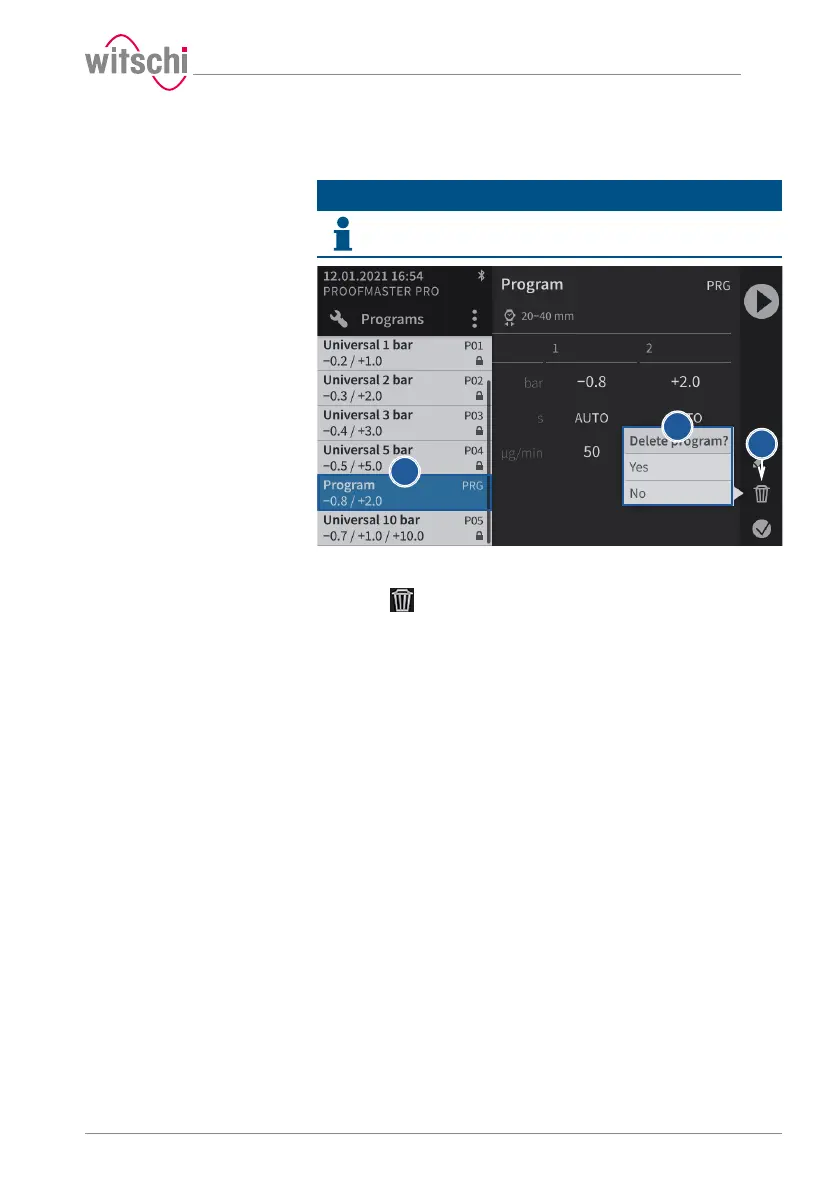
a) Select the user program to be deleted.
ð See Selecting the program (ProofMaster PRO) [}Page44].
b) Press to display the confirmation window for deleting the user
program.
c) Press Yes to delete the selected program and press No to cancel
the operation.
ð The deleted program disappears from the program list of the
ProofMaster.



 To Next Page